
Enrolling a student in a group
Put a student in a group, change how they are enrolled, or take them out of it. Owners, admins and anyone whose role has Manage access to Students can do all three.
Before you start
Section titled “Before you start”- The group has to exist and be running: only running groups are offered. Groups are explained in Teaching → Groups.
- For a student who is not in Tuevia yet, Enrol student adds them and enrols them in one go.
Enrol a student
Section titled “Enrol a student”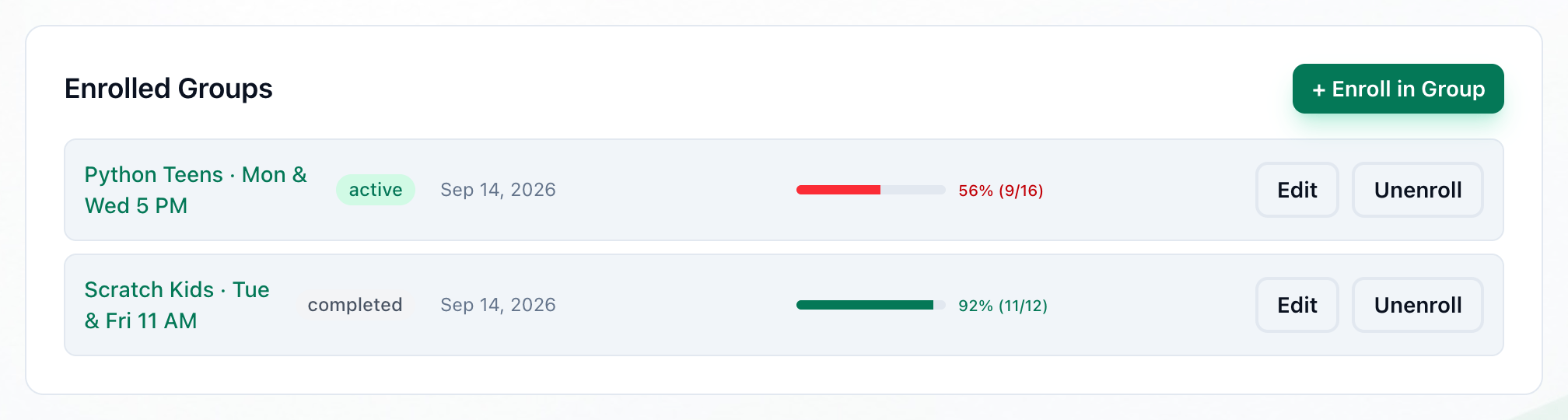
- + Enroll in Group
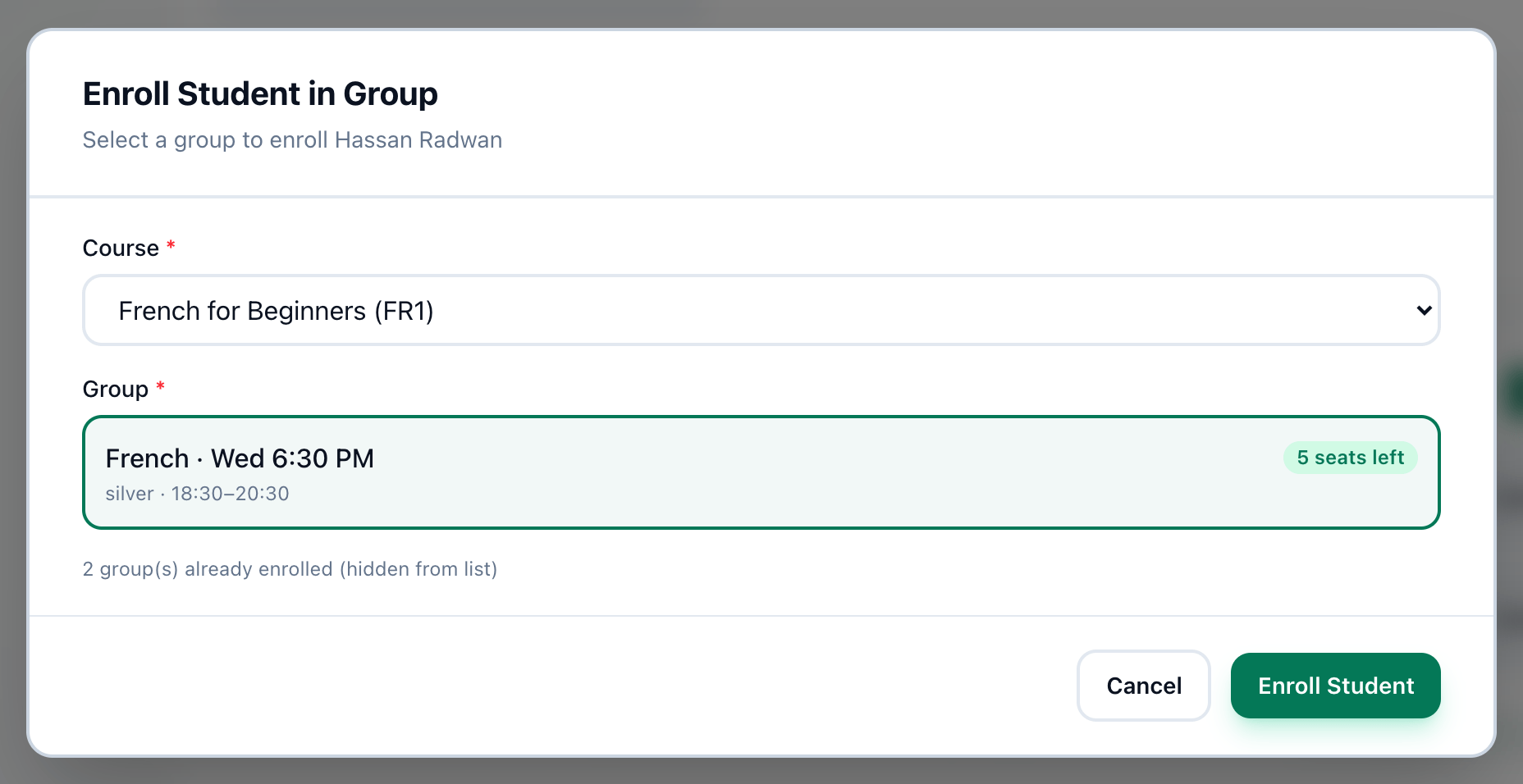
- Course
- The group
- Enroll Student
-
On the student’s profile, in Enrolled Groups, press + Enroll in Group. On Teaching → Students, Enroll on the student’s row opens the same window.
-
Choose the course in Course.
-
Choose one of its groups. Each shows when it meets, and its seats: how many are left, how many students are enrolled when the group has no limit, or Full - a full group cannot be chosen.
-
Press Enroll Student.
- Groups the student is already in are not offered. A line under the list says how many are hidden.
- ⚠ Clashes with and a group’s name warn that the group meets at the same time as one of the student’s groups. You can still choose it.
- The student becomes Active, and the enrolment brings their fee: the group’s price, or its course’s, paid in one go from today. It shows in the profile’s Payments and on Finance → Fees, where what they pay is recorded. A course with no price brings none - set its price first.
Change an enrolment’s status
Section titled “Change an enrolment’s status”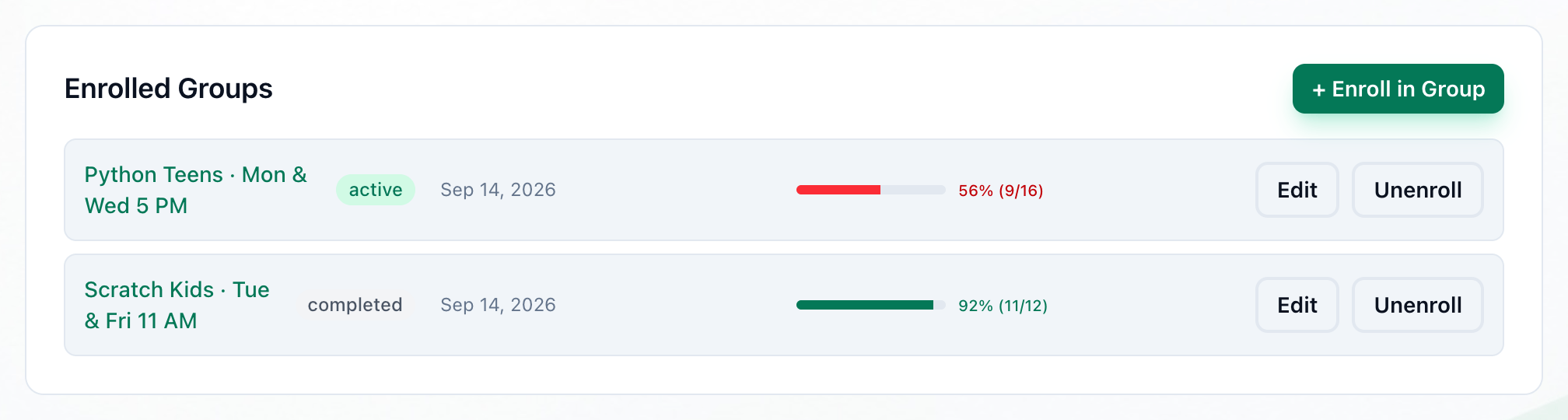
- Edit
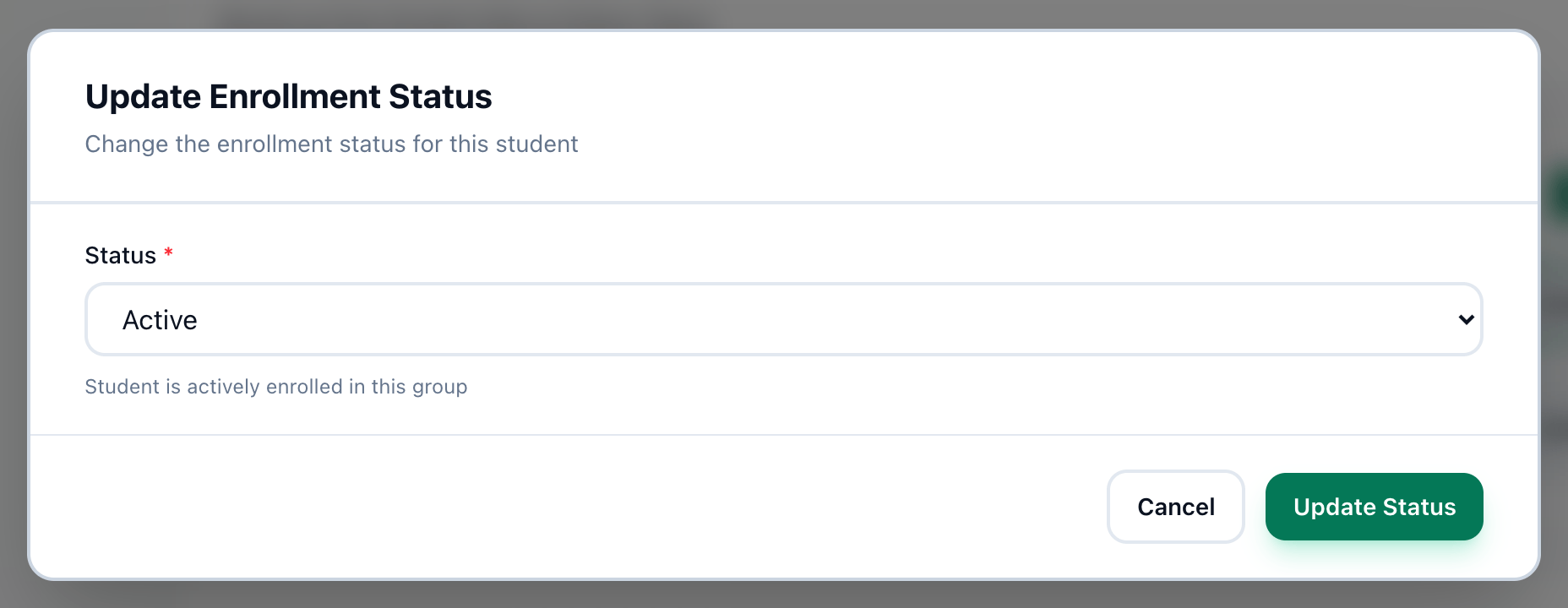
- Status
- Update Status
-
In Enrolled Groups, press Edit on the group’s row. Pressing the status beside the group’s name does the same.
-
Choose a Status:
- Active: the student is attending the group.
- Suspended: the enrolment is paused for a while. Their fee for the group stops until the enrolment is Active again - see below.
- Completed: the student finished the group. Their fee stays owed.
-
Press Update Status.
Tuevia then works out the student’s own status again: they stay Active while any of their enrolments is active or suspended in a group that is running or suspended.
Unenrol a student
Section titled “Unenrol a student”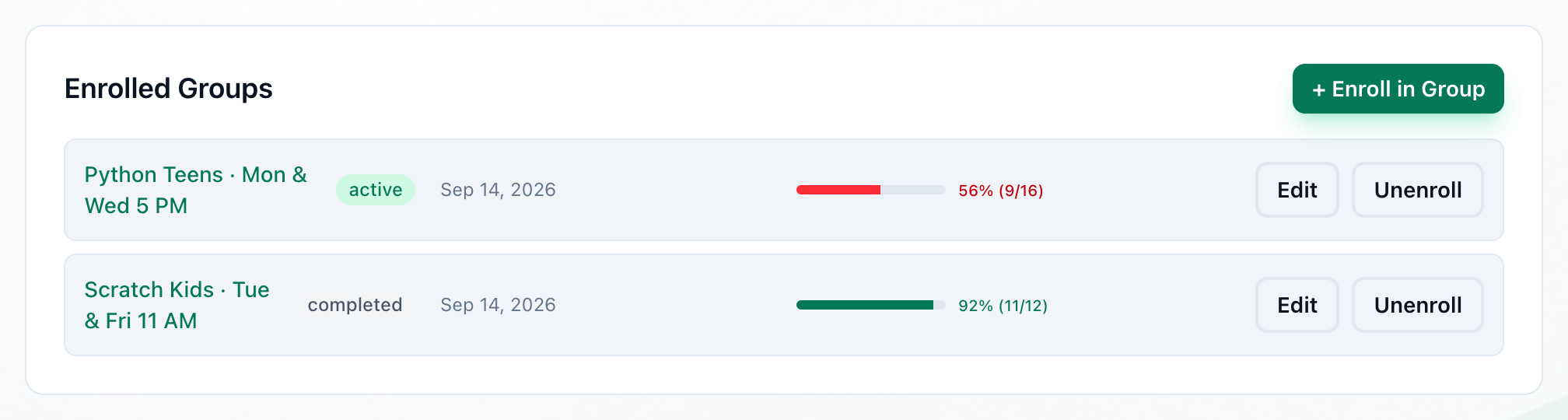
- Unenroll
-
In Enrolled Groups, press Unenroll on the group’s row.
-
Your browser asks Are you sure you want to unenroll this student from this group? Press OK. The group leaves the list.
Their fee for the group stops: it stays on Finance → Fees with every payment, as Stopped - student left, but nobody owes what is left of it and it is never overdue. Enrolled in the group again, they pick the same fee up where it was - they are not charged twice.
To keep a record that the student was in the group, set the enrolment to Completed instead - but then the rest of their fee is still owed.
If something goes wrong
Section titled “If something goes wrong”-
group is full (… of … seats taken)
The last seats went while you were choosing. Choose another group. -
student is already enrolled in this group
The student was enrolled in the group in the meantime. -
can only enroll in active groups
The group stopped running while you were choosing. Choose a running group. -
Failed to update enrollment status
Tuevia could not change the status. Try again.
What happens next
Section titled “What happens next”- The group’s page lists the student - see Teaching → Groups.
- The student’s attendance in the group appears on their profile as its sessions are taken.