
Classwork
Classwork holds what a class hands in: assignments, which you mark, and quizzes, which mark themselves.
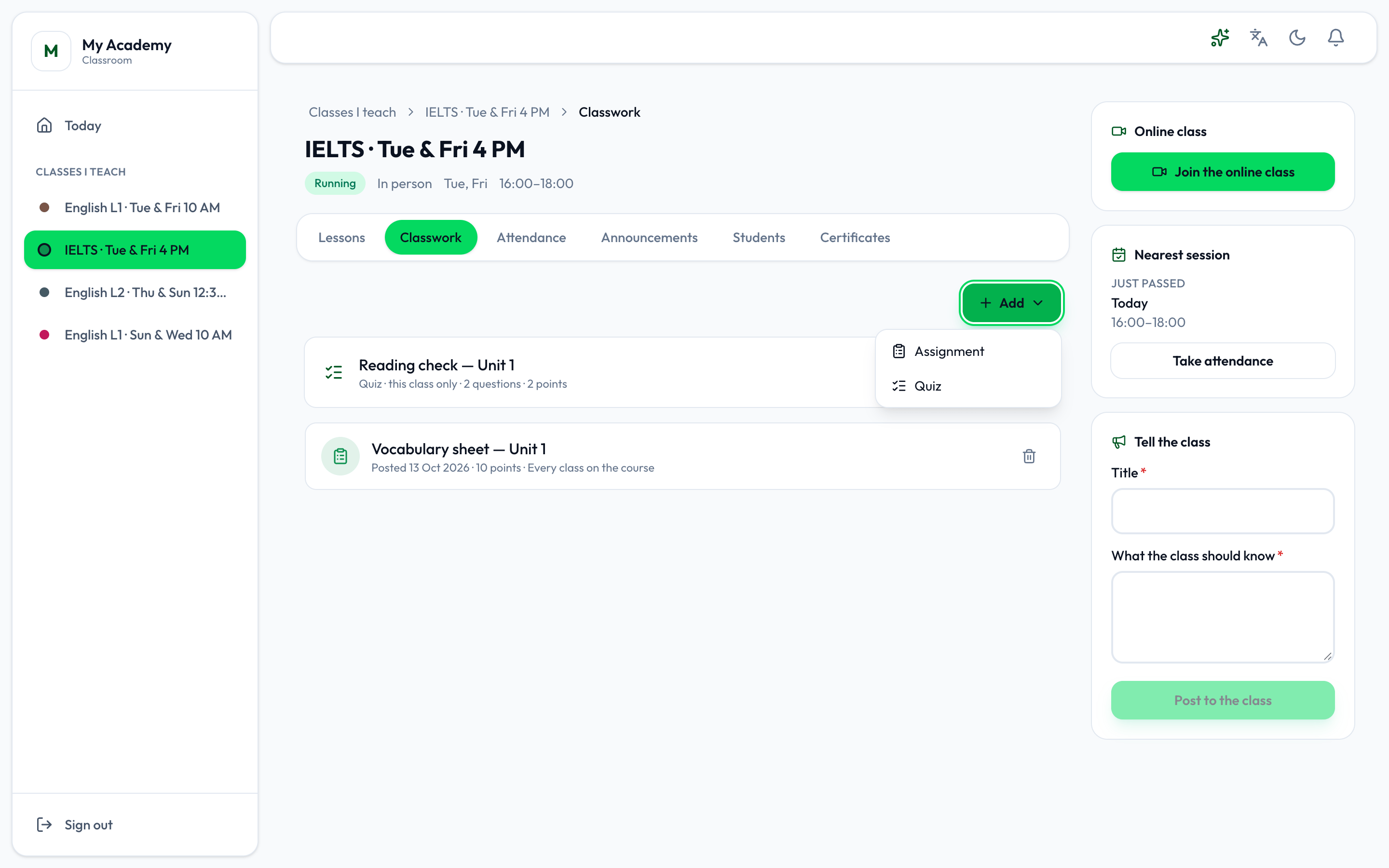
- Add
An assignment
Section titled “An assignment”-
Press Add, then Assignment.
-
Type the Title and the Instructions.
-
Set when it is Due and what it is marked Out of.
-
Choose This class only or Every class on the course, and when students see it, and press Post.
Open the assignment to attach files to it, as with a lesson.
Marking
Section titled “Marking”Open the assignment and press Marking. Each student shows Handed in, Started, not handed in or Nothing handed in, with what they attached.
-
Type each student’s mark, and A note back, optional.
-
Press Return to give the marks back.
Students see nothing until you return the marks: the page says how many are waiting. A returned mark says Returned, and one you have given but not returned not returned.
A quiz
Section titled “A quiz”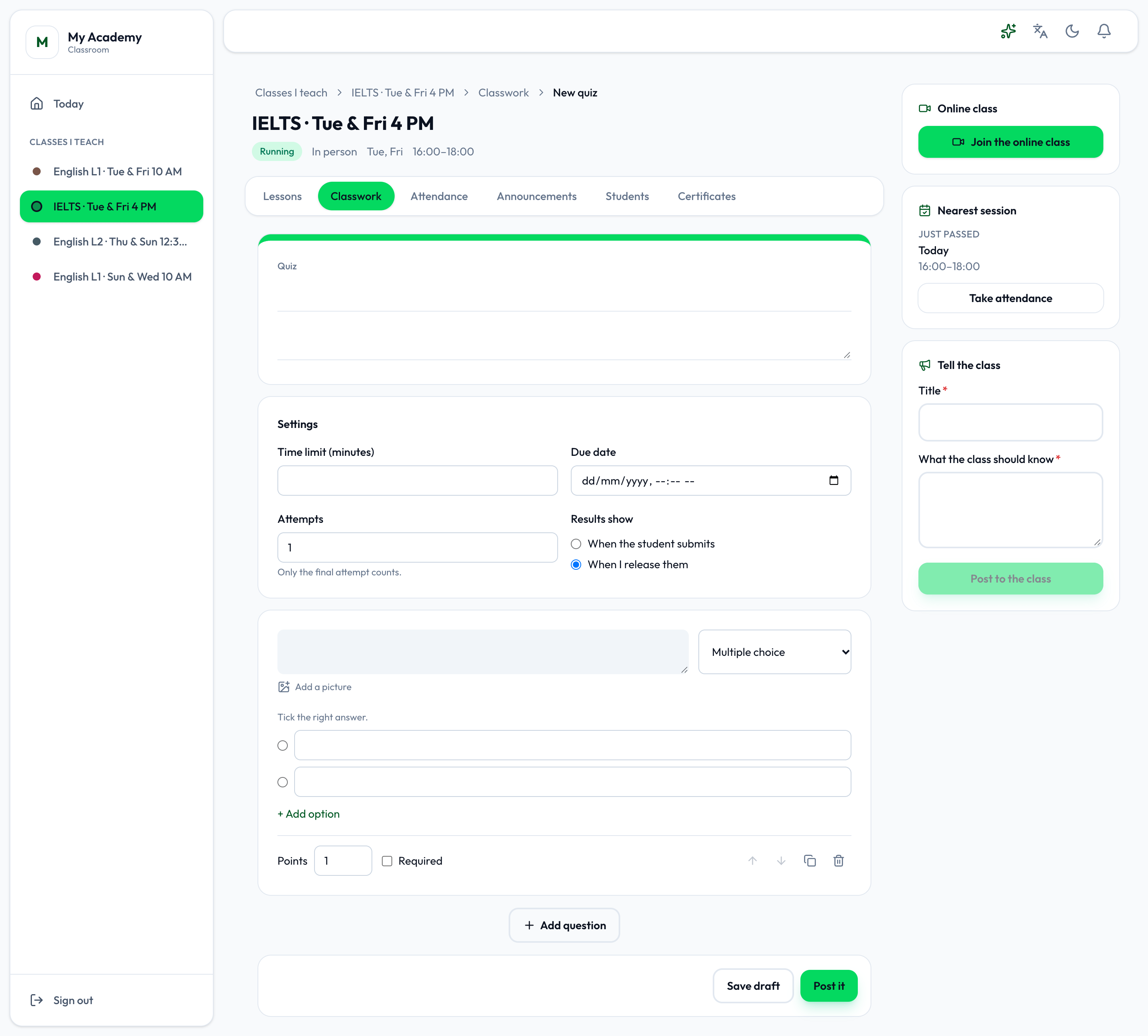
-
Press Add, then Quiz.
-
Type its title and description.
-
Under Settings, set the Time limit (minutes), the Due date and the Attempts - only the final attempt counts - and when Results show: When the student submits or When I release them.
-
Write each question, choose its kind - Short answer, Paragraph, Multiple choice, Checkboxes or Drop-down - and tick the right answer. Set its Points, and tick Required if it must be answered. Add question adds the next.
-
Press Post it, or Save draft.
Choice questions mark themselves. A short answer is marked right when it matches one of its Accepted answers; anything else, and every paragraph, you mark by hand.
Open the quiz and press Results to see each student’s score, Mark the answers that wait for you, and Release results when results are released by hand.
A quiz is for one class. A test, which every class on the course takes, is written on the course. See Courses.