
Your details and account
Both are in the menu under your name, at the top of every page.
Your details
Section titled “Your details”Profile opens Your details. They are yours, not an academy’s: nothing here is public, and no academy sees it unless you ask it for a place - then it saves you typing it again.
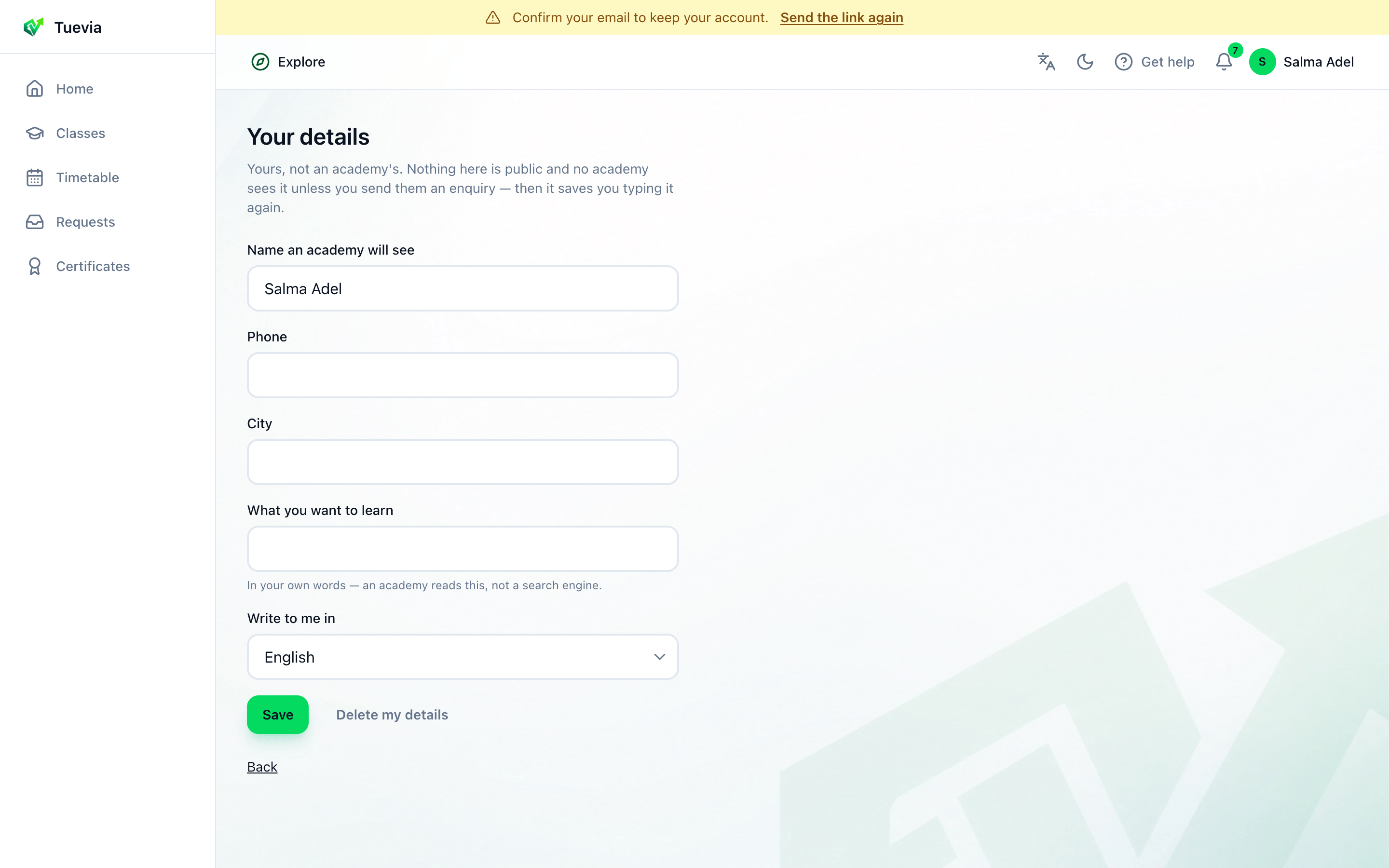
- Your details
- Name an academy will see, Phone, City, What you want to learn in your own words, and Write to me in: English or Arabic. Press Save.
Delete my details, then Yes, delete them, empties them. Your account stays.
Settings
Section titled “Settings”Settings shows the email you are signed in as.
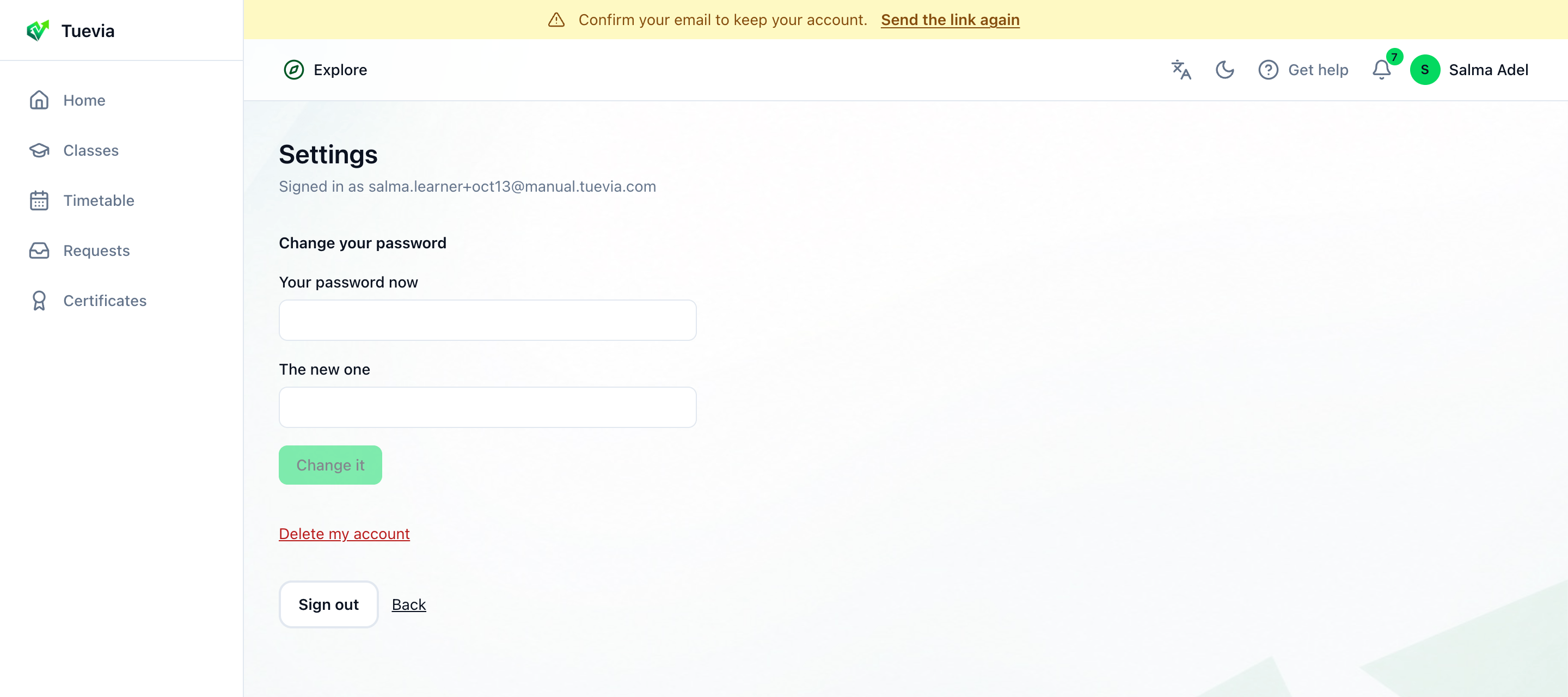
- Your password
- Delete your account
- Sign out
-
Change your password - type Your password now and The new one, and press Change it. You stay signed in here; anywhere else you are signed in asks for the new one.
-
Delete my account - see below.
-
Sign out.
Deleting your account
Section titled “Deleting your account”-
In Settings, press Delete my account.
-
Read What goes and What your academies keep.
-
Type your password under Your password, to confirm, and press Delete my account for good.
It is deleted at once, and cannot be undone. What goes: your account and every sign-in, your details, your requests that were not accepted, your ratings, and your notifications. What your academies keep: their record of you as a student - your enrolments, attendance, marks, certificates and payments - no longer linked to any account.
You can sign up again at any time with the same email; the new account starts empty.