
Classes
Classes lists every class you are in, at every academy you study at.
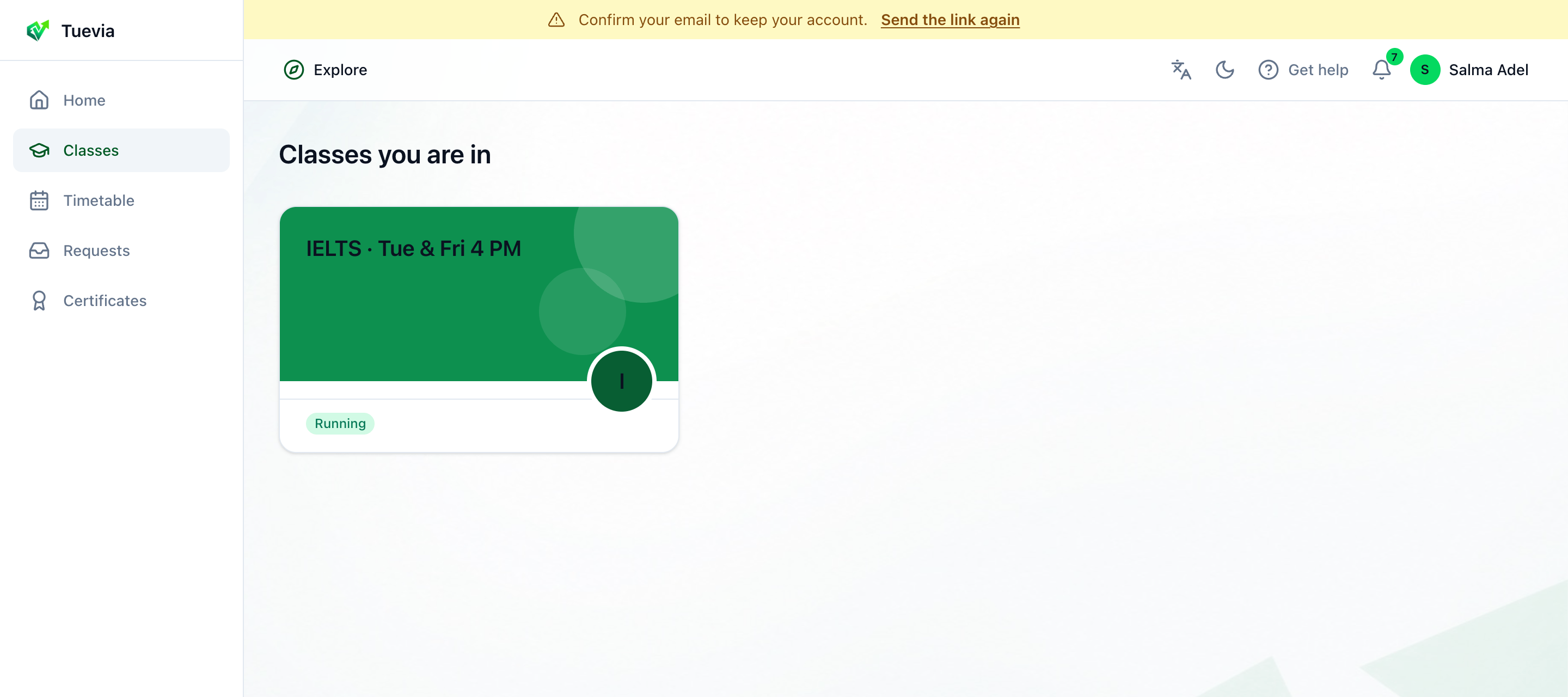
Each class says whether it is Running, Paused or Completed. A completed class stays here, and you can still read everything in it. If you study at more than one academy, All academies narrows the list to one.
A class appears here once you join it: by saying yes to an academy’s invitation in Requests, or by paying for your place.
Inside a class
Section titled “Inside a class”Press a class to open it.
- The class
- Lessons and quizzes
- Your attendance
- Rate the academy
-
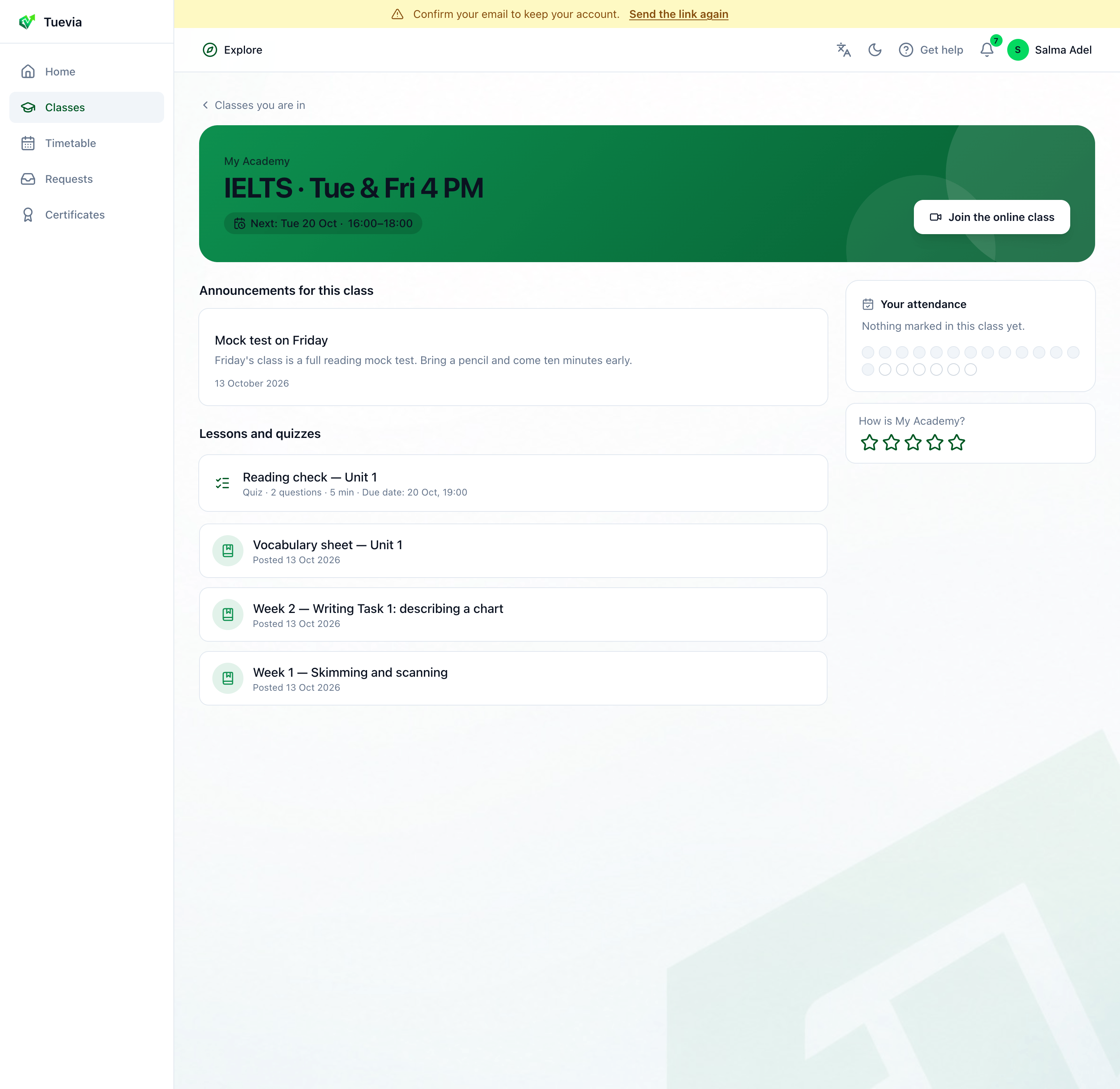
The class: its name over the course’s picture, the academy, and Next - when the class meets next (Today, Tomorrow or a day) and its hours. When the class meets online, Join the online class opens the meeting.
-
Lessons and quizzes - what the instructor posted, newest first. A lesson shows when it was posted and how many files it has. Above it, Announcements for this class - the newest things the academy posted to the class.
-
Your attendance, beside the work - how often you have been there, and a box for each session: Attended, Late (with the minutes), Absent, Excused, Not marked, or Upcoming for one still to come. Today’s session is marked Today.
-
How is the academy? - press a star, from one to five, to rate it. Only somebody studying there can rate it, and you can change your rating at any time.
Lessons and handing work in
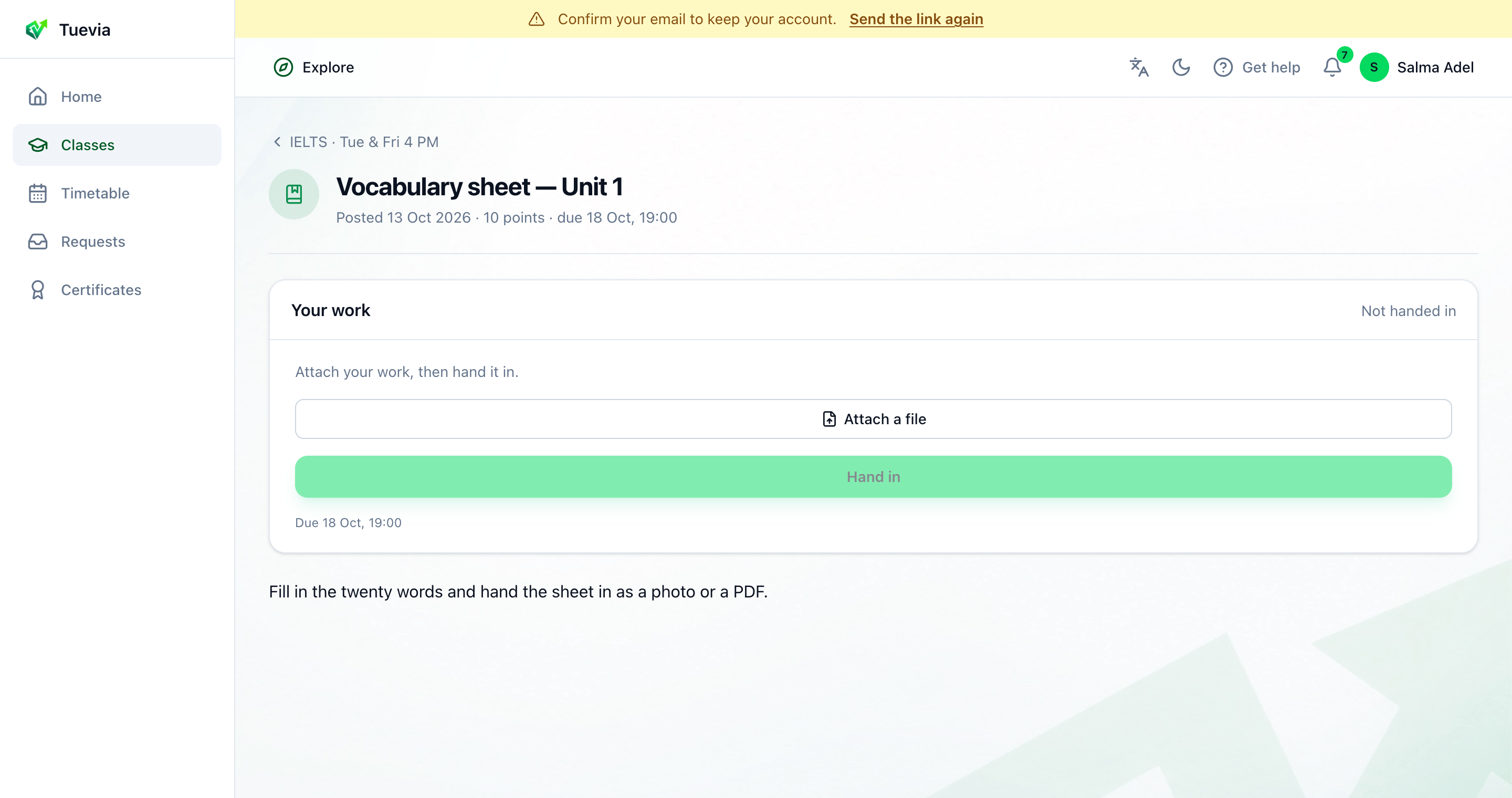
Section titled “Lessons and handing work in”Press a lesson to read it and open its files. A lesson with work to hand in shows Your work, its points and its due date.
-
Press Attach a file and choose your work: a photo, a PDF or a document.
-
Press Hand in. It says Handed in.
Until the deadline, Unsubmit takes it back so you can change it. Once the instructor marks it, it says Marked, with your points and their comment. Work not handed in by the deadline says Missing.
Quizzes
Section titled “Quizzes”-
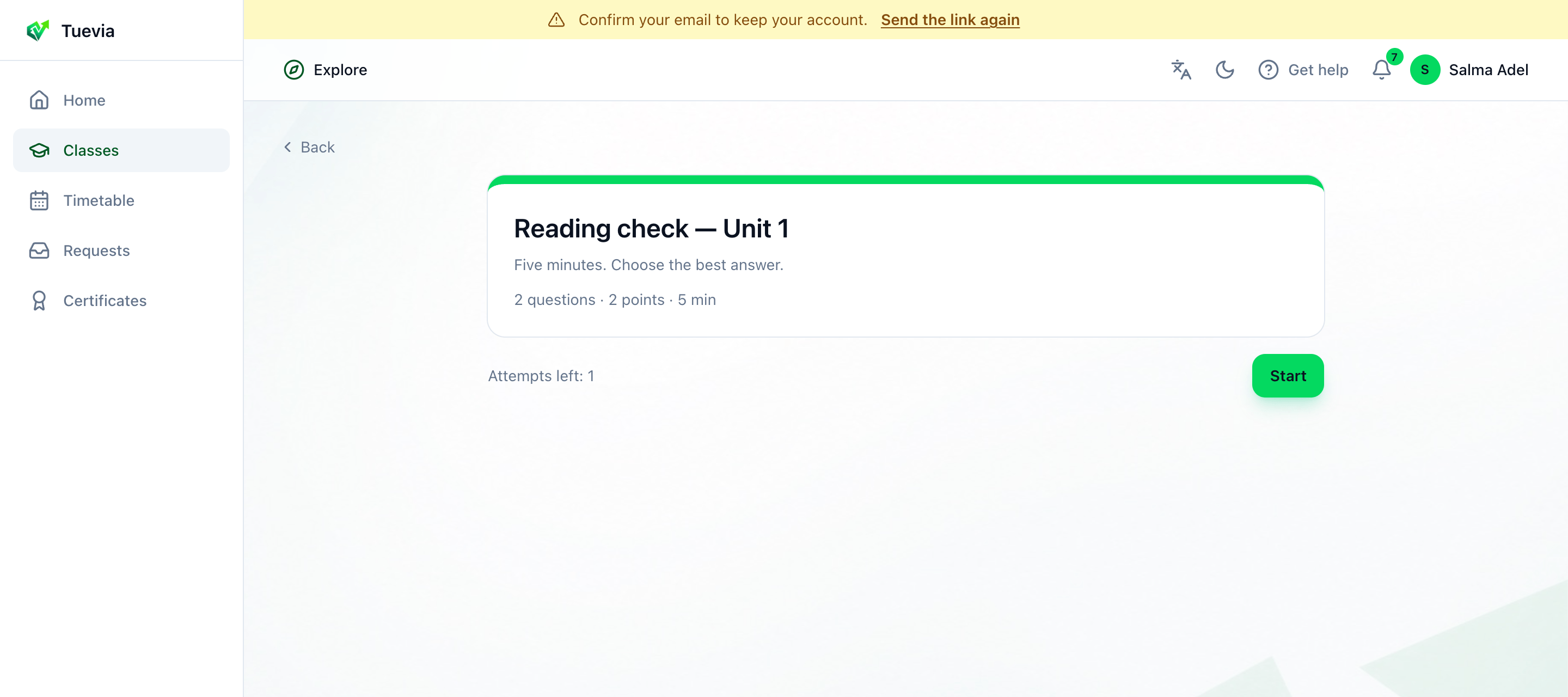
Press a quiz. It says how many questions and points it has, and its due date and time limit, if any.
A quiz -
Press Start, answer the questions, and press Submit. On a timed quiz, Time left counts down, and your answers are handed in when it runs out.
Depending on how the instructor set it, you see Your score as soon as you submit, or once they release the results. Some answers are still being marked means the instructor marks some by hand. A quiz with more than one attempt shows Attempts left and Try again; only the final attempt counts.