
Assigning leads
Every lead can have a person and a due date. On its due date it shows on that person’s Today, and stays there, as overdue, until they set a new date or clear it.
Assign leads from the list
Section titled “Assign leads from the list”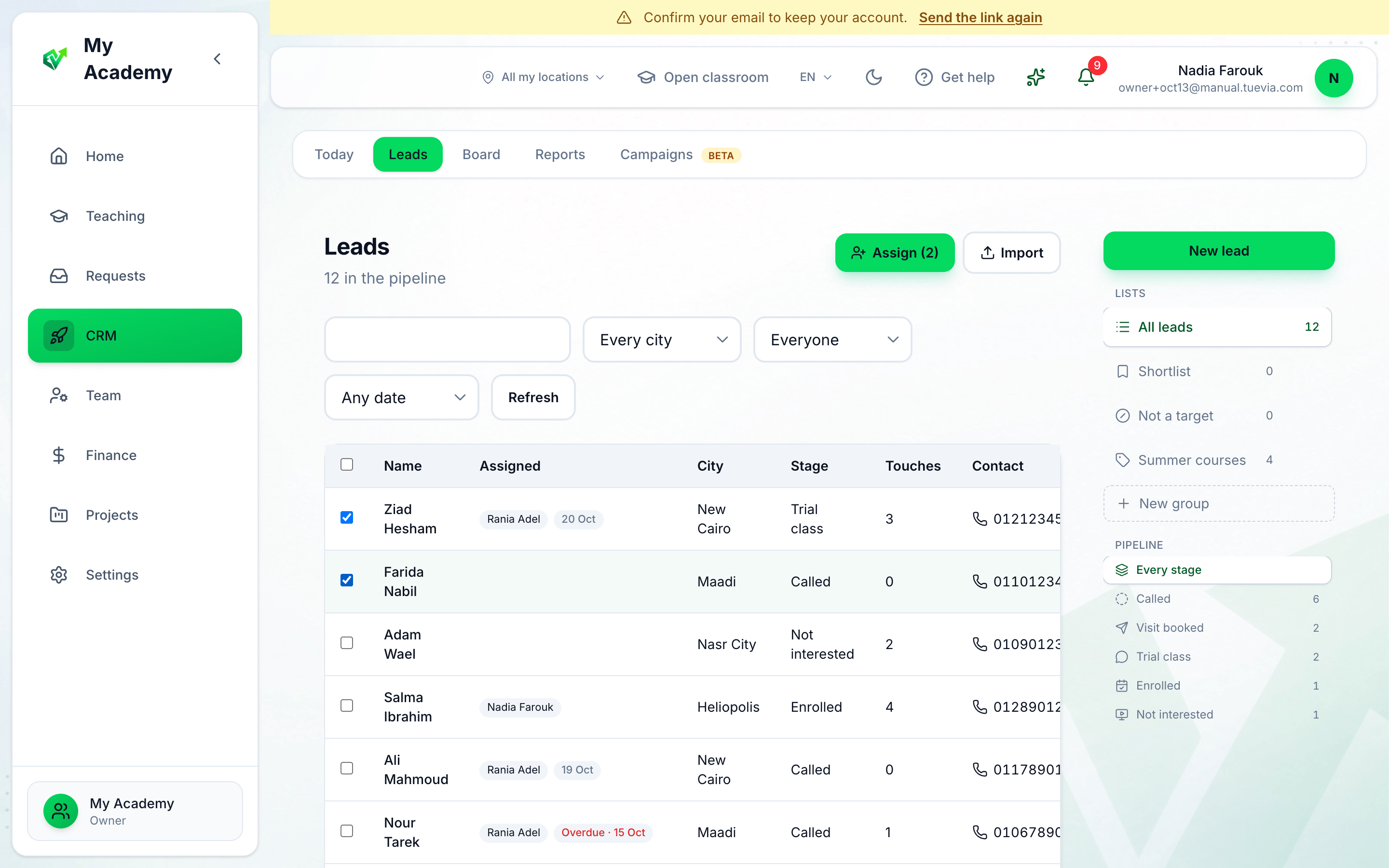
- Tick the leads
- Assign
-
Tick the leads. The box at the top of the column ticks the whole page.
-
Press Assign. It shows how many are ticked.
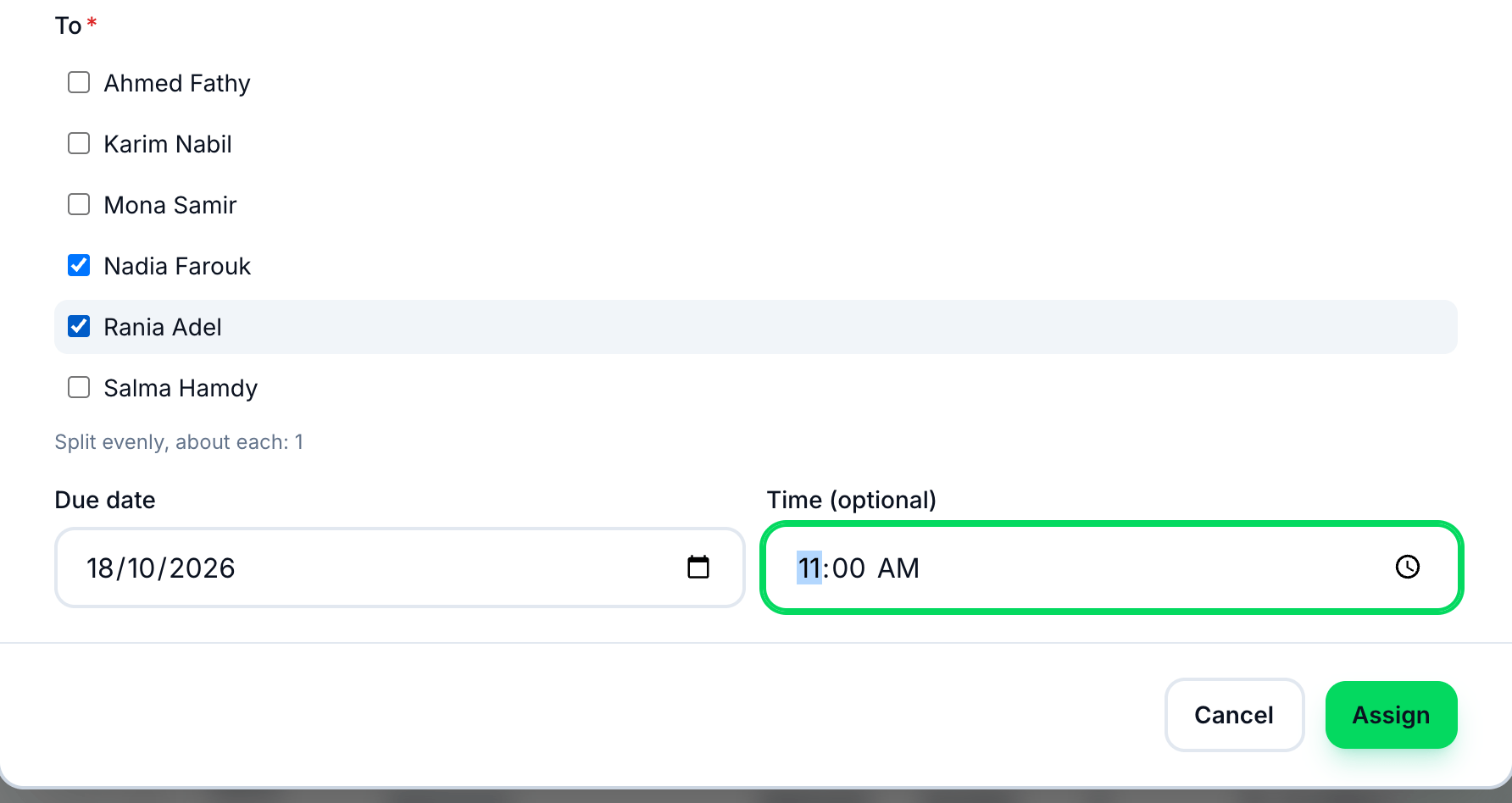
- To
- Due date
- Time
- Assign
-
Under To, tick one person, or several: the leads are split evenly between them, and the window says about how many each gets.
-
Choose the Due date. It starts at today.
-
Add a Time if it has one — a visit at 4, a call at 11. It is optional.
-
Press Assign.
Assign a whole group, block or import
Section titled “Assign a whole group, block or import”- A group: open the group under Lists and press Assign group.
- A block: open the block’s page from the board and press Assign block. It covers every lead in the block, whatever the filters show.
- An import: press Assign these leads when the import finishes.
The same window opens each time. Assigning again replaces the person and the date.
Change one lead
Section titled “Change one lead”On a lead’s page, the Assigned card changes its person or sets it to Nobody; Change date moves its due date and time, and Done clears it. See A lead’s page.
Find assigned leads
Section titled “Find assigned leads”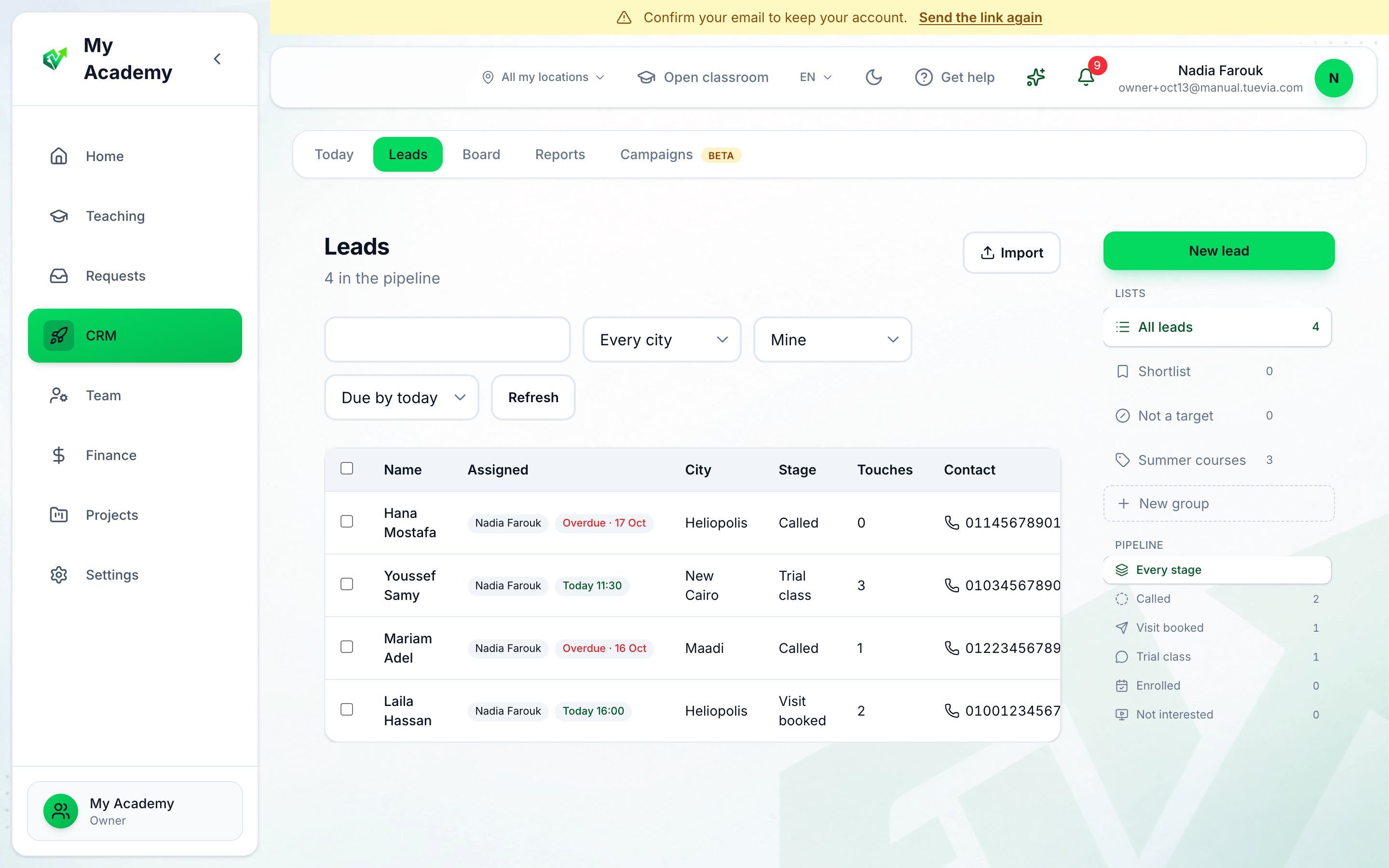
- Person
- Due date
- Who has it, and when
Choose Mine and Due by today to see your own leads that are due, or a person’s name and Overdue to see what is waiting with them. The board and a block’s page have the same two filters.