
Your home screen
Home is the screen Tuevia opens after you sign in, and the one Home in the sidebar brings you back to. Everybody in the academy has one. What is on it depends on your role.
What is on it
Section titled “What is on it”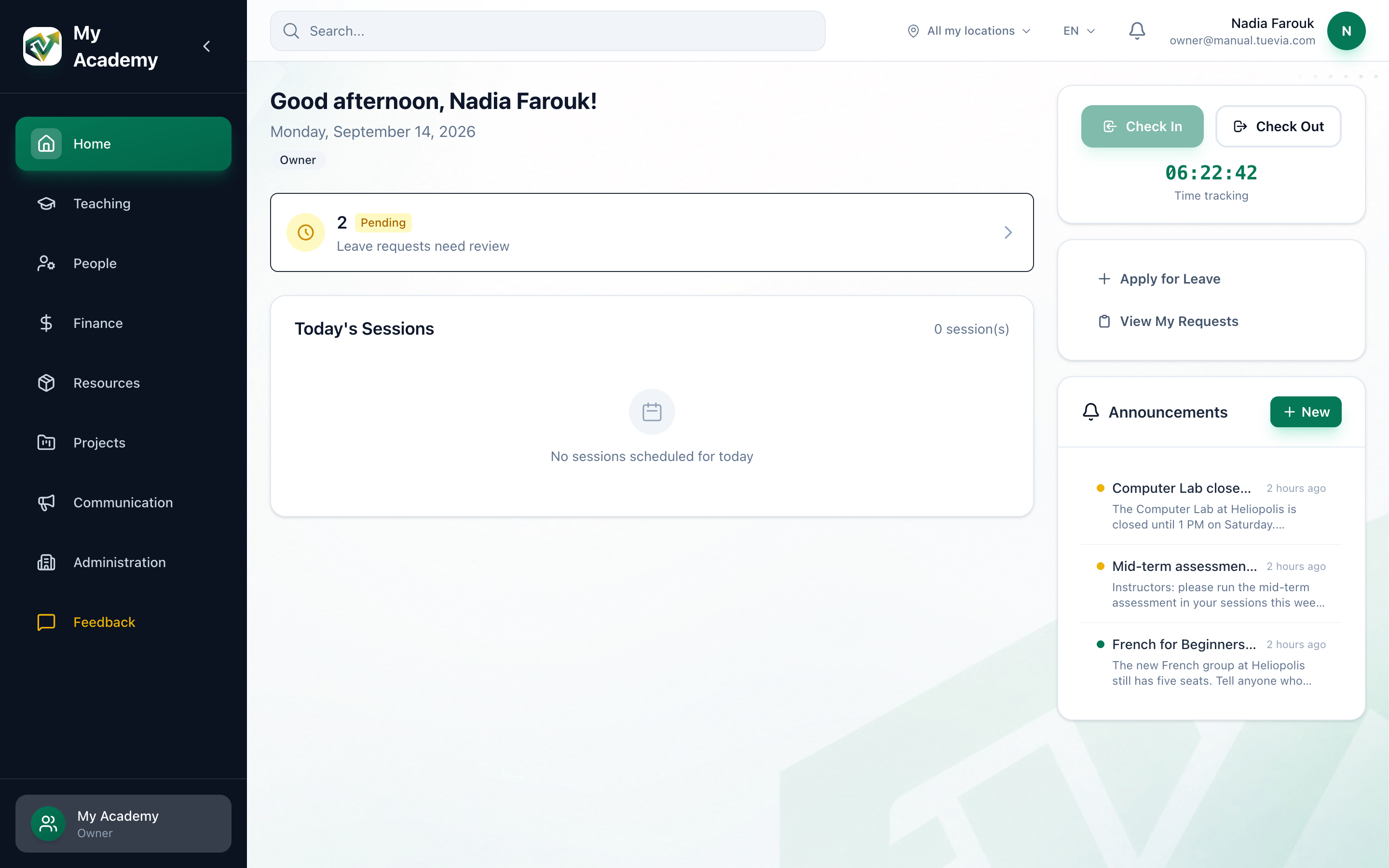
- The assistant
- Check in and out
- Leave
- Announcements
-
The assistant. Ask it about your academy, or ask it to do something, and confirm what it proposes. See The assistant.
-
Check In and Check Out, with the time you have worked today. See Checking in and out.
-
Apply for Leave and View My Requests. See Asking for leave.
-
Announcements. The newest announcements for the whole academy and for your branches. Press one to read it, or the arrow beside the title for all of them. Owners also have New, to write one. See Announcements.
Below them, for those with the CRM, My leads today counts your leads that are overdue and due today; press it to open CRM → Today. Under it is your to-do list.
Where an academy has no assistant
Section titled “Where an academy has no assistant”Home’s main part shows the day instead: a greeting with your name and role, Leave requests need review for those who approve leave while one is waiting, and, for owners and instructors, Today’s Sessions.
Today’s Sessions lists the sessions you teach today, earliest first: those of the groups you are the instructor of, and any you teach in person or cover as a substitute. Each row shows:
- Time
When the session starts and ends. - Group
The group’s name, and whether it is On-site or Online. - Status
Scheduled, In Progress, Completed or Cancelled. - Actions
Take attendance opens the group’s register, to take it, and View Group opens the group.
When you teach nothing today, the table says No sessions scheduled for today. An owner who does not teach sees that too.
If something goes wrong
Section titled “If something goes wrong”- No Membership Found
You are not a member of this organization. Your account has no place in this academy. Ask the academy’s owner to invite you again.
What happens next
Section titled “What happens next”- Record your working hours: Checking in and out.
- Ask for days off: Asking for leave.
- Review your staff’s leave requests: Team → Employees.