
Setting up a student's fees
A fee is what a student has agreed to pay, and when. Tuevia works out the instalments from it, and every payment you record is set against them. Owners, admins, and anyone allowed to manage Student Fees can create one.
Before you start
Section titled “Before you start”The student must already be in Tuevia. To tie the fee to a group, the student must be enrolled in it and the group must be running — see Students and Groups.
The price fills itself in when the group or its course has one. A course’s price is set on Teaching → Courses, and Price for this group on the group form when one group costs differently — see Groups.
Create the fee
Section titled “Create the fee”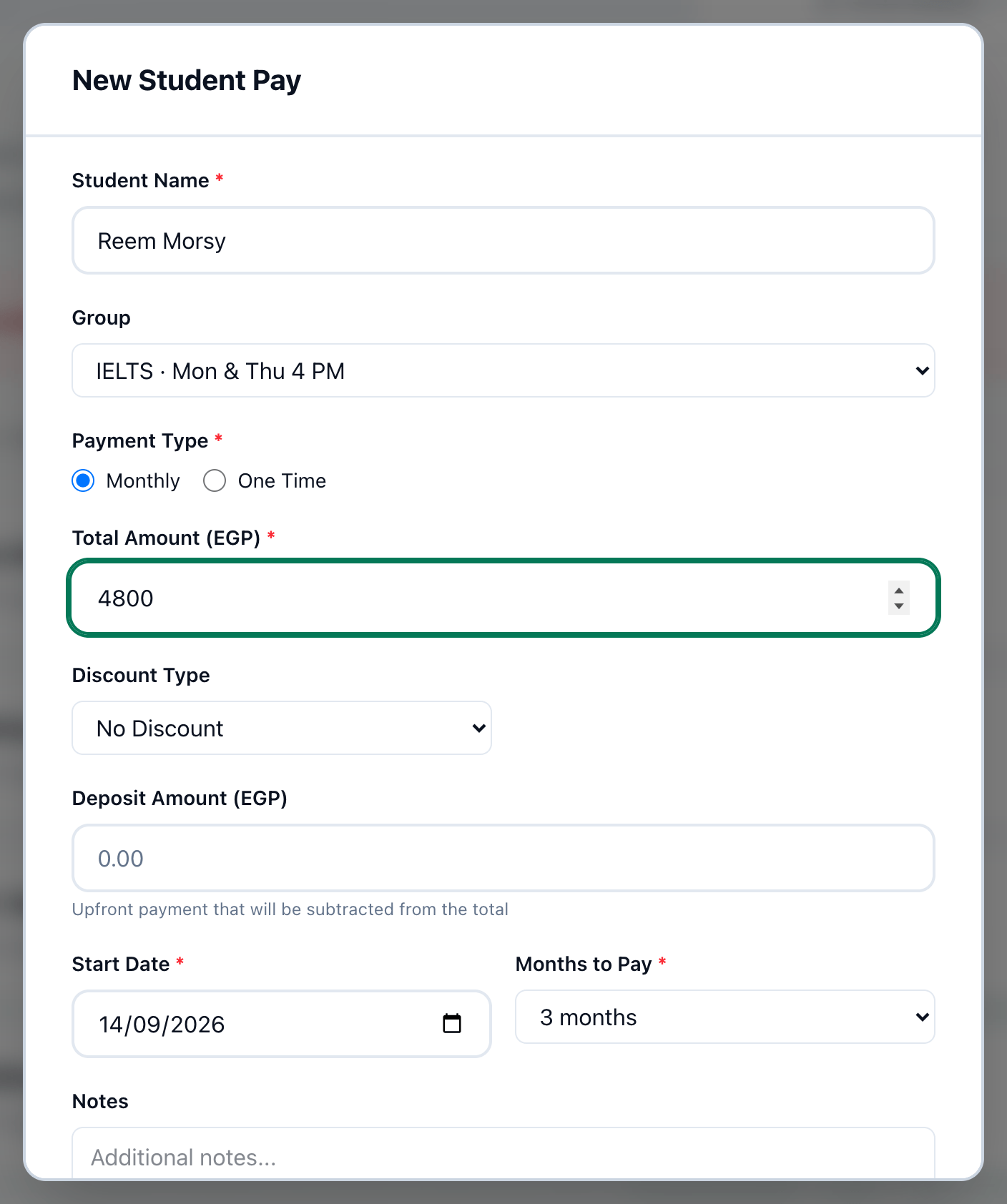
- Student Name
- Group
- Monthly or One Time
- Price of the whole course
- Months
- Paid today
- The summary
- Save fee
-
On the Fees page, press New Student Pay.
-
In Student Name, type part of the student’s name and choose them from the list.
-
In Group, choose the group the fee is for. The list shows only running groups the student is enrolled in. The group is optional.
-
Choose Monthly to spread the fee over several months, or One Time for a single payment.
-
Check Price of the whole course. When the group or its course has a price, it is already there, with From this group’s price or From the course price under it. Otherwise type it. It is the whole course, before any discount.
-
For a monthly fee, enter how many Months.
-
If the student paid something now, enter it in Paid today. It is recorded as a payment the moment you save — there is nothing else to do. Leave it empty if nothing was paid.
-
Read the summary: what each month comes to, or what is left of a one-time fee.
-
Press Save fee. The fee appears in the fees list and on the student’s profile.
You can also start from the student’s profile: + New Student Pay under Payments opens the same dialog with the student already filled in.
Advanced options
Section titled “Advanced options”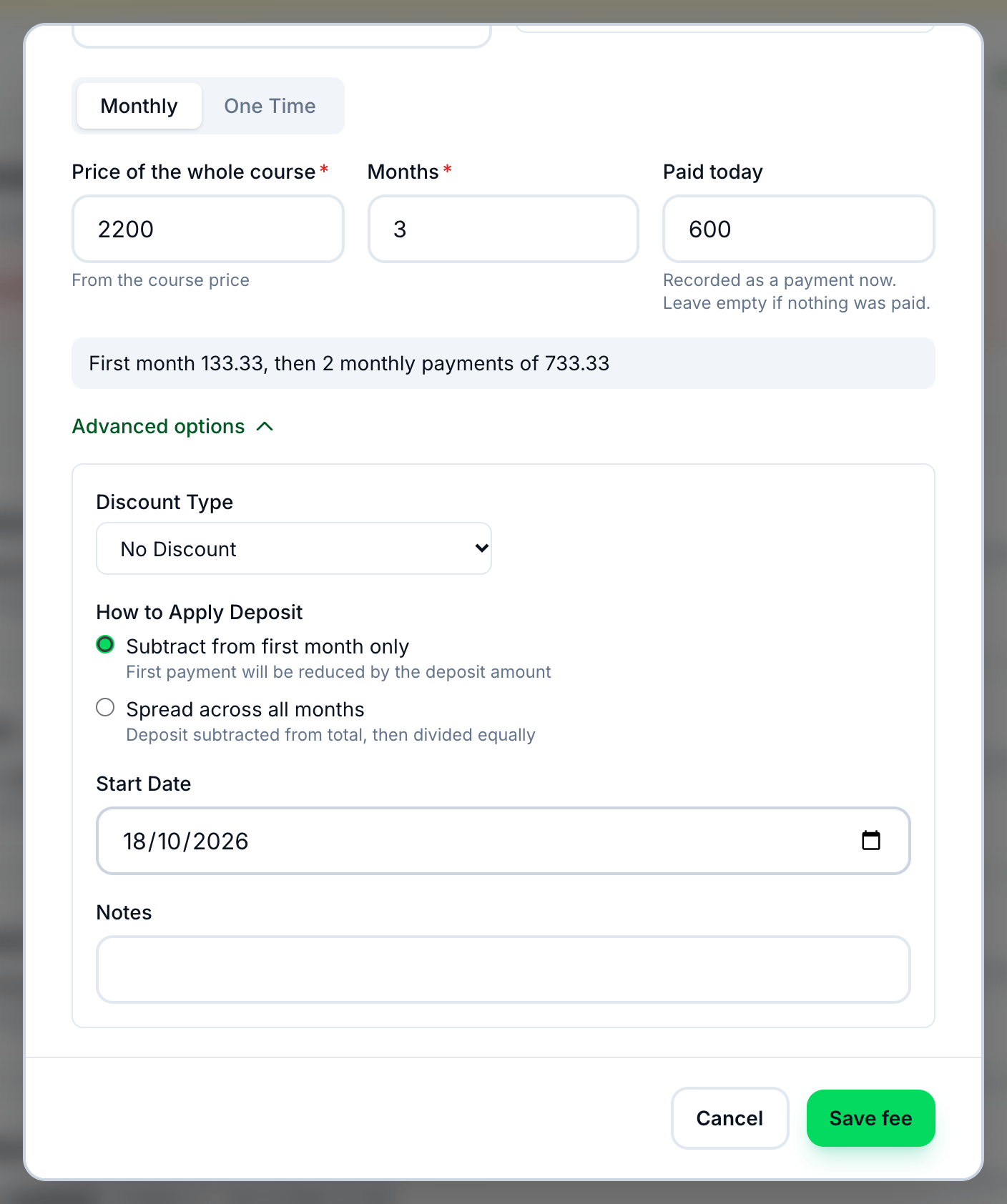
- Advanced options
- Discount Type
- Start Date
Most fees never need these. Press Advanced options for:
- Discount — Percentage or Fixed Amount, the amount, and why.
- How to Apply Deposit — when something was paid today on a monthly fee: take it off the first month (the usual), or spread it across every month.
- Start Date — the day the first instalment is due; today unless you change it. For a one-time fee it is called Payment Date.
- Notes.
How the instalments are worked out
Section titled “How the instalments are worked out”-
Monthly
The fee after any discount is split into equal instalments, one a month, the first due on Start Date. Anything paid today comes off the first month, or off every month if you chose to spread it. An IELTS course at EGP 4,800.00 over 3 months with EGP 600.00 paid today is EGP 1,000.00, then two of EGP 1,600.00. -
One Time
One instalment for whatever is left after anything paid today. Paid in full today, the fee is complete as soon as it is saved.
An agreement belongs to its group’s location, or to the student’s home location when no group is chosen. You can create fees only in the locations you work in.
If something goes wrong
Section titled “If something goes wrong”-
No enrolled groups found
The student is not enrolled in a running group. Leave Group empty, or enrol the student first. -
No price set for this course yet
Neither the group nor its course has a price. Type it, and set the course’s price for next time. -
Save fee stays grey
Choose a student and enter the price. Paid today can’t be more than the fee.
What happens next
Section titled “What happens next”Record the student’s payments as they come in — see Recording a payment. To change a fee’s discount or stop it, see Changing or cancelling a fee.