
Attendance and sessions
The register
Section titled “The register”Attendance is the class’s register: a row for each student and a column for each session.
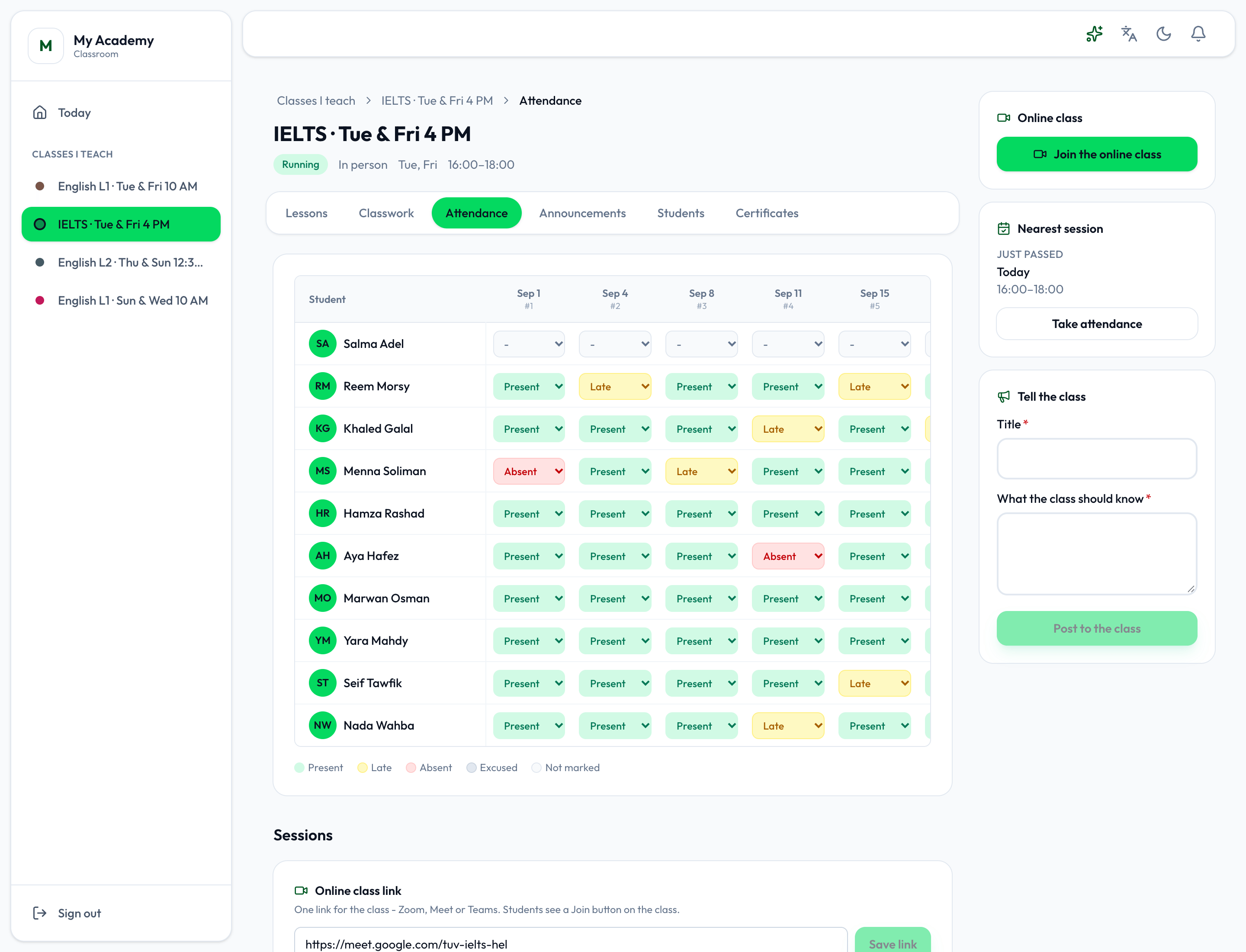
- The register
- Choose each student’s mark for a session: Present, Late, Absent or Excused. It is saved as you choose it. Late asks how many minutes late, and Excused the reason; press Skip to save it without. The colours along the bottom say which is which, with Not marked for a session nobody has marked.
It is the same register the academy app keeps: a mark made here shows on the group’s page there, and the other way round. Students see their own marks on their class page. See Taking attendance.
Sessions and the online class
Section titled “Sessions and the online class”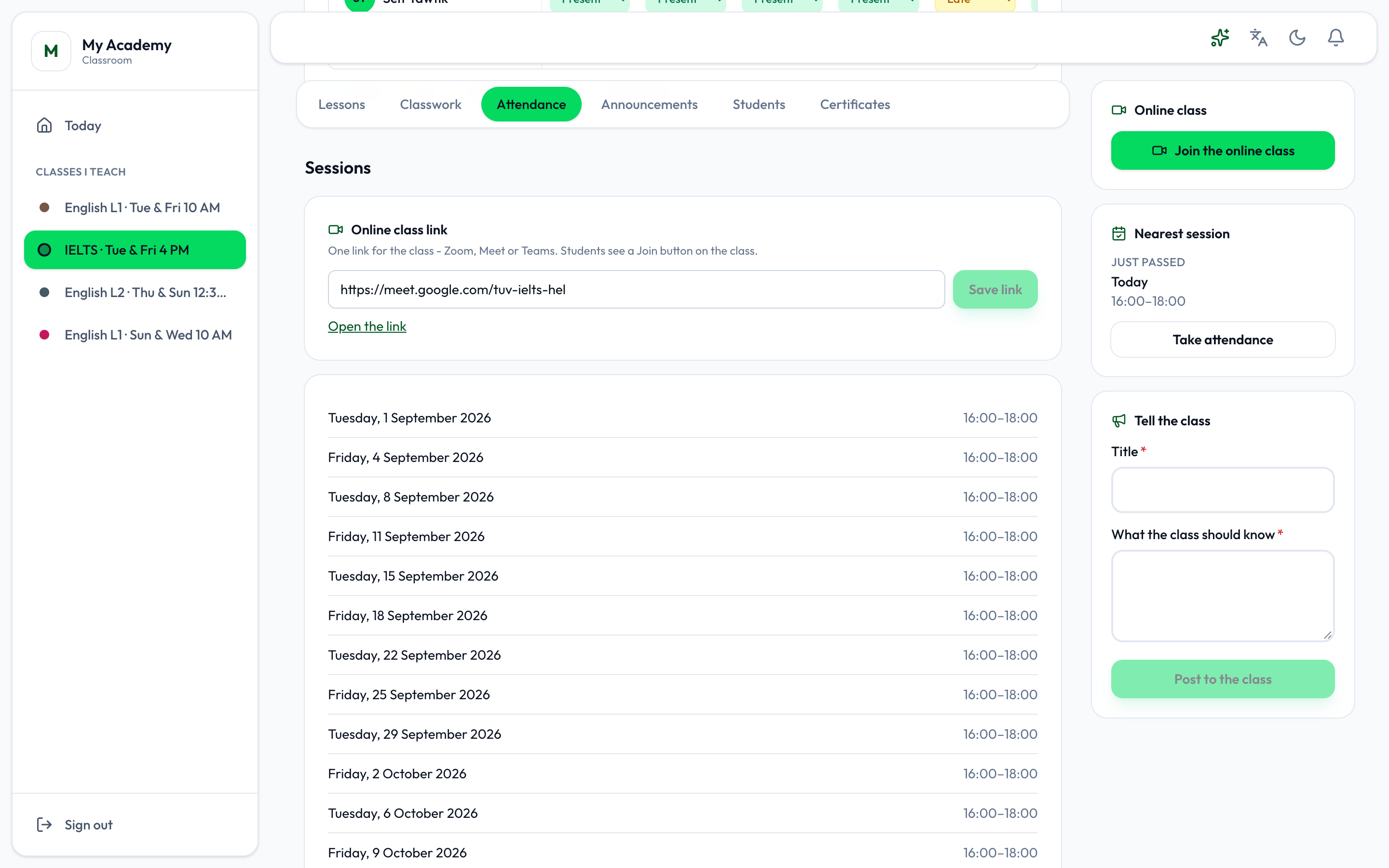
- Online class link
Sessions is on the Attendance tab, under the register.
- Online class link - one link for the class: Zoom, Meet or Teams. Paste it and press Save link. Students then see Join the online class on their class page.
Below it are the class’s sessions, each with its day and hours; a cancelled one says Cancelled. Sessions are scheduled, moved and cancelled in the academy app. See Rescheduling and cancelling.