
Putting your academy on Tuevia
An academy or instructor that does not use Tuevia can still be found on it, with a free card in the directory. Learners can then ask it to join, and Tuevia emails it when they do. The form is at academies-form-card.tuevia.com.
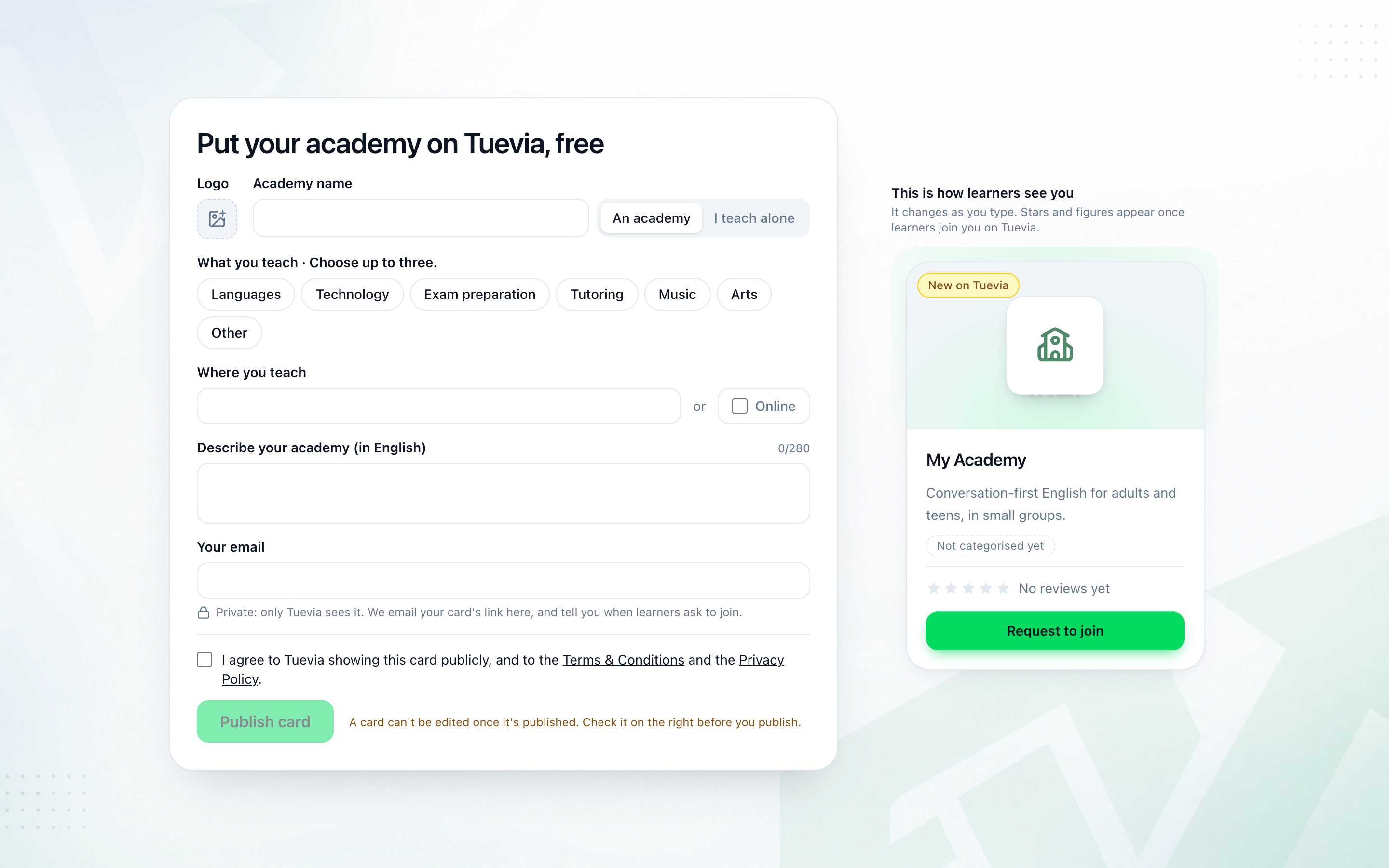
-
Add a Logo if you like: a PNG, JPEG or WebP; a square works best.
-
Fill in the Academy name, and choose An academy or I teach alone.
-
Under What you teach, choose up to three categories.
-
Under Where you teach, type the city, or tick Online.
-
Describe your academy (in English), in up to 280 characters.
-
Fill in Your email. Only Tuevia sees it: your card’s link is emailed there, and so is word when a learner asks to join.
-
Tick I agree to Tuevia showing this card publicly, and to the terms and privacy policy, and press Publish card.
This is how learners see you shows the card as you type. A card cannot be edited once it is published, so check it before you publish.
You’re on Tuevia says it is in the directory. Open the email Tuevia sent within 7 days and press its button: that confirms your address and keeps the card on Tuevia.
If your email already has an academy on Tuevia, the details are added to its page instead of making a second card: Added to your academy’s page. And if an academy with the same name is already there, sign in at tuevia.com to change its page.
To run your academy on Tuevia - groups, attendance, fees - sign up at tuevia.com. See Getting your academy.