
Changing or cancelling a fee
A fee can be changed after it is saved: its name, its discount and its notes. One of its instalments can be let off, and the whole fee can be stopped. Payments already recorded against it stay as they are either way. Owners, admins, and anyone allowed to manage Student Fees can do this.
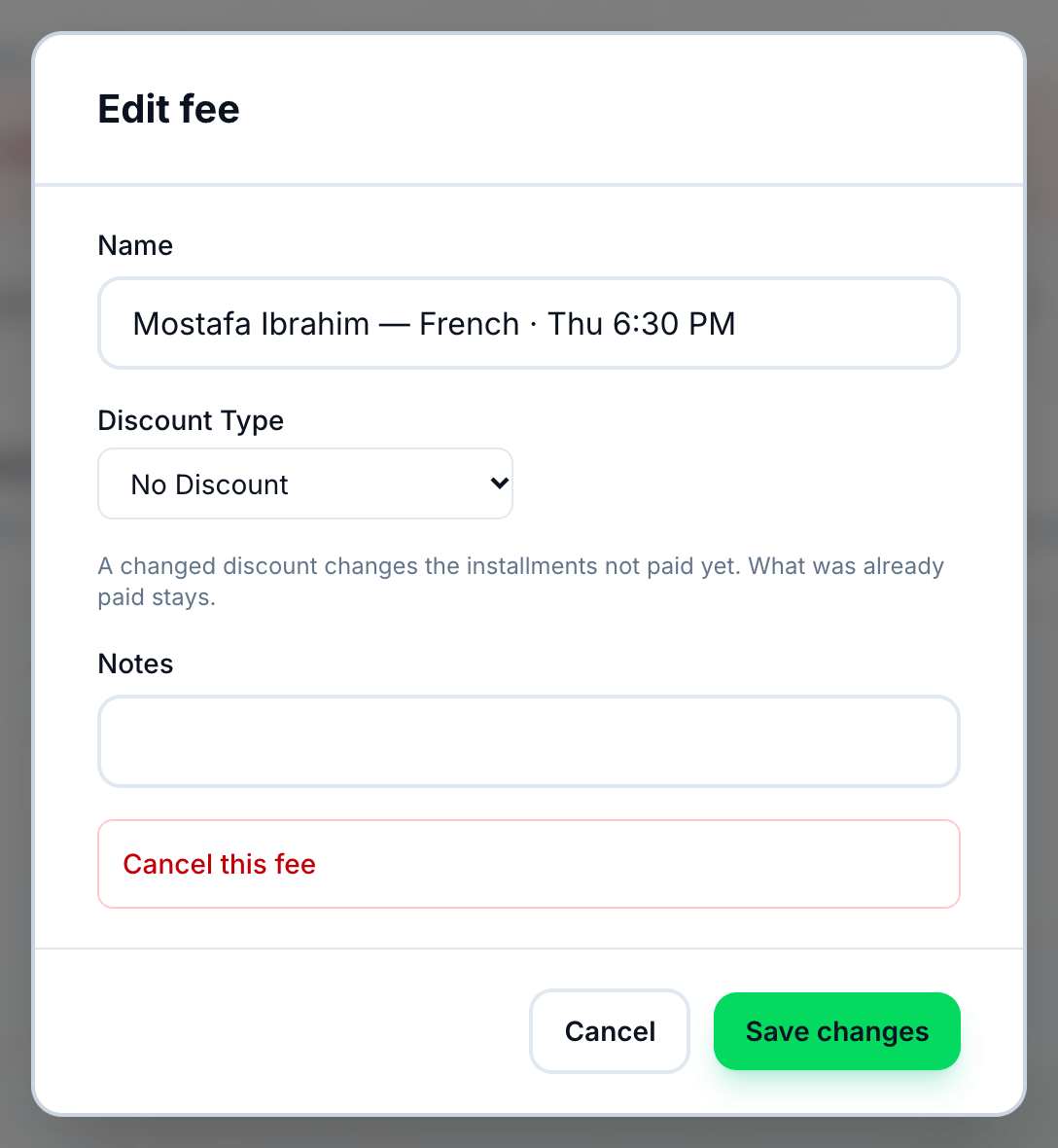
- Name
- Discount Type
- Cancel this fee
- Save changes
Change a fee
Section titled “Change a fee”-
On the Fees page, find the fee and press its pencil button. It is there while the fee is active.
-
Change Name, the discount, or Notes. Choosing No Discount takes a discount away.
-
Press Save changes.
A changed discount changes the instalments not yet paid: they share what is left of the new total. Instalments already paid, or waived, keep what they asked for, and anything paid on the day the fee was made stays taken off.
Waive an instalment
Section titled “Waive an instalment”Waiving lets a student off one instalment — a scholarship month, or a month the group did not run — without changing the rest of the fee.
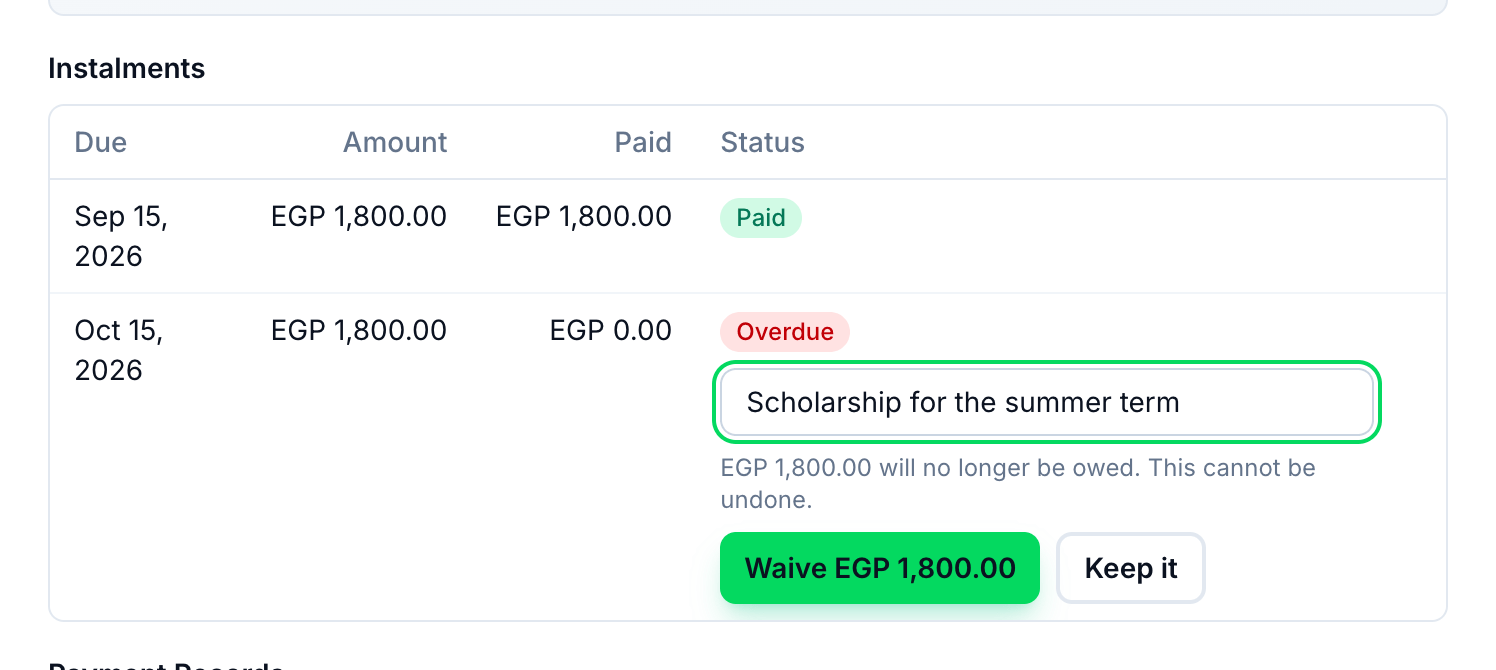
- Why it is waived
- Waive
-
On the Fees page, press the fee’s eye button.
-
Under Instalments, press Waive beside the month. Only a month not yet paid in full can be waived.
-
Type why — it is kept with the instalment.
-
Press Waive and the amount. Keep it changes nothing.
The instalment shows Waived with its reason, and the fee’s Balance drops by what was left of it. Anything already paid on it stays paid. Waiving the last open instalment completes the fee. A waived instalment cannot be asked for again.
Cancel a fee
Section titled “Cancel a fee”-
Press the fee’s pencil button.
-
Press Cancel this fee, then Yes, cancel the fee.
A cancelled fee asks for nothing more. Its payments stay recorded, and it stays in the fees list with the status Cancelled.
If something goes wrong
Section titled “If something goes wrong”-
the new total is less than what has already been paid
The discount would bring the fee below the money already recorded against it. Nothing was changed. Use a smaller discount. -
every installment is already paid or waived, so the total cannot change
There is nothing left for a new discount to change. -
The pencil button, or Waive, is missing
The fee is completed or cancelled, or you can’t manage Student Fees. Waive is also missing on a month already paid in full.