
Your notifications
Tuevia tells you when something happens that concerns you: a new announcement, a leave request, a payment. Everybody in the academy has notifications, and the bell at the top of the screen is where they are.
There was a Notifications page as well, until September 2026. It showed the same ten notifications the bell does, one click further away, so it was removed and the bell is now the only way to them.
The bell
Section titled “The bell”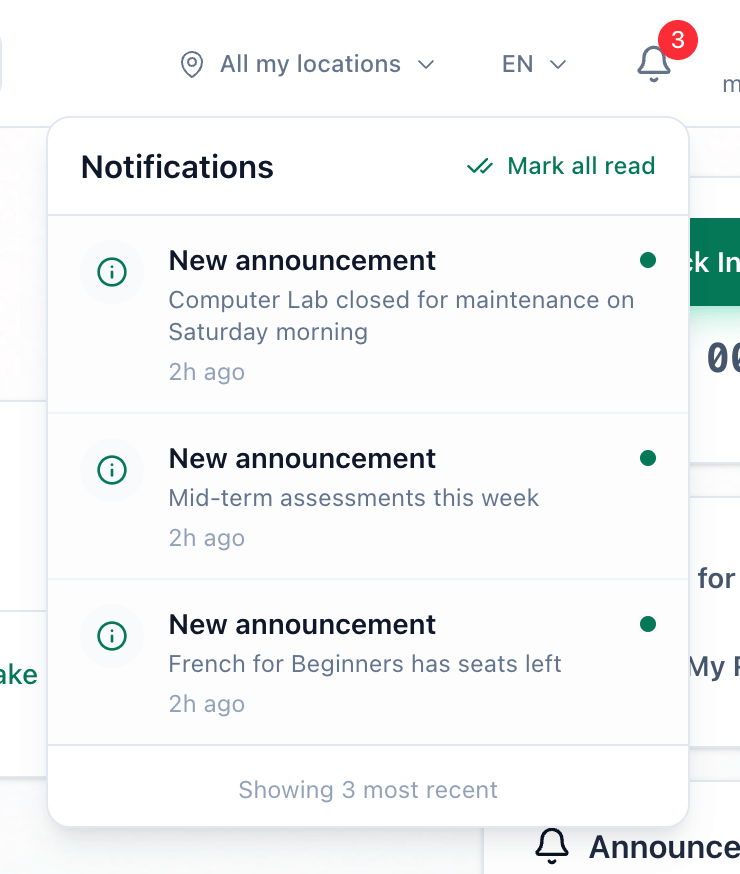
- The bell
- Mark all read
-
Press the bell at the top of the screen. The red number on it is how many notifications you have not read. Tuevia checks for new ones every 30 seconds.
-
The list shows your ten latest notifications, unread ones in bold with a dot. Press one to mark it read and open the page it is about. Press Mark all read to mark every one read without opening them.
What happens next
Section titled “What happens next”Which events send a notification, and to whom, is in What you are notified about.