
Editing, suspending and deleting
A branch’s details can change at any time. A branch you stop using is suspended rather than deleted: Tuevia deletes only a branch that nothing is recorded in.
Owners and admins can do all of this. So can anyone whose role, under My Academy, has Branches set to Manage, and who works in all of the academy’s locations.
Edit a branch
Section titled “Edit a branch”
- Edit branch
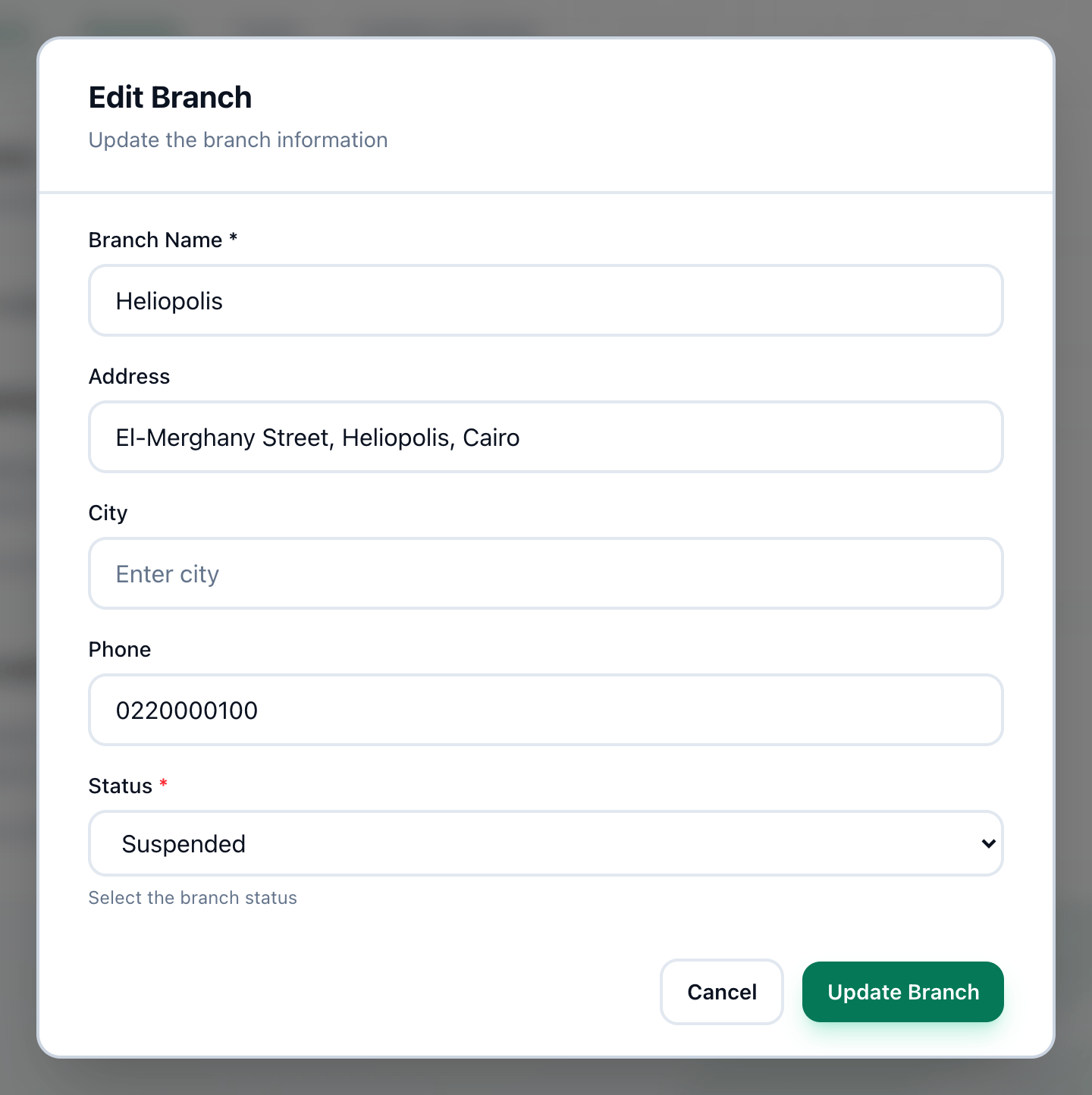
- Status
- Update Branch
-
On Settings → Branches, point at the branch in the Branches list and press the pencil, Edit branch, that appears on its row.
-
Change Branch Name, Address, City or Phone. To suspend the branch, set Status to Suspended; to bring it back, set it to Active.
-
Press Update Branch.
What suspending does
Section titled “What suspending does”Suspending keeps the branch, its rooms, and everything recorded in it. While a branch is suspended:
- Suspended shows under its name in the Branches list;
- it is not among the choices in the location switcher at the top of the screen.
Delete a branch
Section titled “Delete a branch”
- Delete branch
-
Point at the branch in the Branches list and press the bin, Delete branch.
-
Tuevia asks Are you sure you want to delete the branch “Heliopolis”? This action cannot be undone. Press OK.
Tuevia first asks every part of the app whether anything sits in the branch: groups, sessions, students, or money recorded in it. If anything does, the branch is kept.
When a branch is deleted, its rooms are deleted with it, and it is taken off the locations of everyone who worked in it.
If something goes wrong
Section titled “If something goes wrong”These messages appear in red on the Branches page, above the list.
-
This branch still has groups, sessions, students or money recorded in it. Suspend it instead.
Something still sits in the branch, so it cannot be deleted. Edit it and set Status to Suspended. -
Whether this branch is still in use could not be checked. Try again.
Part of Tuevia did not answer in time. Nothing was deleted. Try again in a moment. -
Who works where could not be refreshed, so the branch was kept. Try again.
Nothing was deleted. Try again in a moment. -
invalid phone number format
While editing: see Adding a branch.
What happens next
Section titled “What happens next”- Who works in which branch is set in Team → Employees.
- The one location that cannot be edited or deleted is Online: see The Online location.