
Fees and reports
Fees & payments
Section titled “Fees & payments”Finance → Fees & payments shows What students owe: every fee, with what has been paid and what is left. Overdue marks a fee with a payment past due; Overdue only shows just those.
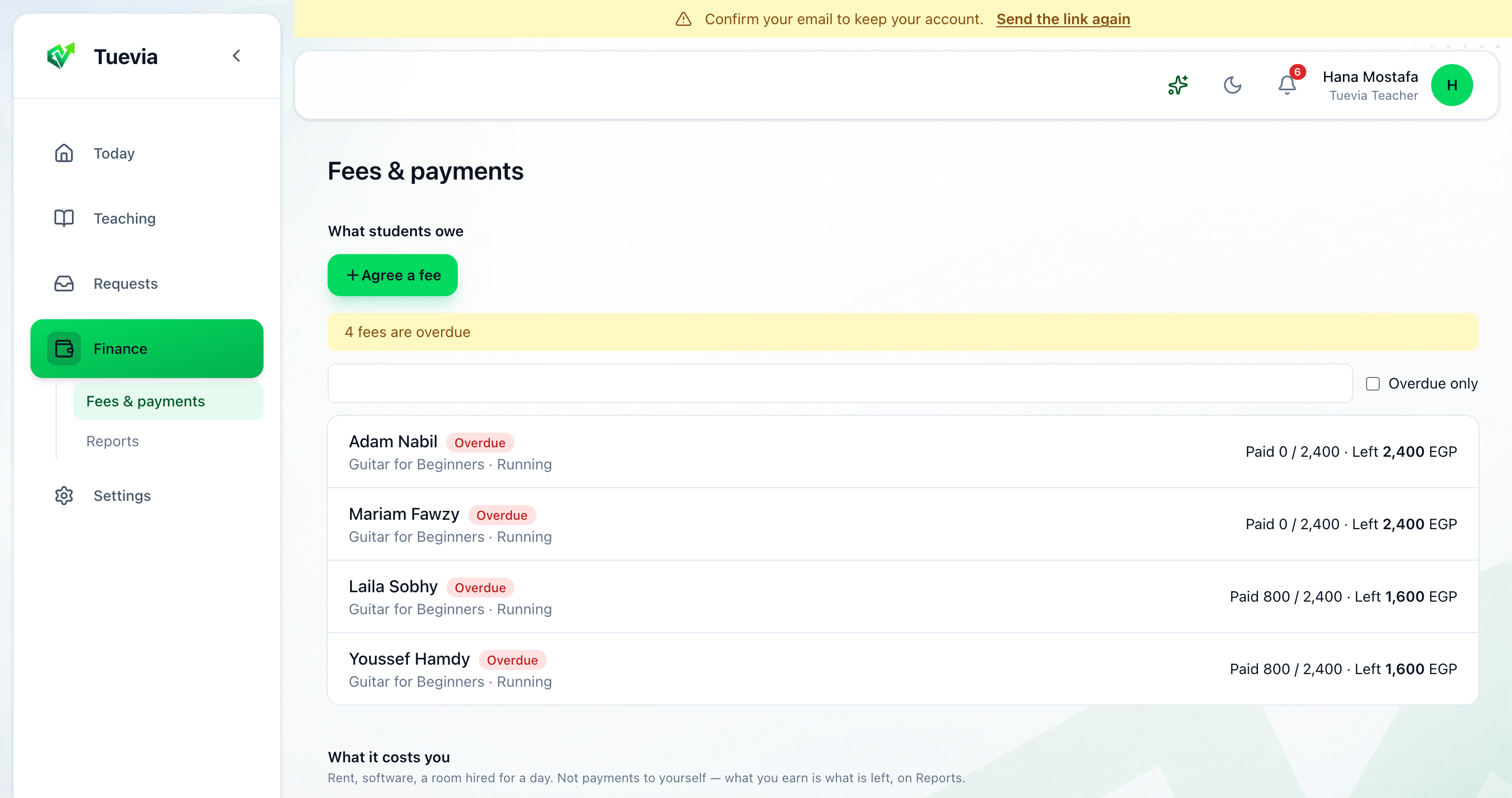
Agree a fee
Section titled “Agree a fee”-
Press Agree a fee.
-
Choose the Student, the Class - or Not for a class - and say What it is for.
-
Type the Amount, or leave it From the class price.
-
Choose how it is Paid: All at once, or monthly Over how many months, with what is Paid up front taken Off the first month or Spread across all months.
-
Add a Discount if there is one - a Percent or a Fixed amount, and Why the discount - and press Agree it.
Record a payment
Section titled “Record a payment”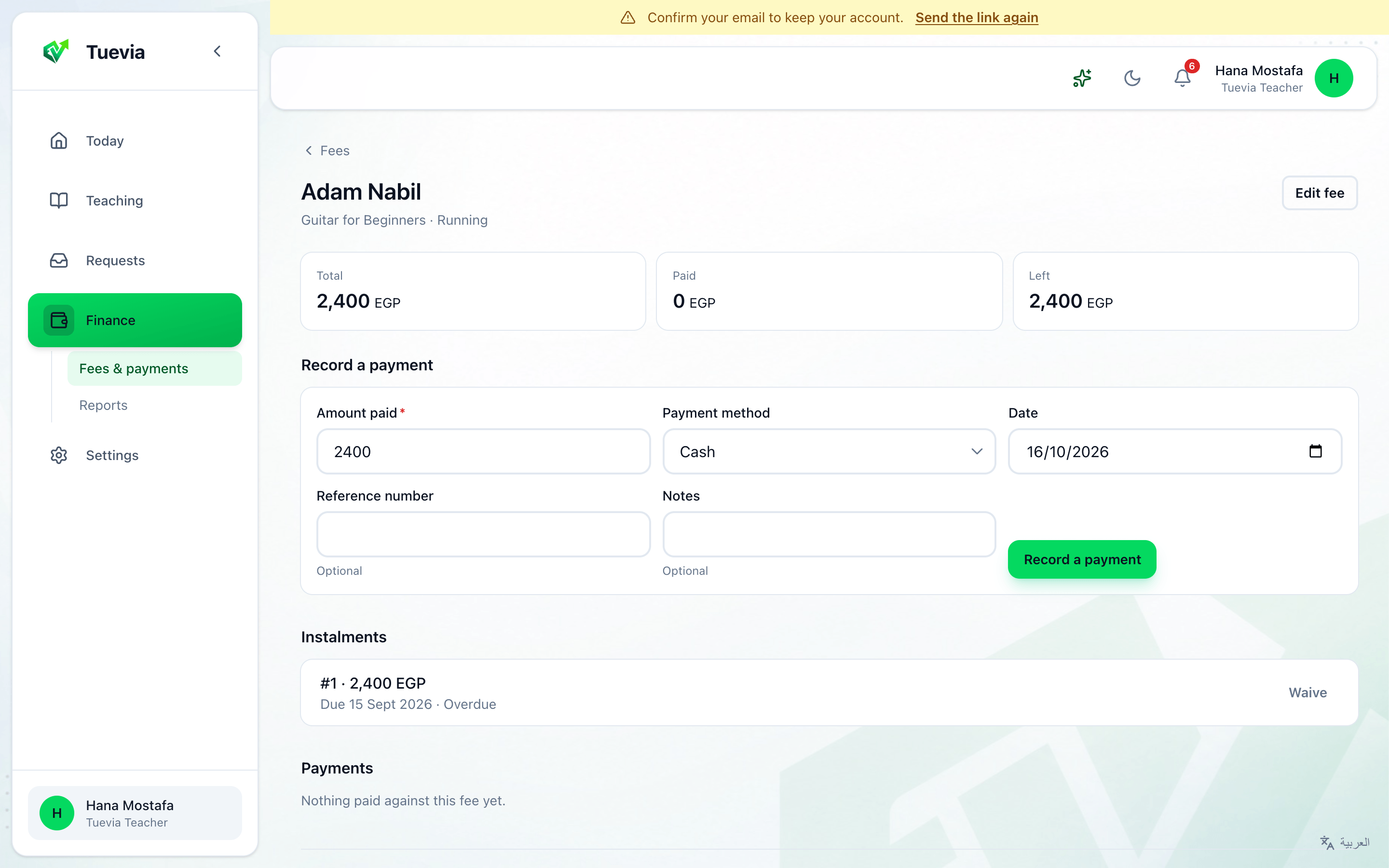
-
Press a fee to open it. It shows the Total, what is Paid and what is Left.
-
Under Record a payment, type the Amount paid, choose the Payment method and the Date, add a Reference number or Notes if you like, and press Record a payment.
A recorded payment can be printed or sent: Print receipt or Send receipt.
Below are the fee’s Instalments, each with its due date and whether it is Paid, Part paid, Overdue or Not due yet; Waive lets one go, with the reason. Payments lists what has been paid; Delete removes one recorded by mistake. Edit fee changes the fee, Stop this fee asks for nothing more, and Delete fee removes it with its payments.
What it costs you
Section titled “What it costs you”Under What it costs you, Add a cost records what teaching costs you: rent, software, a room hired for a day - not payments to yourself. A cost is paid Once, or Repeats every week, month, three months or year, from a date until a date. Record a payment against it as you pay.
Reports
Section titled “Reports”Finance → Reports shows your teaching as money, for a Day, a Month or a Year.
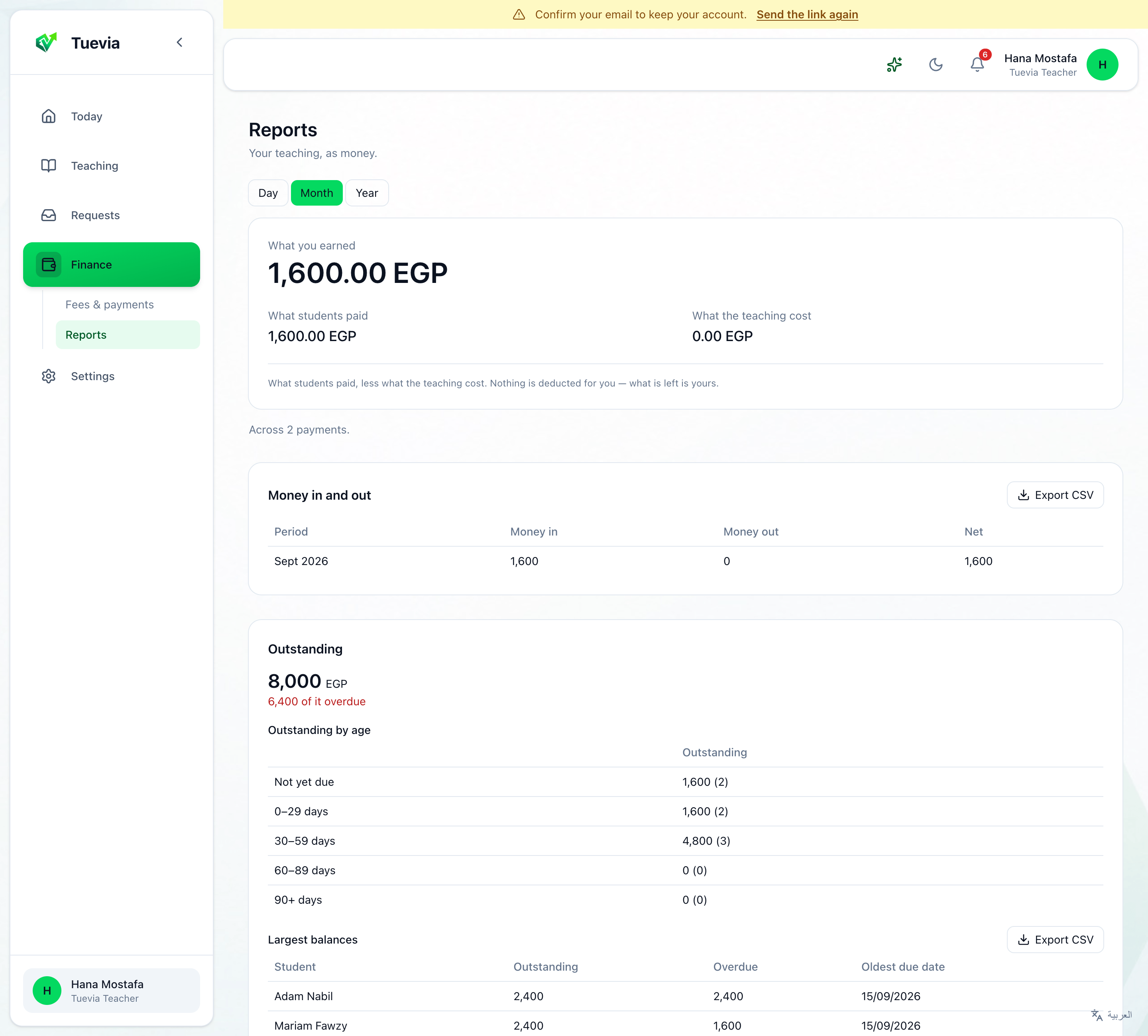
- What you earned - what students paid, less what the teaching cost. Nothing is deducted for you: what is left is yours.
- Money in and out, month by month. Export CSV saves it as a spreadsheet.
- Outstanding - what students still owe, and how much is overdue.