
Paying one salary
Deposit Salary records pay for one person and one month, with a bonus or a deduction if there is one. Owners, admins, and anyone allowed to manage Salaries can use it. To pay everybody for a month on one screen, see Paying the month’s salaries.
Deposit a salary
Section titled “Deposit a salary”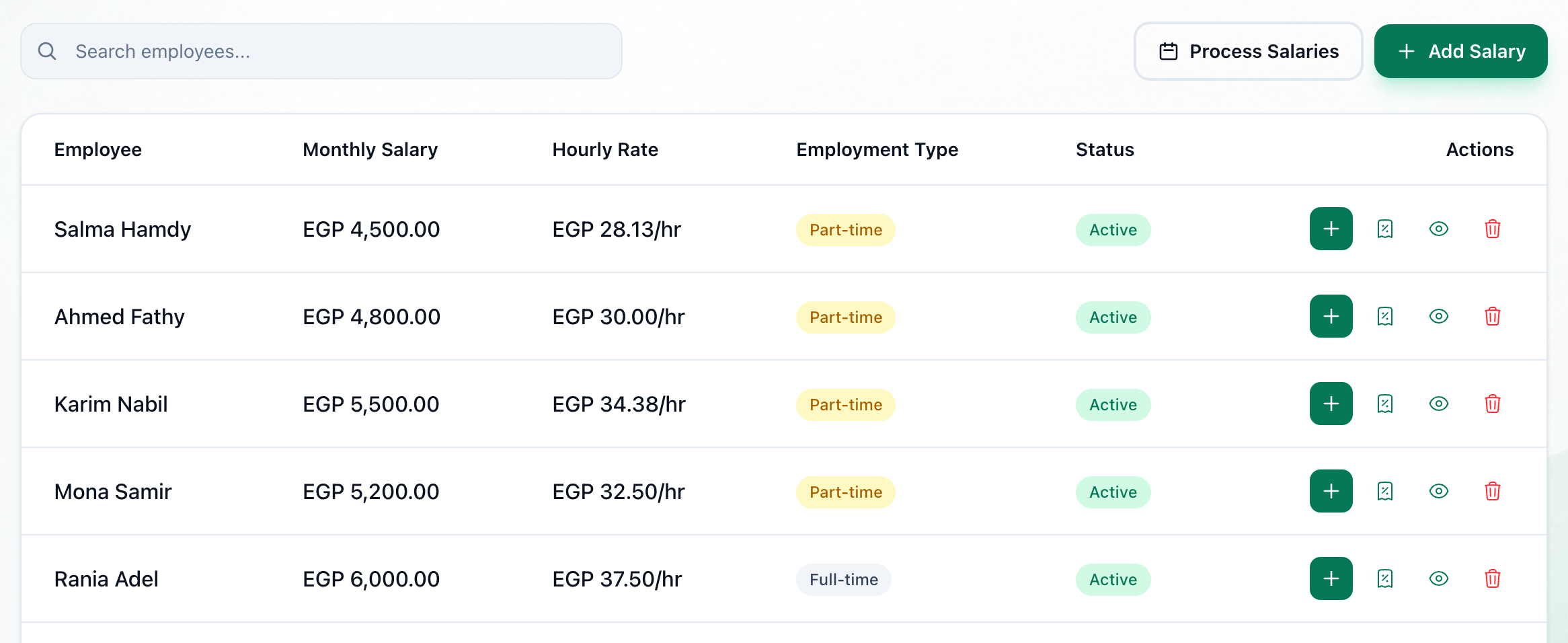
- Deposit Salary
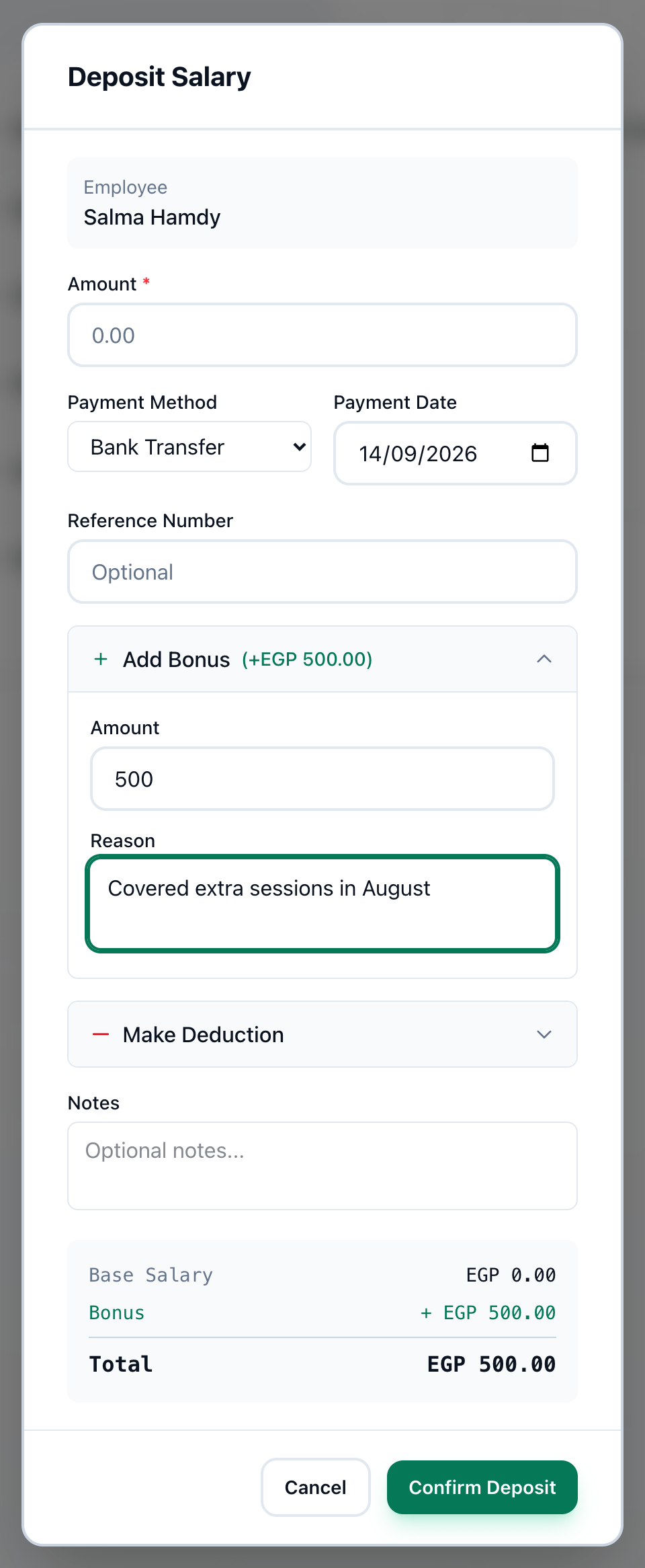
- Amount
- For the month
- Payment Method
- Payment Date
- Reference Number
- Add Bonus
- Make Deduction
- Total
- Confirm Deposit
-
On the Salaries page, press + on the person’s row.
-
Check Amount. Tuevia fills in a monthly salary; for an hourly rate, a contract part or a share, type what you are paying.
-
Choose the month this pays for in For the month. It starts on this month.
-
Choose how you paid in Payment Method: Bank Transfer, InstaPay, Cash, Check, Card or Other.
-
Check Payment Date. It is today unless you change it.
-
Enter a transfer or cheque number in Reference Number, if there is one.
-
For a bonus, press Add Bonus and enter its Amount and Reason.
-
For a deduction, press Make Deduction and enter its Amount and Reason. Add anything else worth keeping in Notes.
-
Check the box at the bottom: Base Salary, plus Bonus, minus Deduction, makes the Total paid.
-
Press Confirm Deposit. The button stays grey while the total is zero or less.
Once a month
Section titled “Once a month”Each person is paid once for each month, here or on Pay salaries. A month already paid either way is refused, so nobody is paid twice.
If something goes wrong
Section titled “If something goes wrong”-
… is already paid for this person. Choose another month.
The month in For the month was already paid. Choose the right month. -
Final amount must be greater than zero
The deduction is as large as the pay and bonus together. Check the amounts. -
Failed to deposit salary
The payment was not saved. Try again.
What happens next
Section titled “What happens next”The payment appears in the person’s Payment History — see Setting up pay — and in the expenses on Reports.