
Requests and your card
My card
Section titled “My card”Requests → My card is how learners looking for a teacher find you in Explore. See Explore.
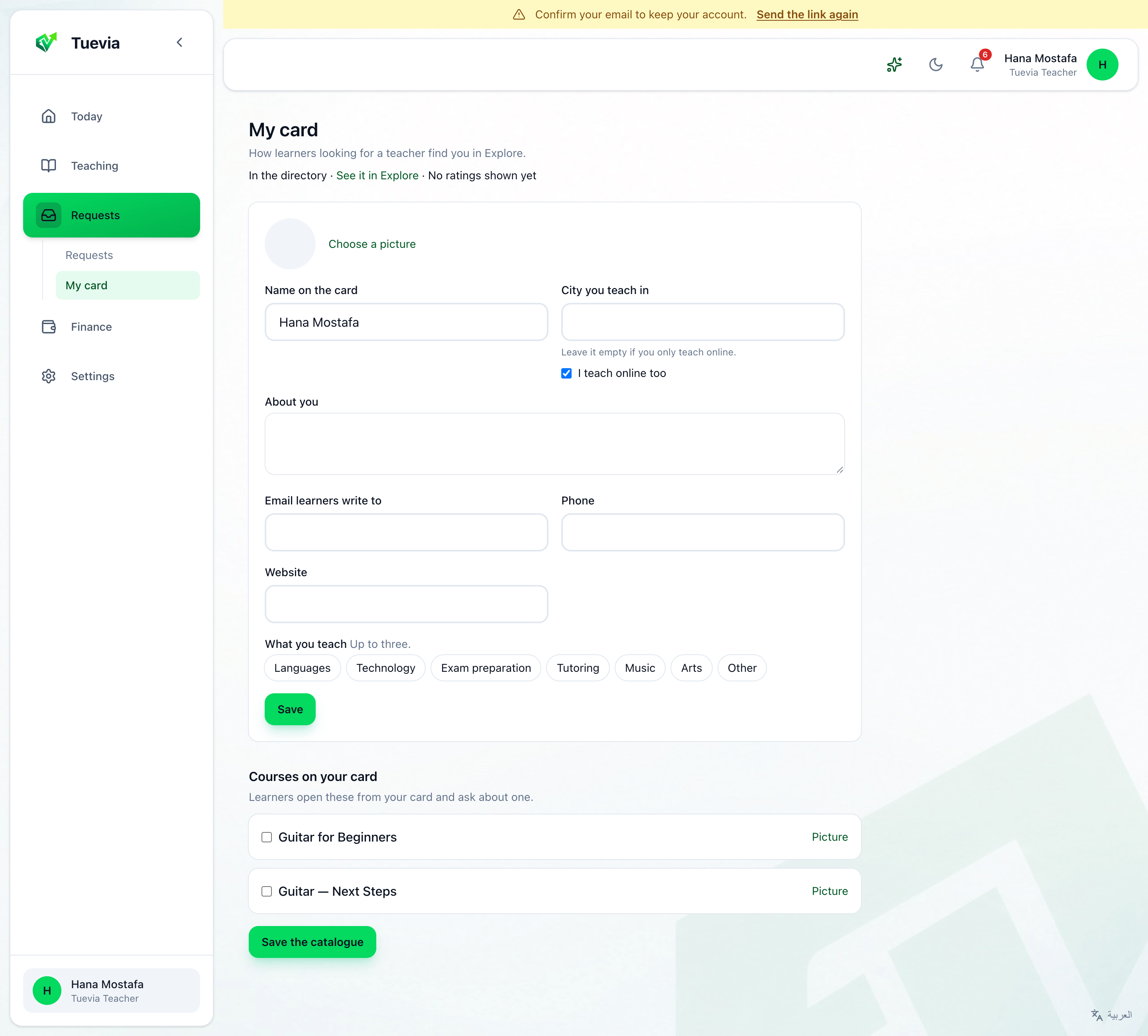
- Your picture or logo, the Name on the card, the City you teach in - empty if you only teach online - and I teach online too.
- About you: what you teach, and who for.
- Email learners write to, Phone and Website.
- What you teach: up to three tags, or + Add a new tag.
- Courses on your card: tick a course On the card, write What a learner should know, and a Price (optional), and press Save the catalogue. Learners open these from your card and ask about one.
Press Publish my card the first time, and Save after. The card says In the directory or Not published yet, and See it in Explore opens it as learners see it.
Requests
Section titled “Requests”Requests → Requests holds the learners who asked to join you, and the ones you invited.
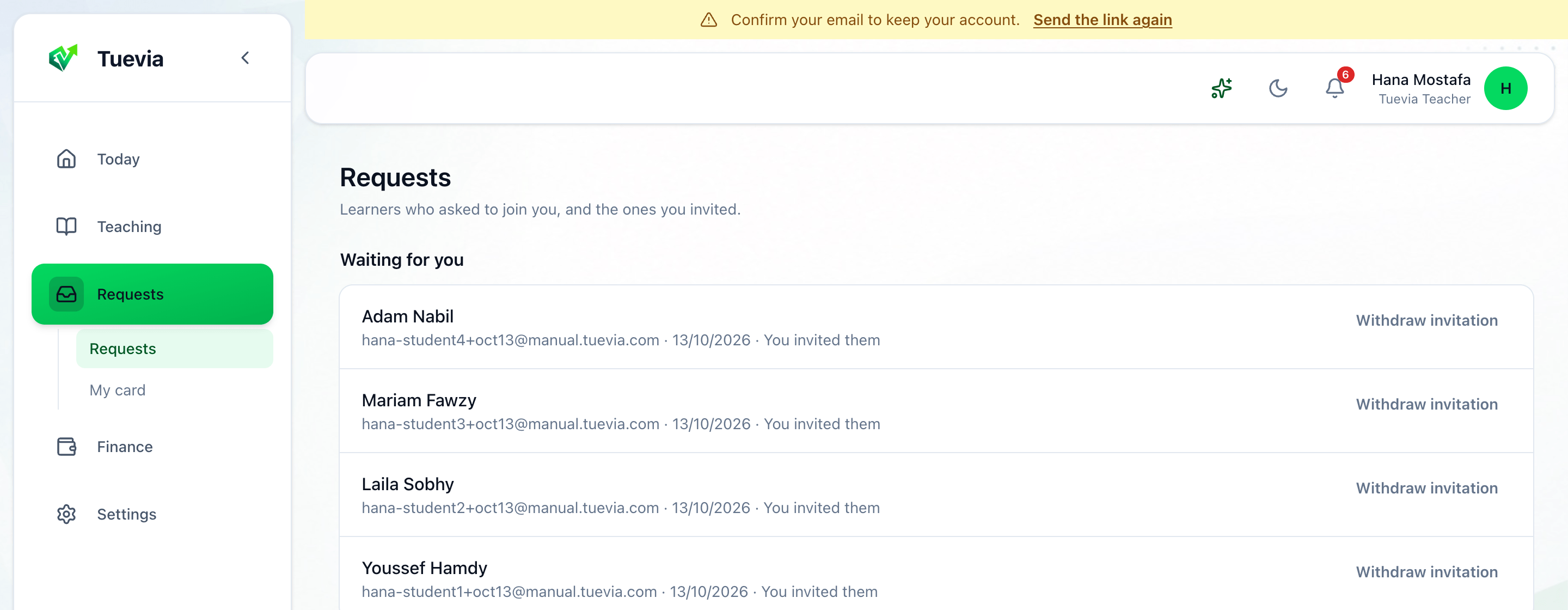
Waiting for you lists what needs an answer; Answered, what has had one. A learner’s request says what it is About, and their message.
- Accept takes them on.
- Decline turns them down, with a Reason (optional) they see.
- No place yet keeps them waiting for a place.
- Mark answered records that you answered them yourself, by phone or message.
A student you invited says You invited them, and Waiting for them until they say yes; Withdraw invitation takes the invitation back.