
Finding an academy
Any academy or instructor on Tuevia can be asked for a place, for free. Press Explore at the top of any page.
Explore
Section titled “Explore”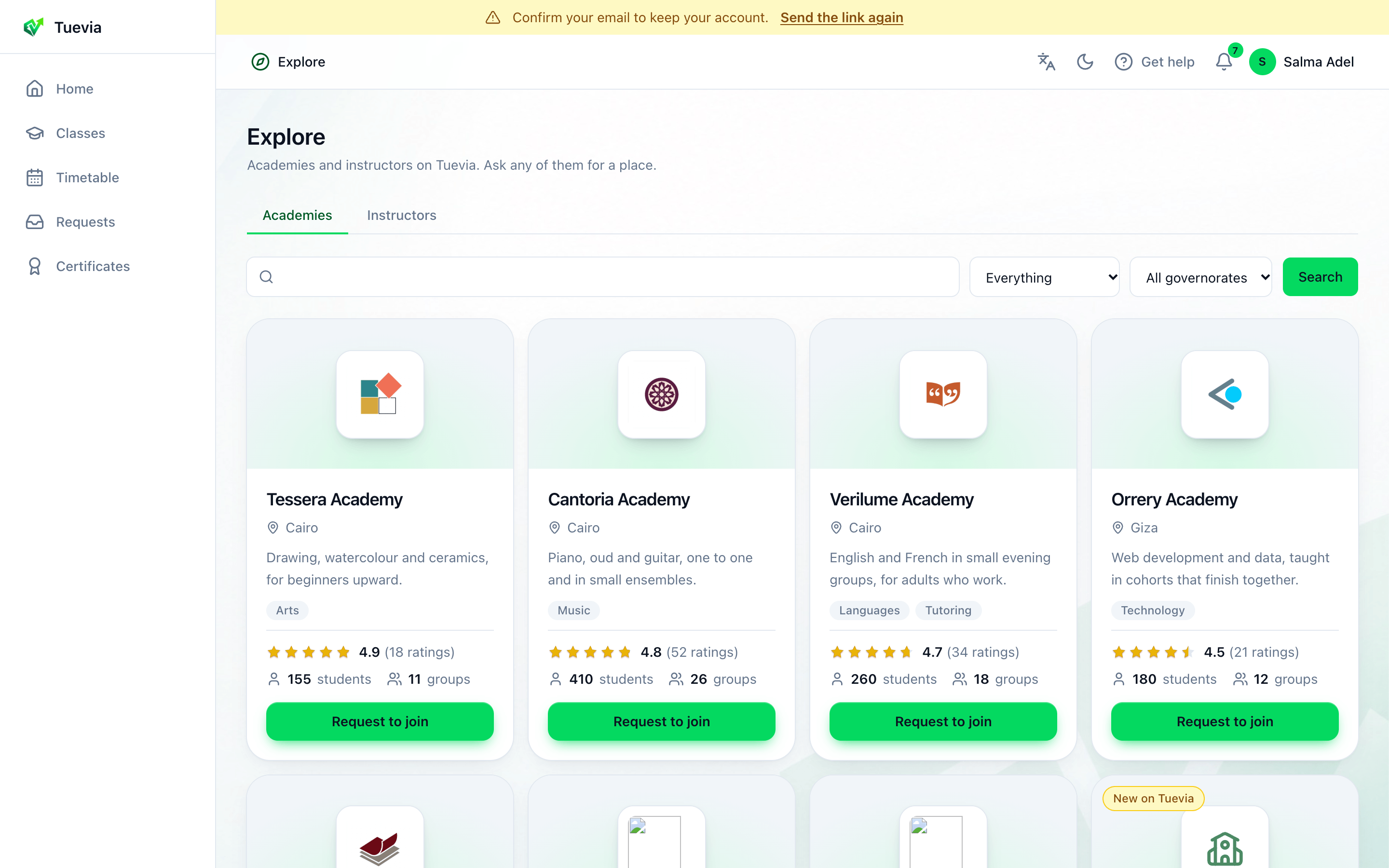
- Academies or instructors
- Search
- Category
- Governorate
-
Academies or Instructors - an instructor teaches alone, and says Teaches alone on their card.
-
Search - type what you want to learn, such as English, guitar or maths, and press Search.
-
Everything - narrow it to a category, such as Languages or Music.
-
All governorates - narrow it to where the academy is.
Each card shows the academy’s name, where it teaches, what it teaches, its rating from its own learners, and how many students and groups it has. New on Tuevia marks one that joined recently, and You asked this one one you have already asked.
Press View catalogue to read what an academy offers, or Request to join to ask one that has no catalogue.
An academy’s courses and services
Section titled “An academy’s courses and services”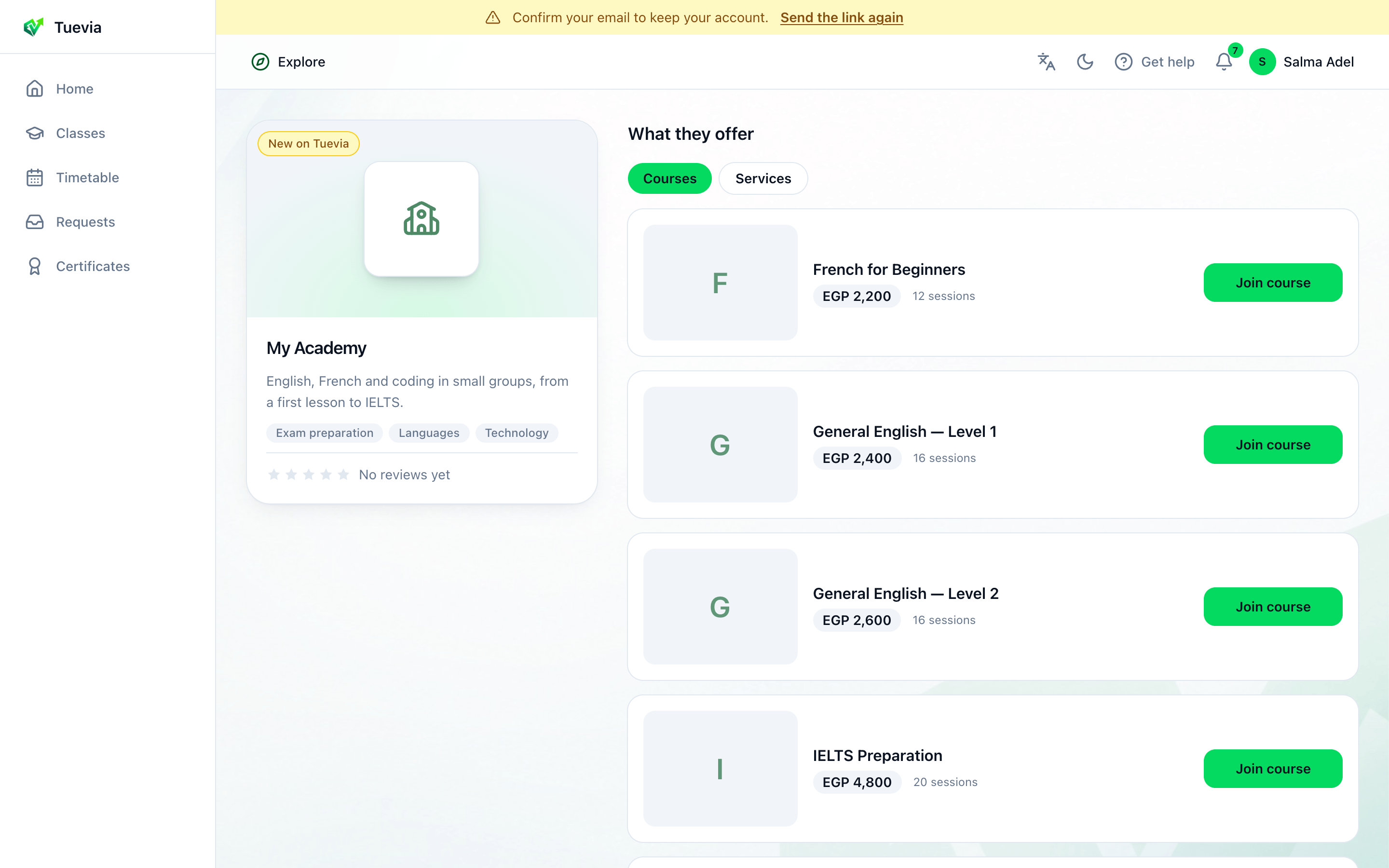
- The academy
- Courses or services
- Ask about a course
-
The academy’s card: what it says about itself.
-
What they offer - Courses, and Services when it has any: an exam, a consultation, private lessons.
-
Join course asks for a place in that course. Each course shows its price, when the academy shows it, and how many sessions it has.
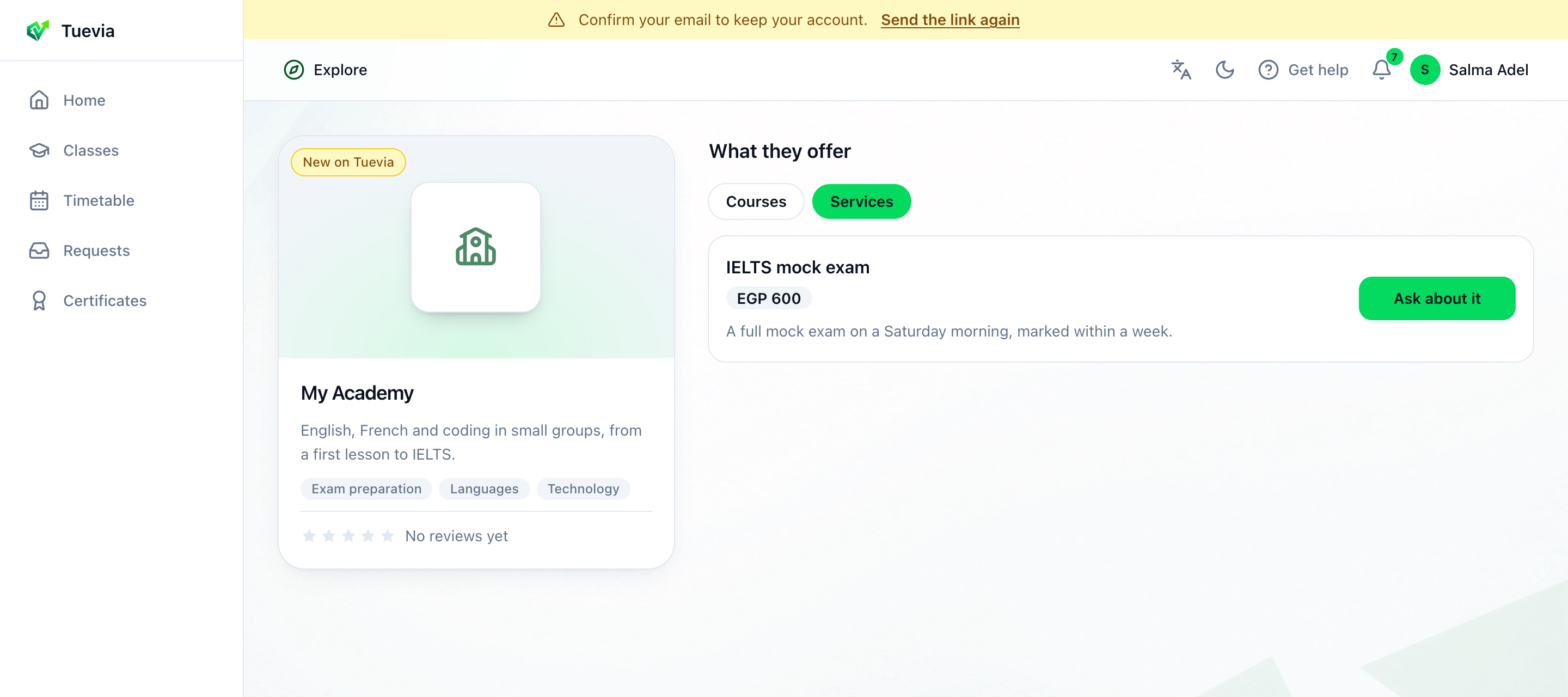
- Ask about a service
Under Services, Ask about it asks the academy about that service.
Ask for a place
Section titled “Ask for a place”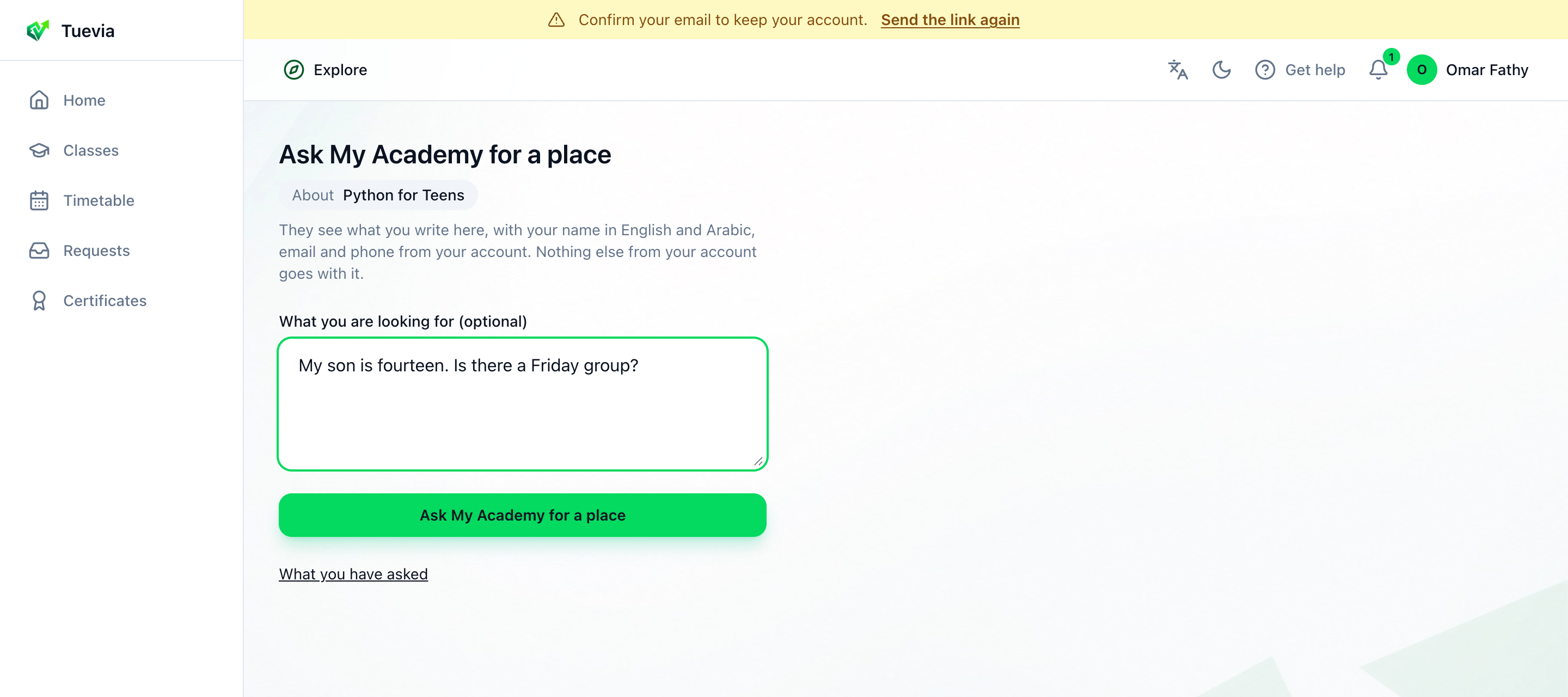
- Your message
-
Press Join course, Ask about it or Request to join. The page says what you are asking About.
-
If you like, write What you are looking for: the level, the days that suit you, a question.
-
Press the button that asks: Ask My Academy for a place, with the academy’s name.
The academy sees what you wrote, with your name in English and Arabic, and the email and phone from your account. Nothing else from your account goes with it.
Sent to and the academy’s name confirms it. Your request is under You asked in Requests, where its answer arrives.
A placement test
Section titled “A placement test”Some academies ask new learners to take a short test, so they can place them at the right level. Their page then says so, with Take the placement test; so does your request in Requests. It is optional.
-
Press Take the placement test. If the academy has a test for more than one course, choose the course you want to join and press Take the placement test beside it. The page says how many questions there are and, if it is timed, how many minutes you have.
-
Press Start and answer the questions. Time left counts down on a timed test.
-
Press Hand it in.
You can take it once. The page shows Your level and your score, and the academy has the result. A test whose time runs out is handed in with what you answered.