
Finding your way around
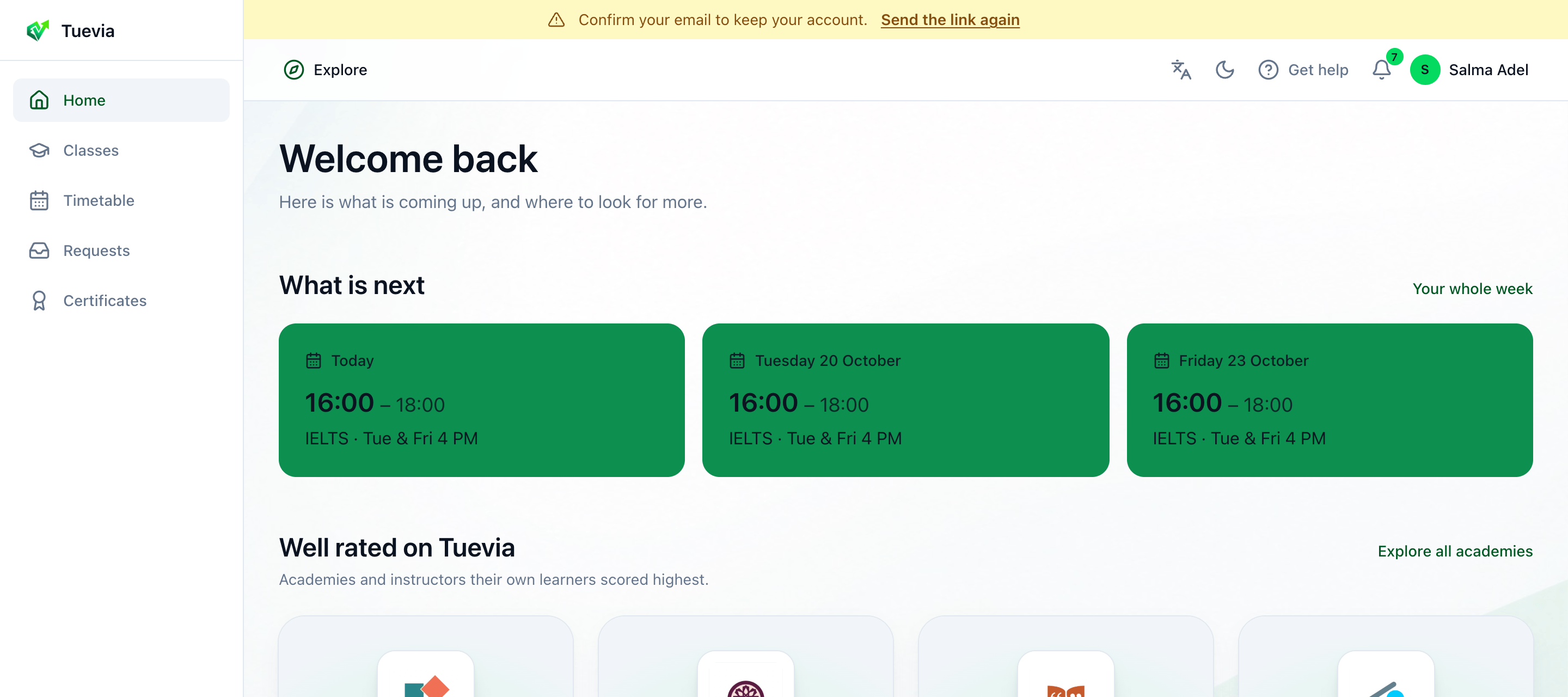
- Where you go
- Explore
- Language
- Get help
- Notifications
- Your menu
-
The sidebar, along the bottom of a phone:
- Home - your next classes. See Home.
- Classes - every class you are in. See Classes.
- Timetable - when they meet. See Timetable.
- Requests - invitations waiting for your answer, and what you asked. See Requests.
- Certificates - see Certificates.
-
Explore - academies and instructors to ask for a place. See Finding an academy.
-
The language button switches between English and العربية.
-
Get help - Manual opens this manual; Contact us opens a WhatsApp chat with Tuevia.
-
The bell - your notifications, with a number when some are unread. See Notifications and announcements.
-
Your name opens your menu.
Your menu
Section titled “Your menu”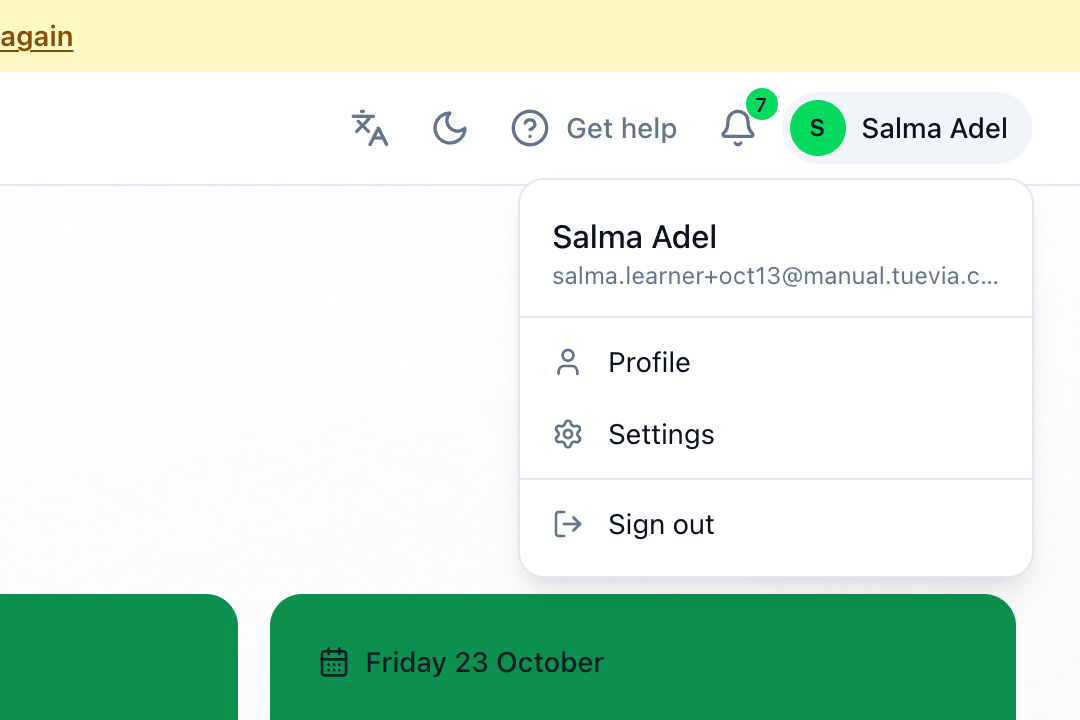
- Profile - the details an academy sees when you ask it for a place.
- Settings - your password, and deleting your account.
- Sign out.