
Paying the month's salaries
Pay salaries shows everybody’s pay for one month on one screen. You confirm hours, choose how much of a contract to pay, add a bonus or a deduction, then pay one person or everyone. Owners, admins, and anyone allowed to manage Salaries can use it.
Before you start
Section titled “Before you start”Each person needs their pay set up — see Setting up pay.
Pay the month
Section titled “Pay the month”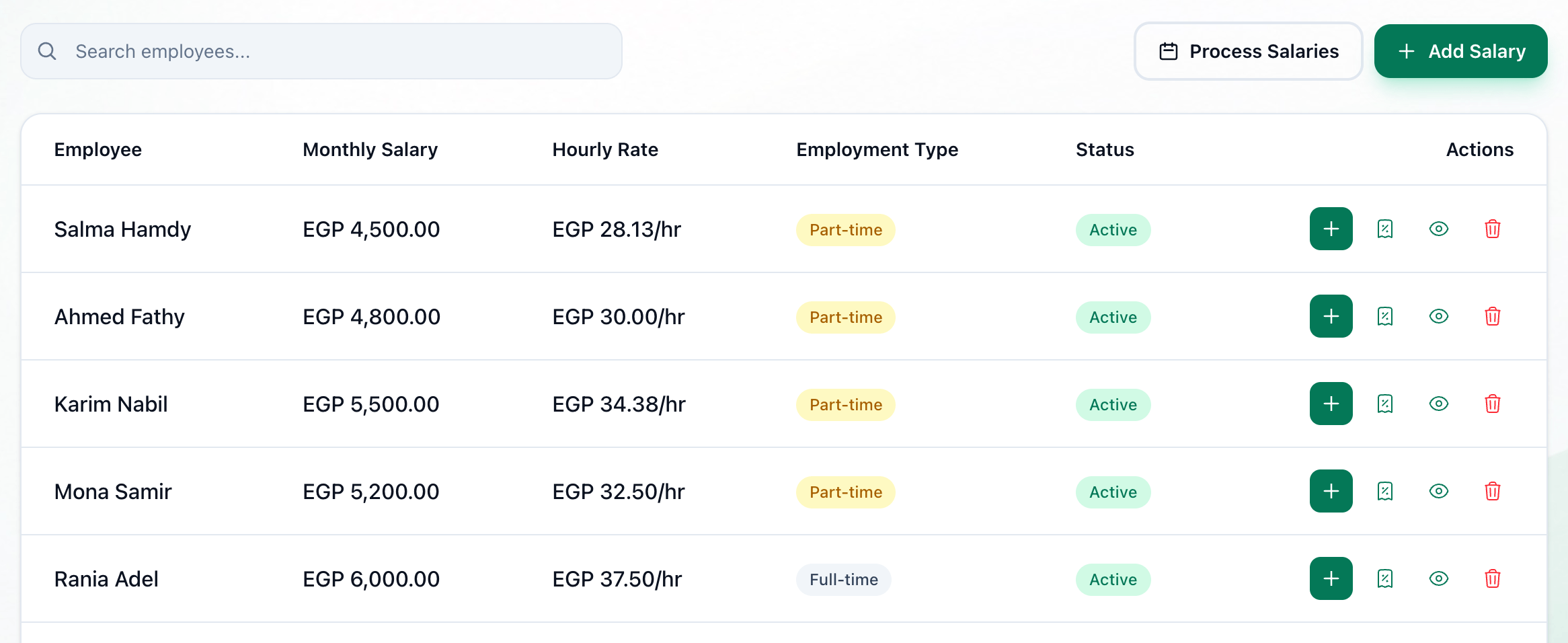
- Pay salaries
- Month
- Deduct absences
- Everyone's pay
- Pay
- Pay everyone
-
On the Salaries page, press Pay salaries.
-
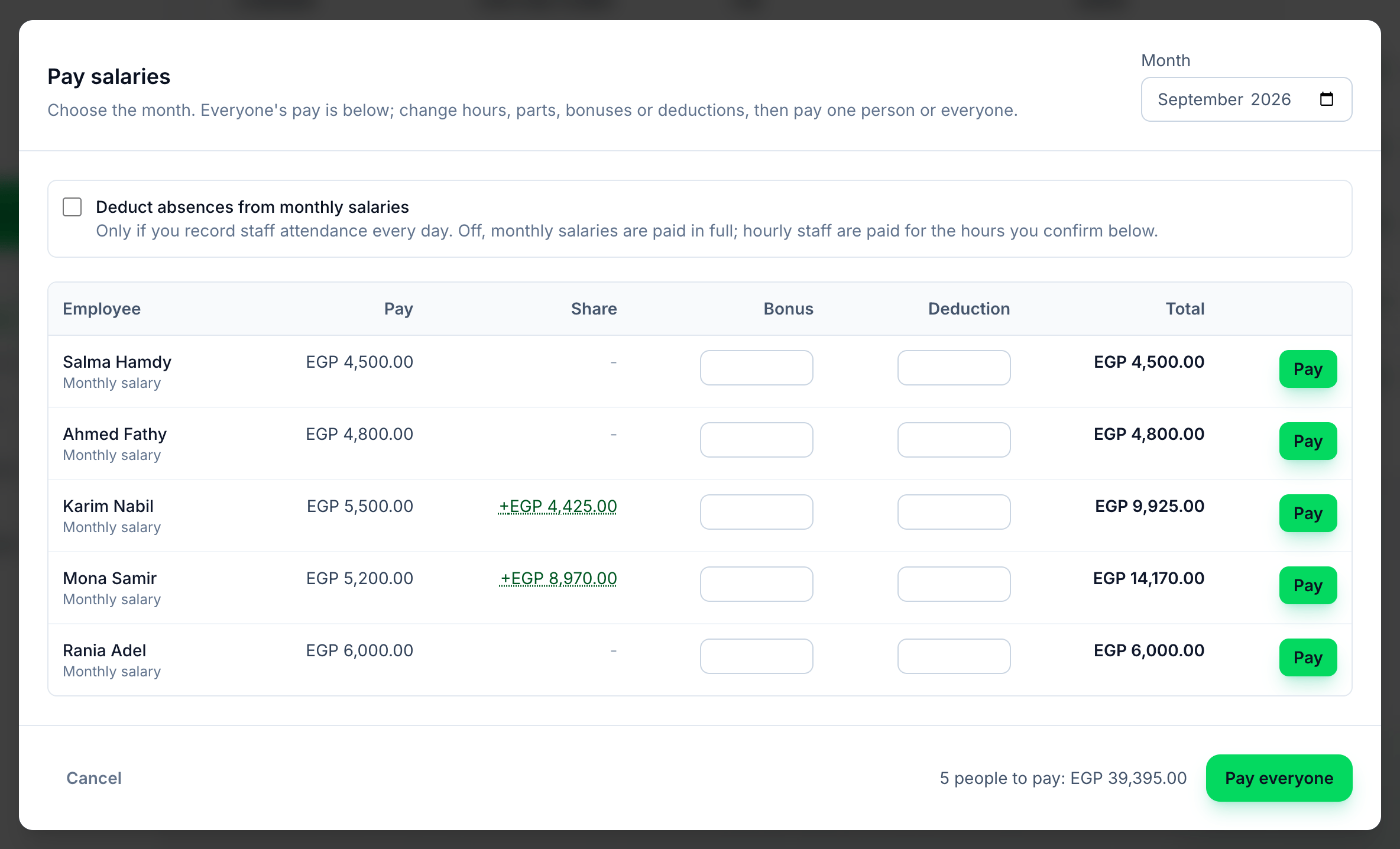
Choose the month in Month. It starts on last month.
-
Leave Deduct absences from monthly salaries off unless you record staff attendance every day — see Absences.
-
Check each row. Pay depends on how the person is paid:
- Monthly salary — the salary.
- By the hour — type the Hours worked. Tuevia fills in the hours they checked in, if any; the amount under it is the rate times the hours.
- Contract — type the Amount to pay now. Under the name is what is left of the contract. You cannot pay more than is left.
- Share only — nothing here; they are paid their Share.
Share is their share of what their groups collected that month. Enter a Bonus or a Deduction if there is one. Total is what they will be paid.
-
Press Pay on a row to pay that person, or Pay everyone to pay every row not paid yet. Beside it is how many people are left to pay, and how much. Each row turns to Paid as it is paid.
What the share is made of
Section titled “What the share is made of”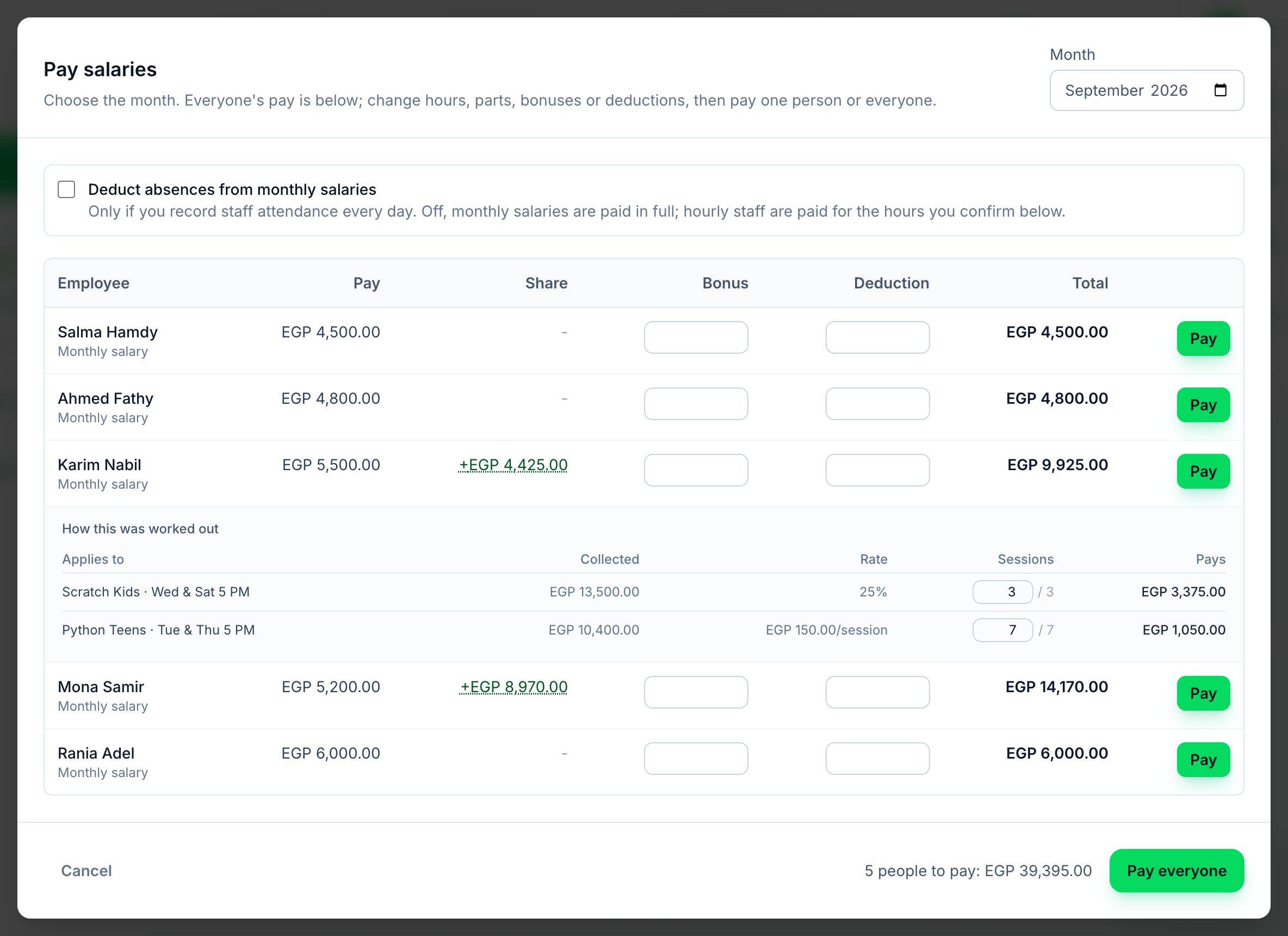
- Share
- How this was worked out
Press a person’s Share to open How this was worked out: each group, what it Collected, the Rate, the Sessions they taught and what it Pays. You can lower a session count, but not raise it above the sessions the group held. How it is worked out is on Commission.
Absences
Section titled “Absences”Most academies pay monthly salaries in full, and that is what Tuevia does unless you tick Deduct absences from monthly salaries. The choice is kept for your academy. Tick it only if you record staff attendance every day and each person has a working schedule — see Setting up pay.
With it on, for monthly salaries only:
-
Absences
The salary divided by the hours expected in the month gives an hourly rate. Every hour short of the expected hours is taken off at that rate, shown in red under Pay. -
Overtime
Overtime hours are paid at one and a half times that rate. -
Nothing recorded
A person with nothing recorded all month — no hours, no day present, late or on leave — is paid in full.
Hourly pay, contracts and shares never change with attendance.
Once a month
Section titled “Once a month”Each person is paid once for each month, here or with Deposit Salary. Anyone already paid for the month shows as Paid with what they were paid, and cannot be paid again for it. Each payment is dated the day you pay it and records the month it is for.
If something goes wrong
Section titled “If something goes wrong”-
Nobody has pay set up yet. Add someone’s pay first.
Set up pay first. -
A reason in red under a person’s name
That person was not paid; everybody else was. Fix what it says and press Pay on their row. -
Pay stays grey
The total is zero: enter the hours, or the amount of the contract to pay.
What happens next
Section titled “What happens next”The payments appear in each person’s Payment History and in the expenses on Reports.