
Lessons
A lesson is what a class opens: a topic, a week, a piece of reading. Lessons belong to the course, so every class taking the course sees them - post a lesson once and each of its groups has it.
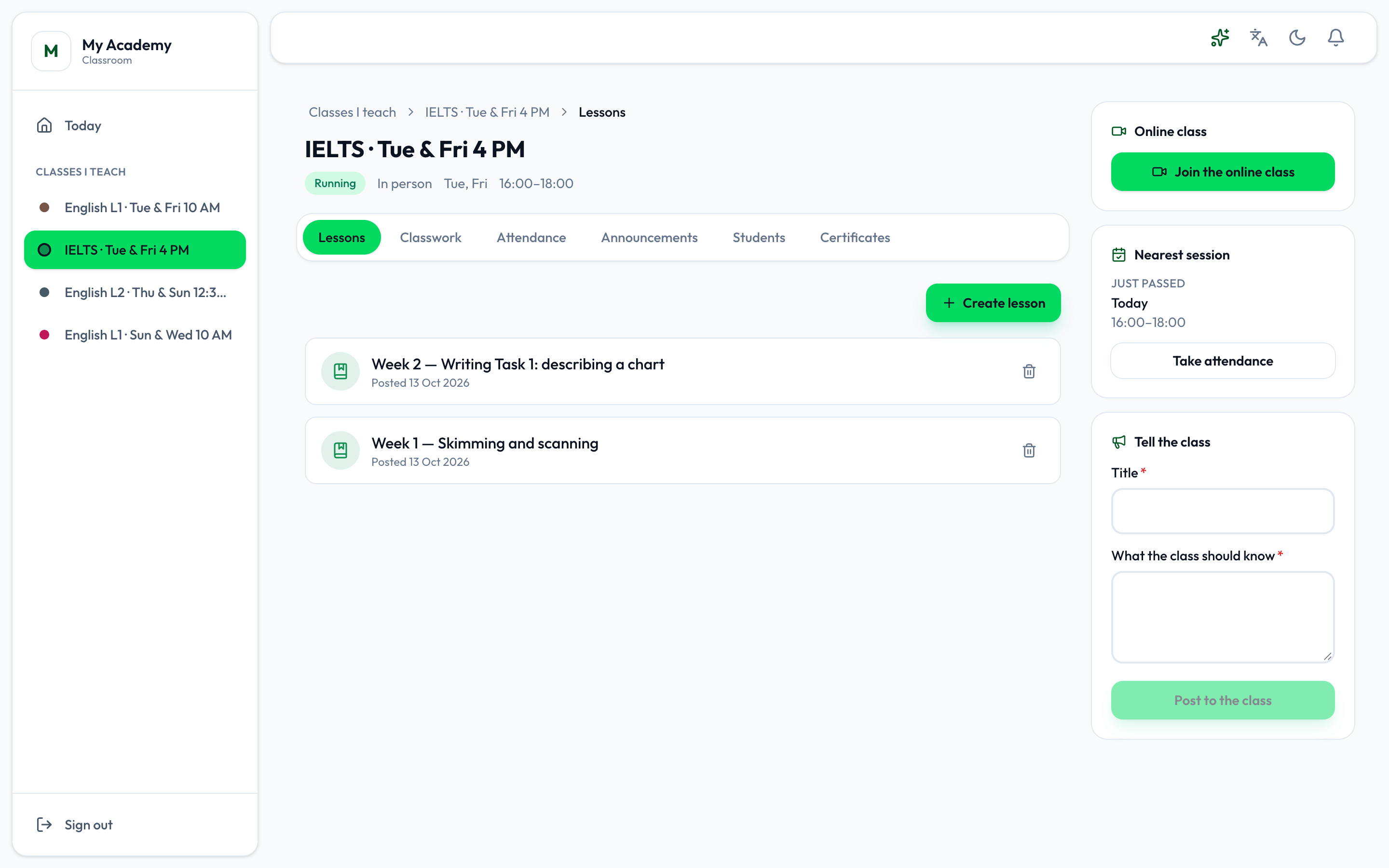
- Where you are
- The class's tabs
- Create lesson
Create a lesson
Section titled “Create a lesson”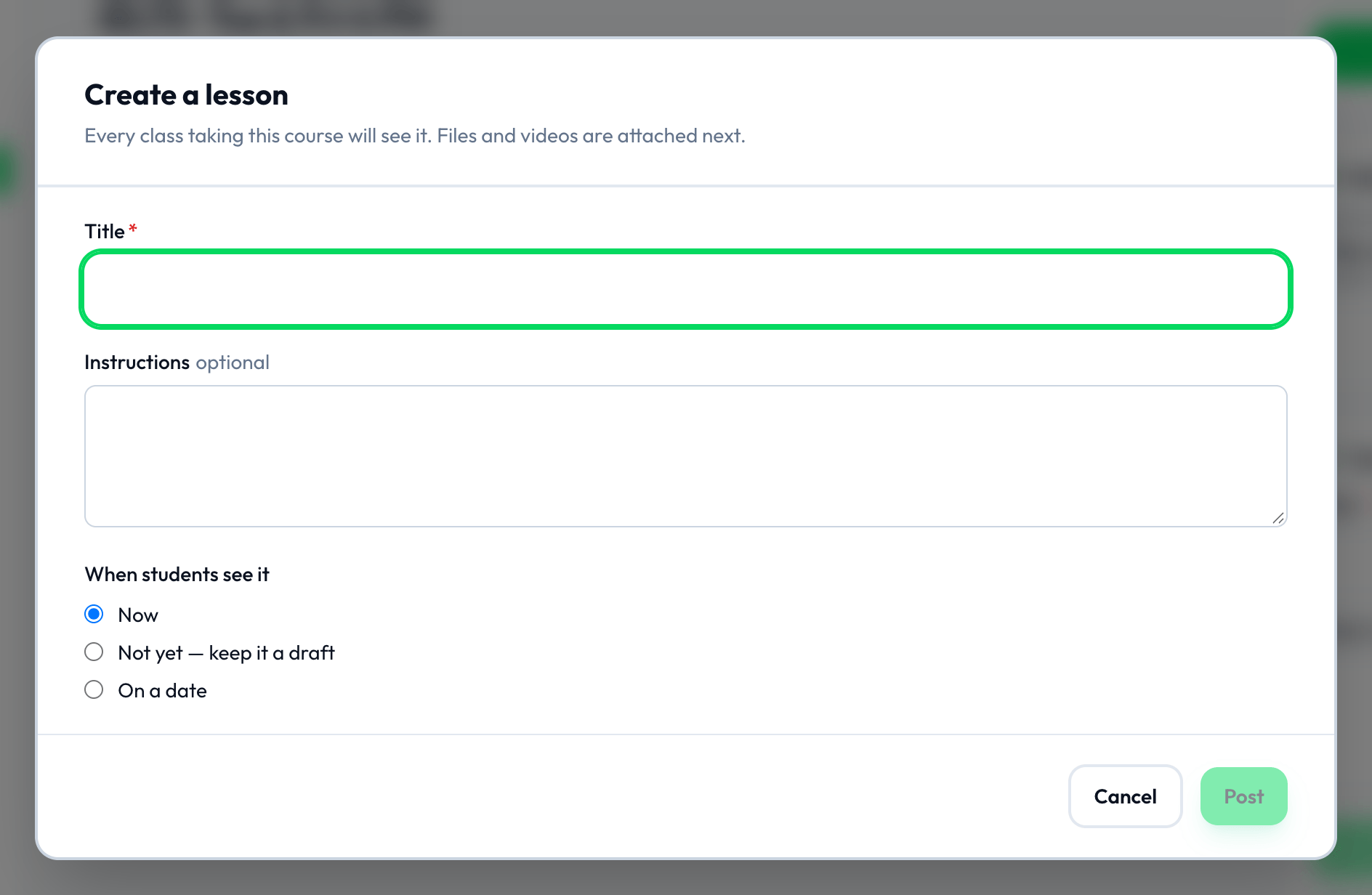
-
On Lessons, press Create lesson.
-
Type the Title, and the Instructions if you like: what the class should read, watch or do.
-
Choose When students see it: Now, Not yet — keep it a draft, or On a date, with the date to Post it on.
-
Press Post, Save draft or Schedule.
A draft says Draft, and a lesson waiting for its date Scheduled.
Files and videos
Section titled “Files and videos”Press a lesson to open it. Attach a file or image uploads one, and Attach a video adds a YouTube link with a title. Students open them from the lesson. Edit changes the lesson’s title and instructions; every class taking the course sees the change.
The bin beside a lesson removes it, and the files with it.