
The leads list
Leads lists every lead, twenty-five to a page. Press a name to open the lead’s page.
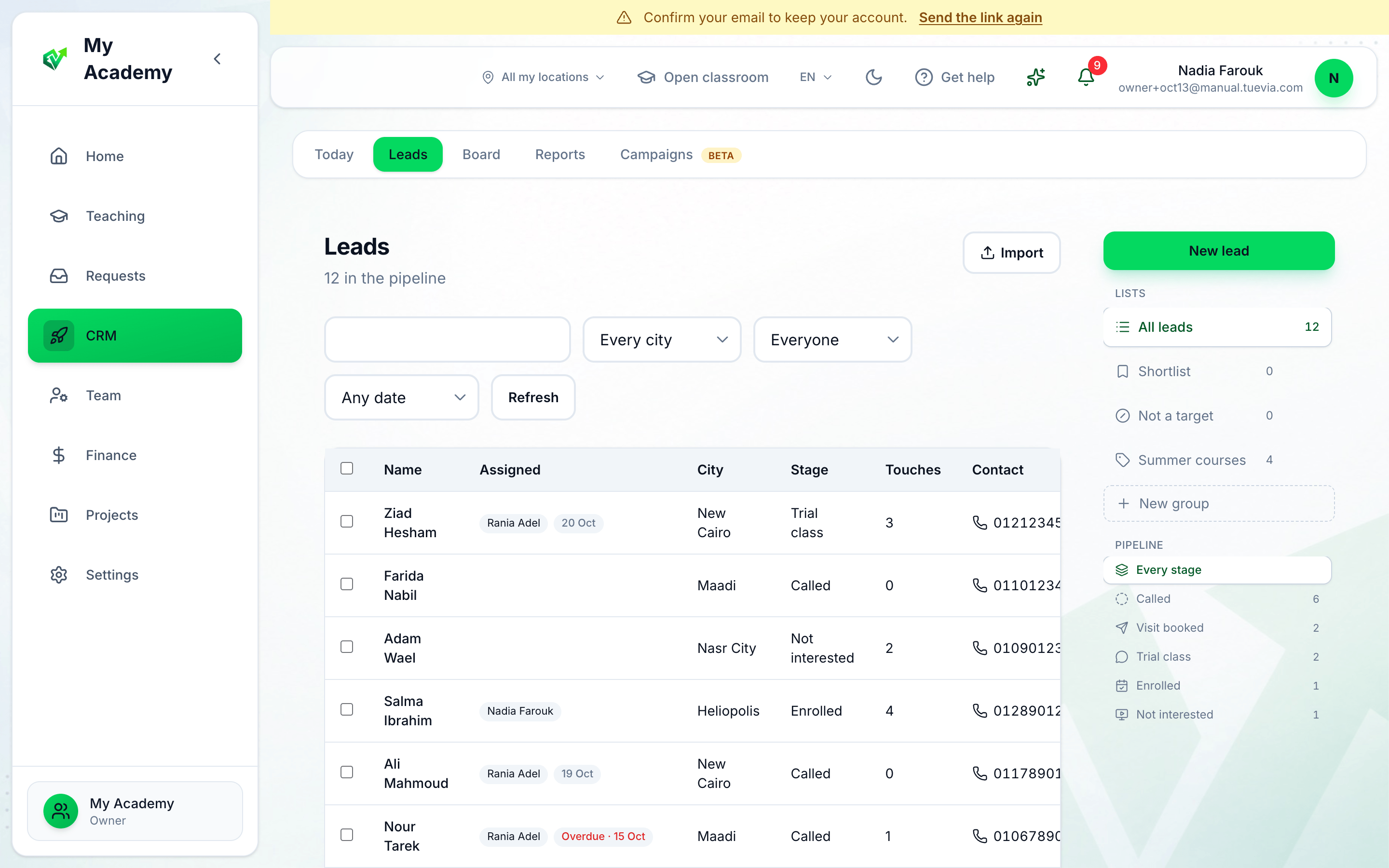
- New lead
- Import
- Person
- Due date
- Who has it, and when
-
New lead adds one by hand: a Name, and if you want its Phone, Email, City and Notes. Press Save. A lead with the same name and phone as one you have is refused: A lead with this name and phone already exists.
-
Import turns a spreadsheet into leads. See Importing leads.
-
Person shows Everyone’s leads, only yours (Mine), only those assigned to Nobody, or one person’s.
-
Due date narrows to Due by today, Today, Overdue or No date.
-
Assigned shows who has each lead and when it is due. An overdue date is red.
Type in the search box to find a lead by name, email, phone or city. Every city narrows the list to one city. Refresh reloads it.
Groups
Section titled “Groups”The side of the page holds your Lists: All leads, your groups, and New group to add one. A lead can be on several groups. Press Add to group on a row to choose its groups, with a note on why for each. Inside a group, Export to sheet downloads its leads, and Assign group hands all of them to people at once.
Under Pipeline, press a block to list only the leads in it.