
Reading the dashboard
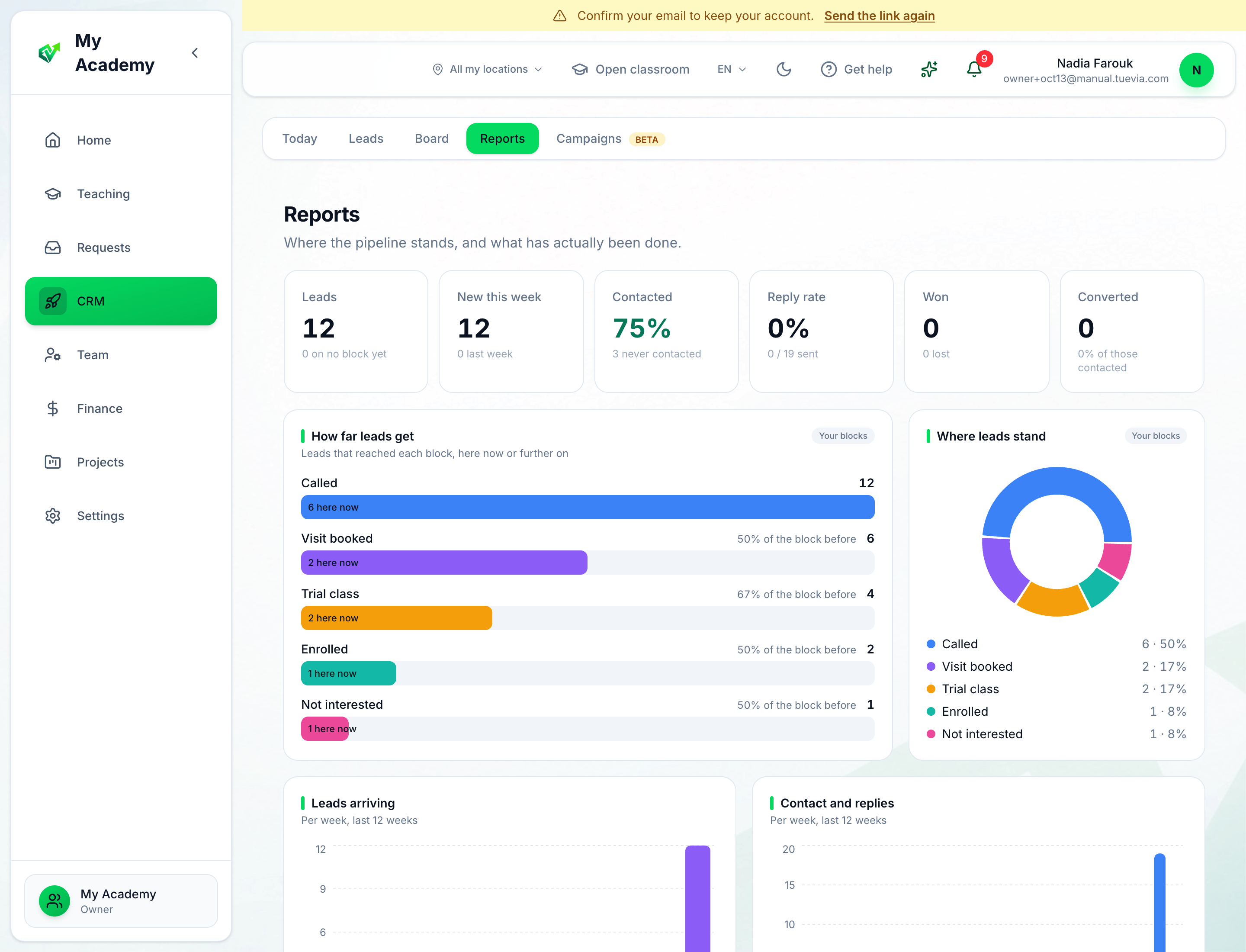
- The numbers
- How far leads get
- Where leads stand
-
The numbers: Leads (and how many are on no block yet), New this week (against last week), Contacted — the share of leads anybody has reached, and how many were never contacted — Reply rate, Won and Converted: leads that became students.
-
How far leads get takes your blocks in order. Each bar is how many leads reached the block — they are in it now or in a block after it — with how many are there now, and the share of the block before that got this far. Where the share drops is where leads stop.
-
Where leads stand is every lead by the block it is in now.
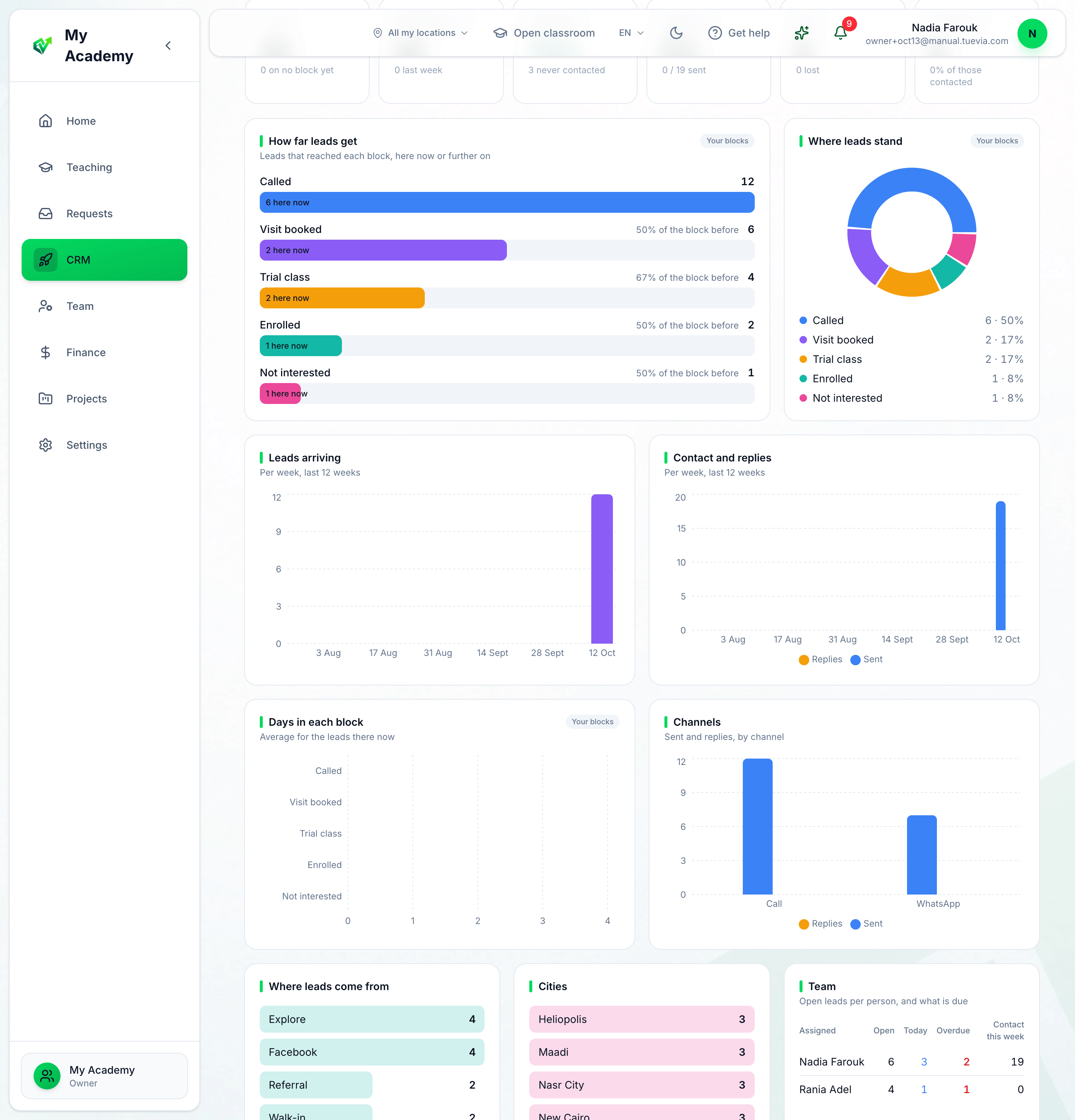
- Leads arriving
- Contact and replies
- Days in each block
-
Leads arriving: new leads each week, for the last twelve weeks.
-
Contact and replies: what your team sent each week, and the replies that came back.
-
Days in each block: how long, on average, the leads in each block have been there. A long bar is a block where leads wait.
Below them, Channels compares what was sent and what came back on calls, WhatsApp, email, Facebook and meetings; Where leads come from and Cities count your leads by source and by city.
Your team
Section titled “Your team”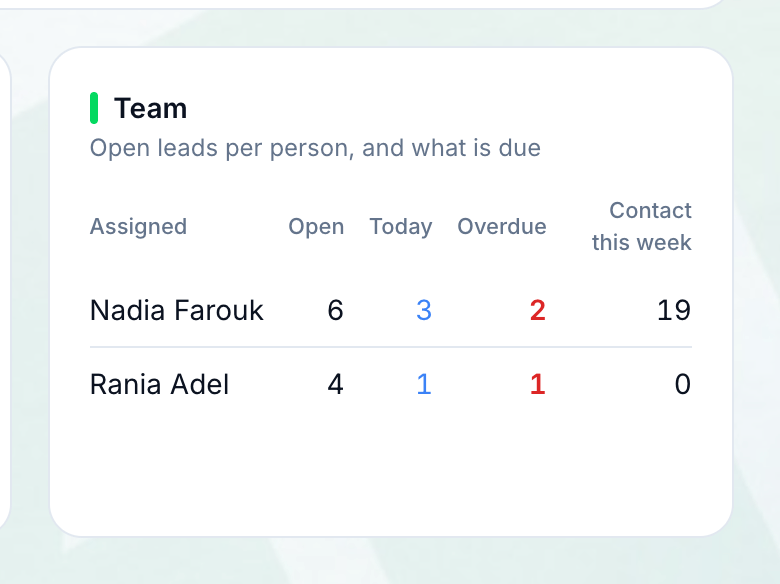
- Each person
- Team lists everybody holding leads: their Open leads (not won, lost or converted), how many are due Today, how many are Overdue, and the contact they logged this week. A red overdue number is where to look first.