
Staff attendance and leave
Settings → Working hours & attendance holds the rules for staff attendance and leave.
Every academy is open all day - a group or a session can be at any time, as long as it ends before midnight - so there are no working hours to set.
Owners and admins can change these. So can anyone whose role, under My Academy, has Settings set to Manage, and who works in all of the academy’s locations.
Staff attendance and leave
Section titled “Staff attendance and leave”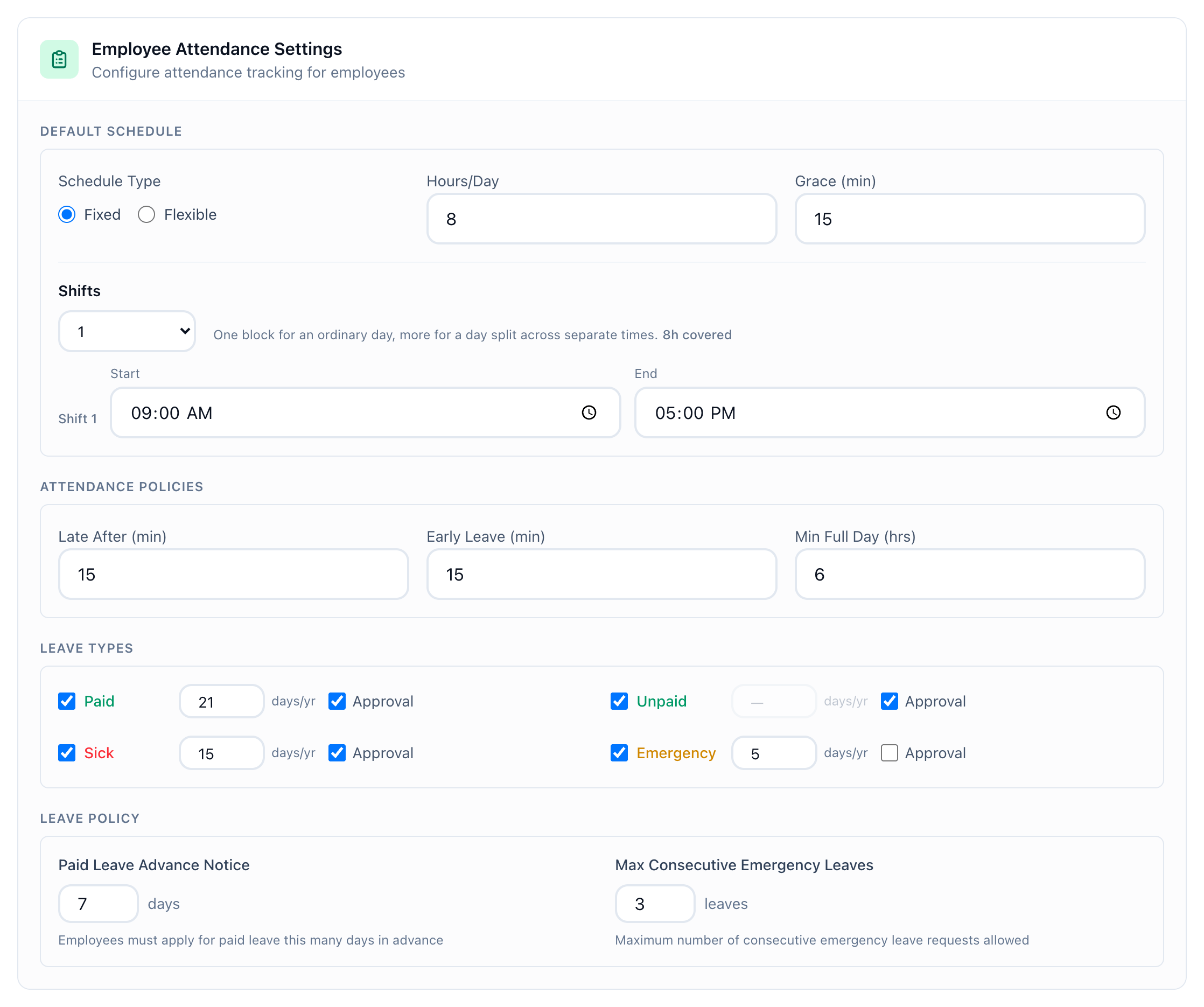
- Employee Attendance Settings
Employee Attendance Settings has four parts:
- Default Schedule. Schedule Type (Fixed or Flexible), Hours/Day, Grace (min), and for a fixed schedule its Shifts, each with a Start and an End.
- Attendance Policies. Late After (min), Early Leave (min) and Min Full Day (hrs).
- Leave Types. Paid, Unpaid, Sick and Emergency, each with a tick to turn it on, the days allowed each year (days/yr) and Approval.
- Leave Policy. Paid Leave Advance Notice, in days, and Max Consecutive Emergency Leaves.
When someone asks for leave, Tuevia checks the request against these: a paid leave must be asked for the number of days ahead set in Paid Leave Advance Notice, emergency leaves in a row stop at Max Consecutive Emergency Leaves, and a request cannot take more days than a type’s days/yr leaves.
Change what you need, then press Save Settings at the foot of the page.
If something goes wrong
Section titled “If something goes wrong”-
A fixed day needs at least one shift.
A Fixed schedule needs at least one shift. Add one, or choose Flexible. -
Shift 1 ends before it starts.
The shift’s End is earlier than its Start. Swap them.
What happens next
Section titled “What happens next”- Staff ask for leave from their Home screen: see Asking for leave.
- Monthly salaries take absences off only when you choose to: see Paying the month’s salaries.