
Announcements and students
Announcements
Section titled “Announcements”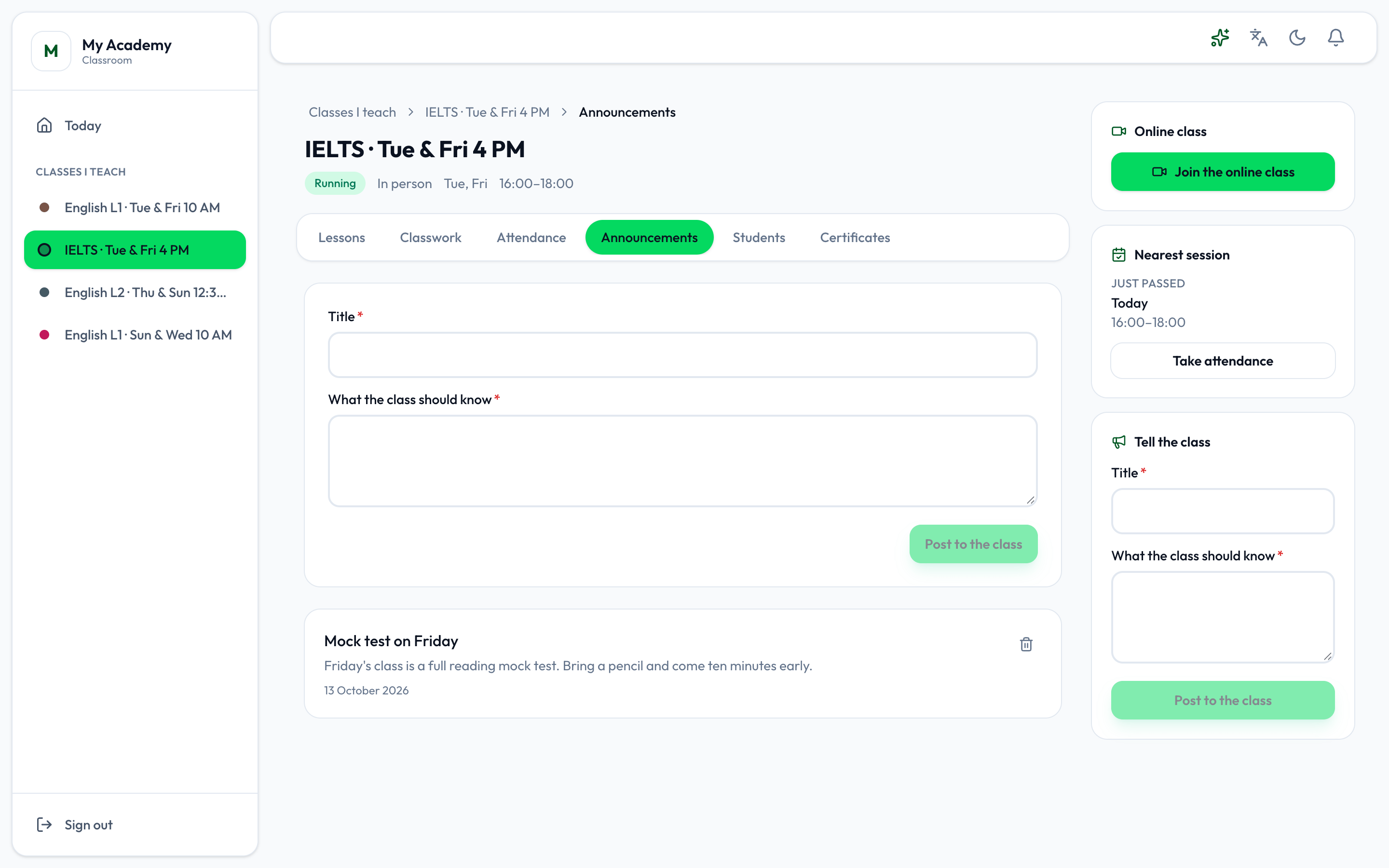
- Post to the class
- Type the Title and What the class should know, and press Post to the class.
It goes to this class’s students only: they are notified, and it shows on their class page. Below the form are the class’s announcements, newest first; Take it down removes one.
Announcements for the whole academy are posted in the academy app. See Announcements.
Students
Section titled “Students”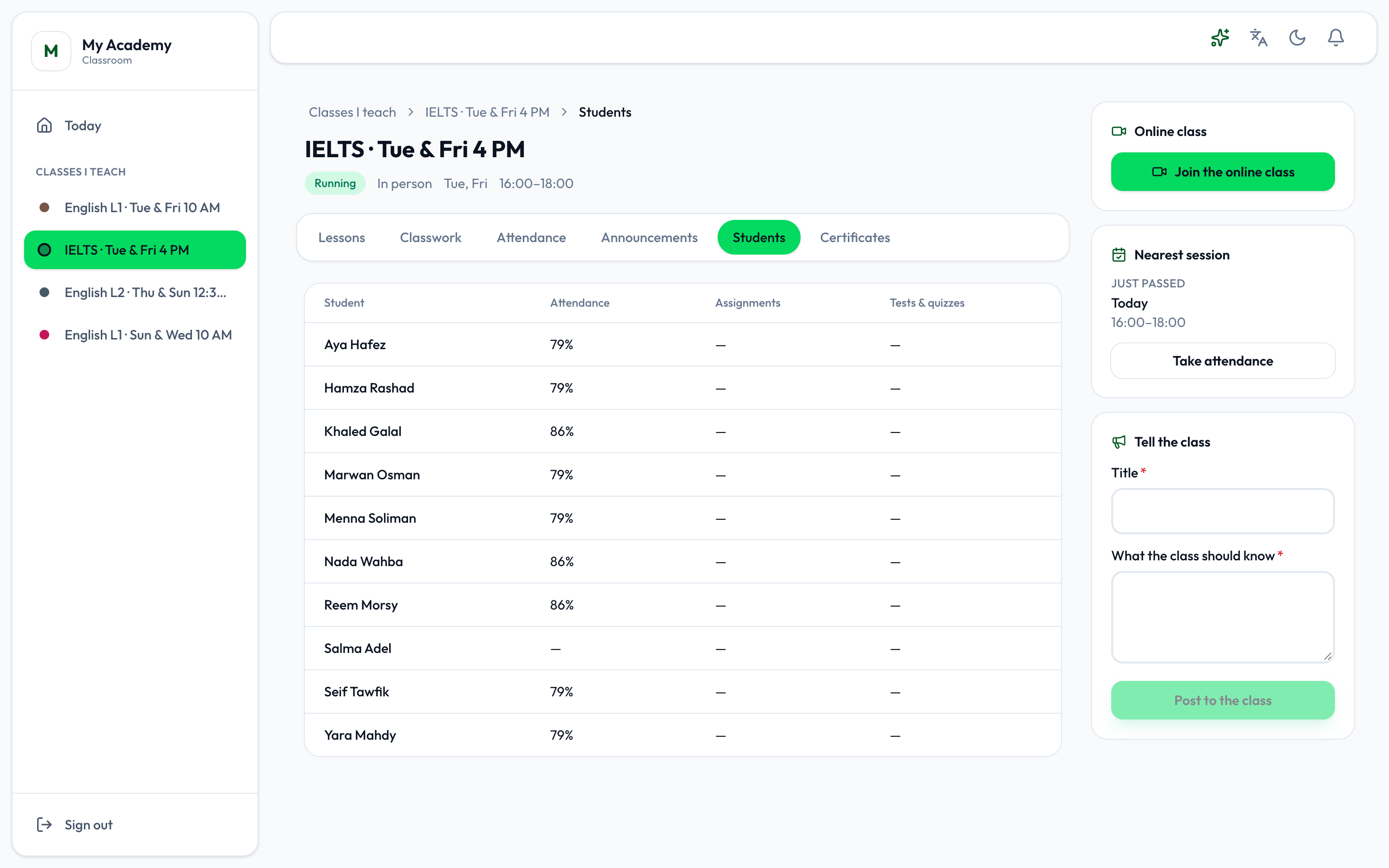
Students lists the class’s students, each with their Attendance, their Assignments and their Tests & quizzes. When the course has pass rules, Pass rules says whether each student Meets them or Not yet. See Certificates.
Students are added to a class, and moved or removed, in the academy app.