
A session moves or is cancelled
The group’s page → Schedule → Groups → Salaries
A room is needed for an exam, an instructor is ill, a holiday falls on a class day. This flow moves or cancels the one session and follows the change through Tuevia. Only that session changes: the group’s other sessions stay where they are. Owners and anyone whose role can manage Groups can move or cancel a session; instructors ask one of them.
1. The group’s page: move it or cancel it
Section titled “1. The group’s page: move it or cancel it”On the group’s page on Teaching → Groups, open Sessions and press the pencil beside the session. Choose the new Date, Start, End and Room, and press Update Session. The form warns you before you save if the room is taken at that time. To call the session off, press Cancel on its row and then Yes, cancel session; a cancellation cannot be undone.
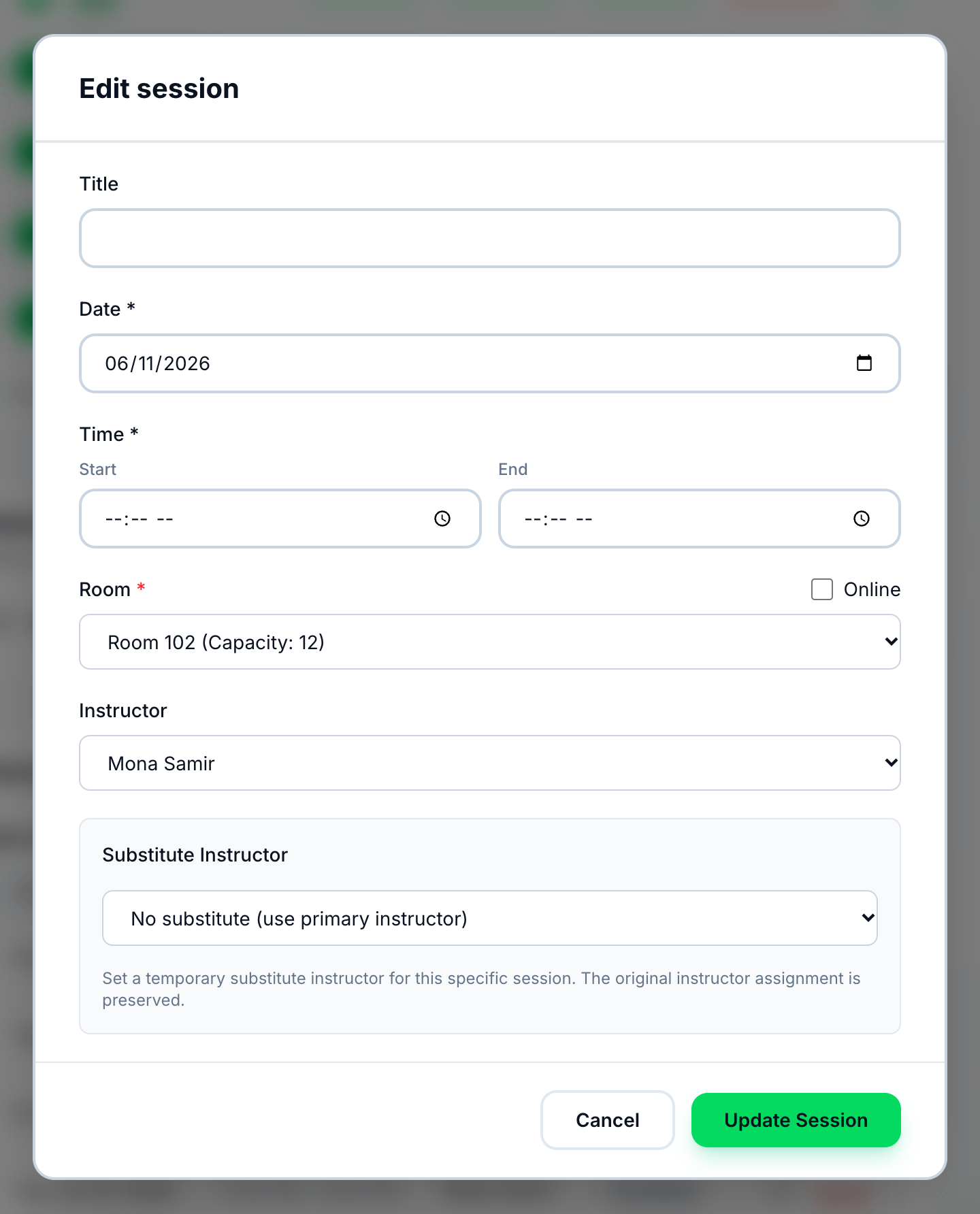
- Date
- Room
- Update Session
View Sessions on the group’s row in Groups List reschedules a session too. See Rescheduling and cancelling a session.
2. Who is told
Section titled “2. Who is told”Nobody, automatically. Tuevia sends no notification when a session is moved or cancelled - not to the instructor, the students or the parents - so tell them yourself. A post under Announcements on the group’s page stays on that page, but it sends no notification either.
See What you are notified about.
3. Schedule: the day it is on
Section titled “3. Schedule: the day it is on”On Teaching → Groups, Schedule shows the session on its new day, in its new room. A cancelled session is Cancelled: it cannot be edited, and it takes no attendance.
See The schedule and the groups list.
4. Groups: the group’s page
Section titled “4. Groups: the group’s page”On the group’s page, Sessions lists the upcoming sessions with their date, time and status, so a moved session shows at its new date. On Groups List, a cancelled session counts among the sessions behind the group in Progress.
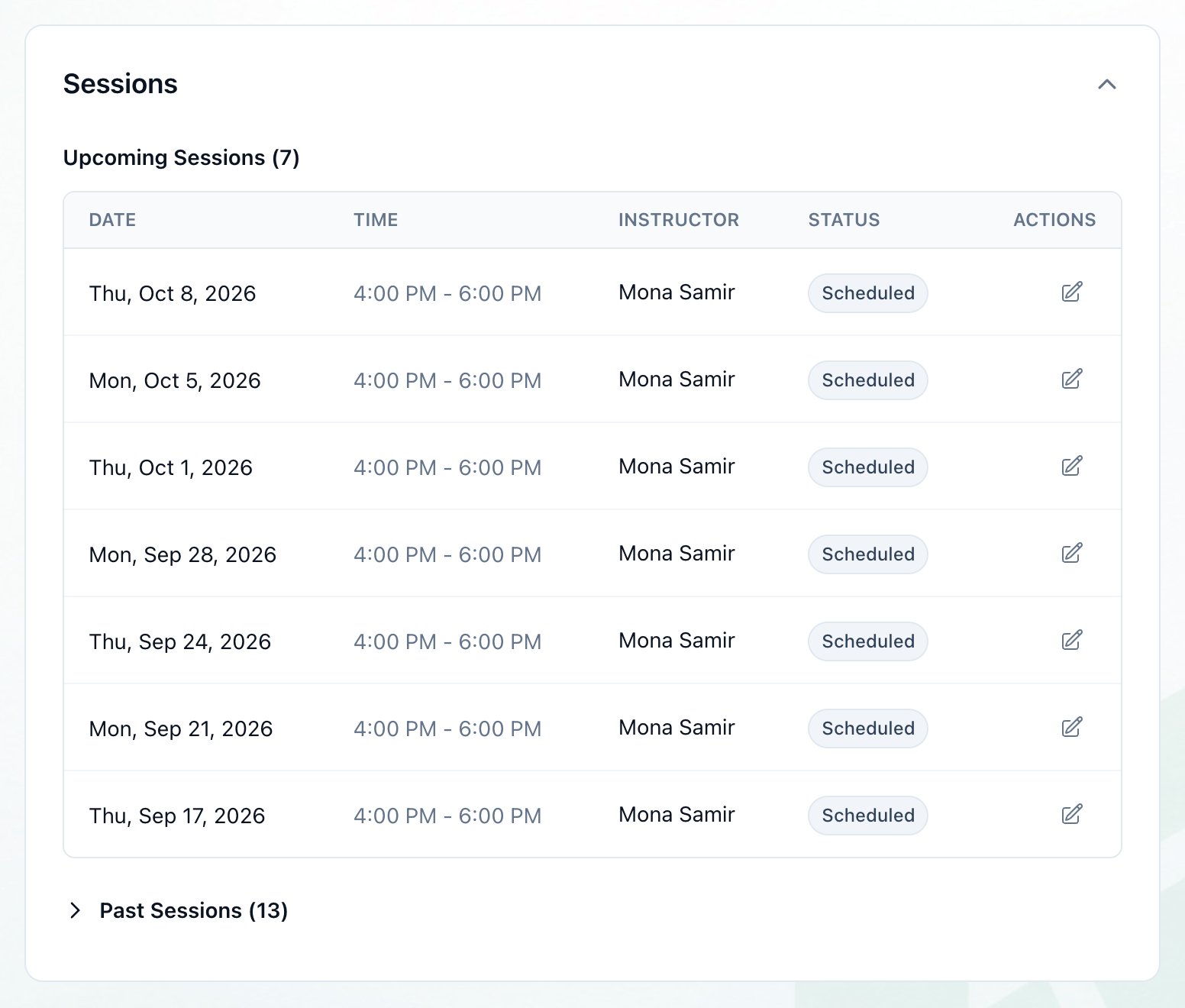
- Sessions
No session is added in place of a cancelled one. To make it up, add a one-off session from Create → Create Session on Groups List, with a title that says what it is - Make-up class, for example. It belongs to no group, so it has no students and no register. See A group’s page and Adding a one-off session.
5. Salaries: commission
Section titled “5. Salaries: commission”Commission counts the sessions held: those whose end time has passed, which Tuevia marks Completed by itself. A cancelled session counts as neither held nor taught when the month’s salaries are paid — even one cancelled after it was completed. See Commission and Month end.