
Rescheduling and cancelling a session
Move a single session to another date, time or room, or cancel it. The group’s other sessions stay as they are. Owners and anyone whose role can manage Groups can do both.
Reschedule a session
Section titled “Reschedule a session”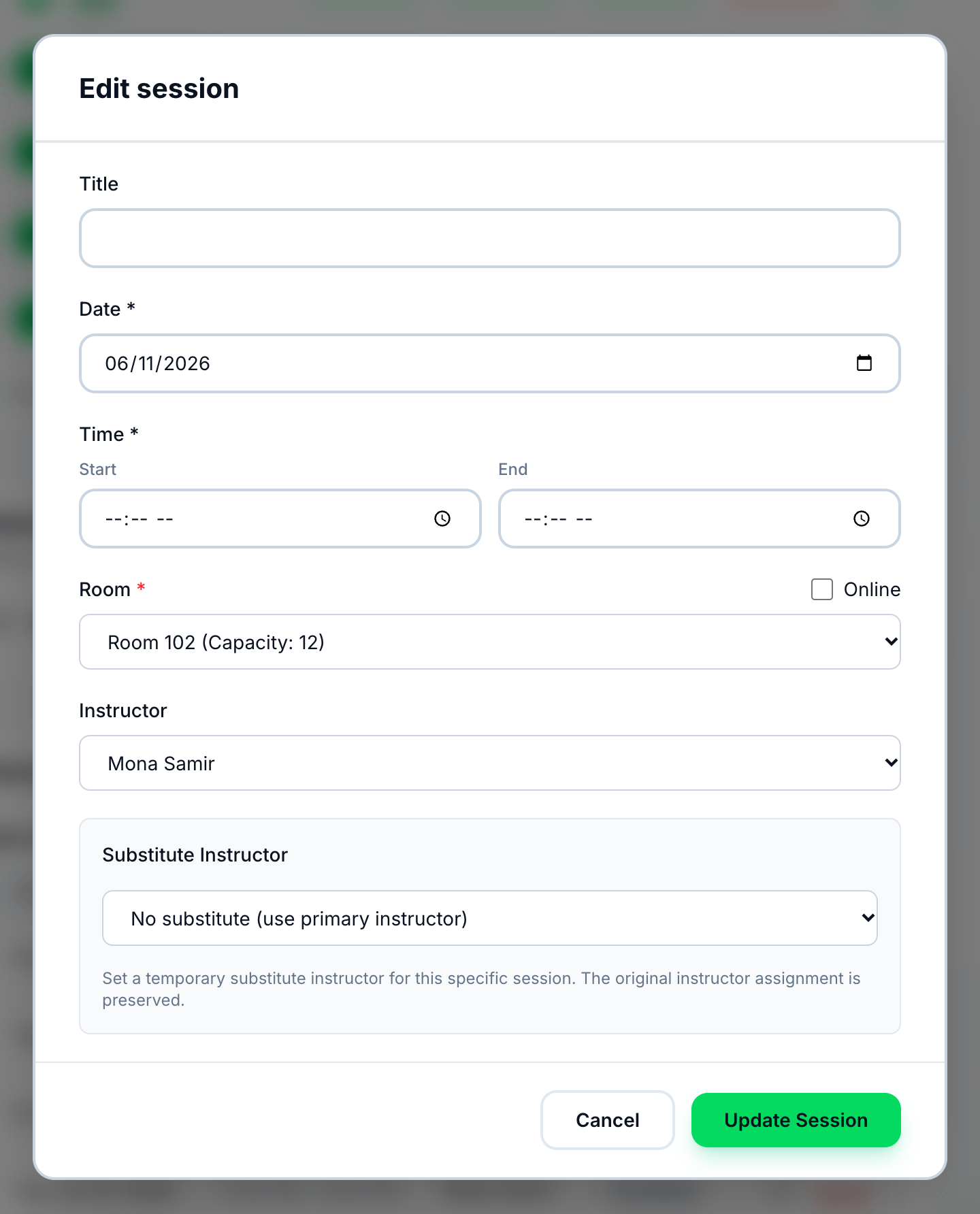
- Date
- Start
- End
- Room
- Update Session
-
On the group’s page, open Sessions and press the pencil beside an upcoming session. Edit Session opens with the session’s date, times and room.
-
Choose the new Date.
-
Enter the new Start time.
-
Enter the new End time.
-
Choose the Room.
-
Press Update Session.
On Groups List, View Sessions on a group’s row lists its sessions, and the pencil beside one opens Reschedule Session: choose the New Date, the New Time and the Room, and press Save Changes.
Cancel a session
Section titled “Cancel a session”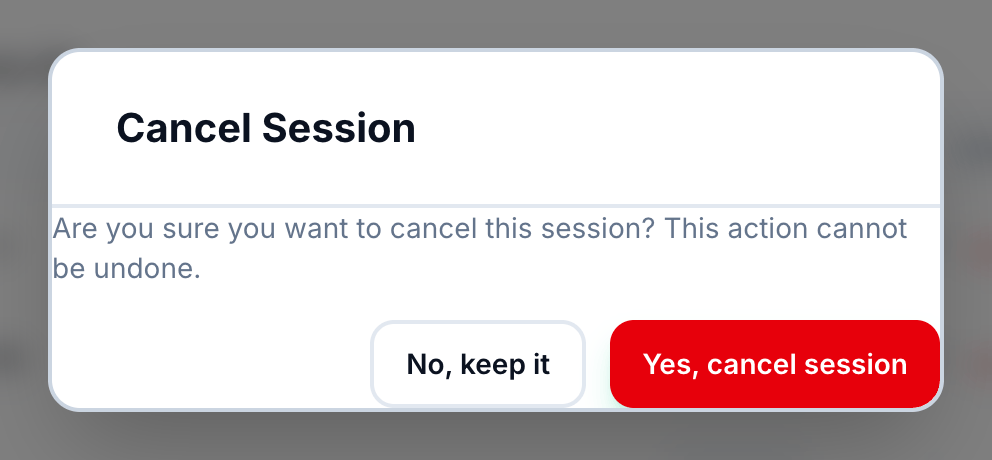
- Yes, cancel session
-
On the group’s page, open Sessions and press Cancel on the session’s row — under Past Sessions for one whose time has passed. Cancel Session asks Are you sure you want to cancel this session? This action cannot be undone.
-
Press Yes, cancel session. No, keep it leaves the session as it was.
Cancel is on every session not already cancelled. A session is marked Completed by itself once its end time has passed, so one that never took place is cancelled afterwards, from its row under Past Sessions, and stops counting as held. For such a session the question is This session was marked held because its time has passed. Cancel it only if it did not take place: it will stop counting for pay and reports. This cannot be undone.
If something goes wrong
Section titled “If something goes wrong”-
… is already booked for … on … from … to ….
Another session has the room at that time. Choose another time or room. The form warns you before you save: ⚠️ Warning: This time slot conflicts with 1 existing session(s). Please choose a different time or room. -
end_time must be after start_time
The end time is not after the start time.
What happens next
Section titled “What happens next”- A rescheduled session’s status becomes Rescheduled. Saving Edit Session does this even when the date, times and room are unchanged.
- A cancelled session is Cancelled. It cannot be edited or take attendance, and it counts towards its group’s Progress. A group’s session cannot be deleted on its own.
- No session is added in place of a cancelled one, and the group’s other sessions do not move.
- Tuevia does not notify students, parents or the instructor when a session is rescheduled or cancelled.