
Classes
A class is a course and the students taking it. Teaching → Classes lists yours.
Start a class
Section titled “Start a class”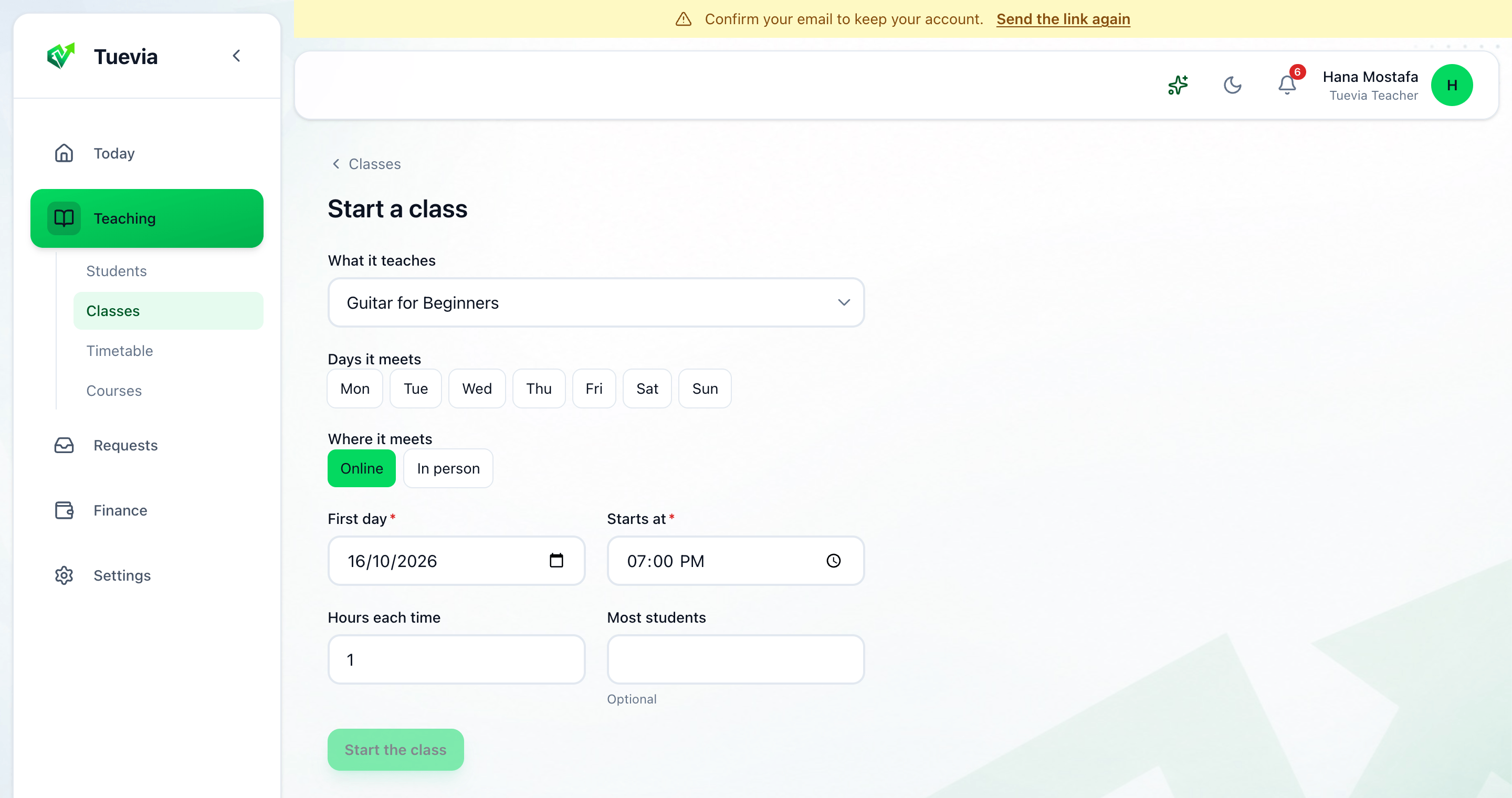
-
Press Start a class.
-
Choose What it teaches - one of your courses.
-
Choose the Days it meets, and Where it meets: Online or In person.
-
Set the First day, when it Starts at, the Hours each time, and the Most students if there is a limit.
-
Press Start the class.
Its sessions are laid out at once, as many as the course has, on the days you chose.
A class’s page
Section titled “A class’s page”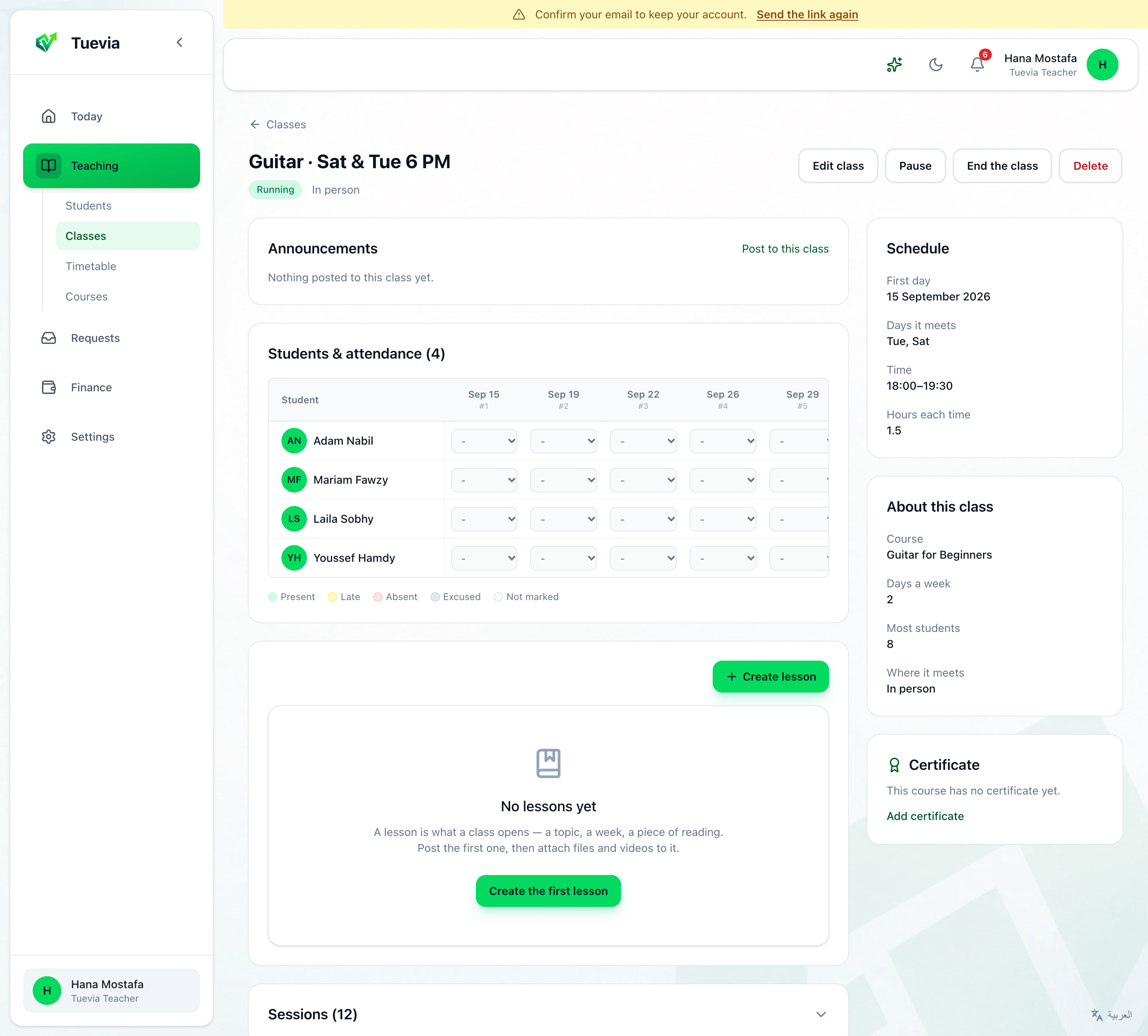
- Announcements - Post to this class writes to its students alone. See Announcements.
- Students & attendance - the register: choose each student’s mark for each session, Present, Late, Absent or Excused. Late asks for the minutes and Excused for the reason; Skip saves it without. Add a student to this class puts in one of your students.
- Lessons - Create lesson posts what the class reads, watches or does, with files and videos. Lessons and their marking work as in Classroom. See Lessons and Classwork.
- Sessions - every session, held, to come or cancelled.
- Schedule and About this class - its first day, days, time and hours; its course, days a week, most students and where it meets.
- Certificate - the course’s certificate, or Add certificate for one. See Courses.
At the top:
- Edit class changes its name, its price - Price for this class, or empty for the course’s - its days, time and place. Changing the days, time or place moves the sessions still to come; sessions already held stay as they were.
- Pause stops it for a while, and Start again resumes it.
- End the class finishes it: its students, attendance and payments are kept, and it can be certified.
- Delete deletes it for good. A class with payments or attendance cannot be deleted - end it instead.