
Adding students to a group
Add students to a group from the group’s page. Owners and anyone whose role can manage Groups can do it; for anyone else, + Add Student is greyed out.
Enrolling a student from their own profile, and what an enrolment holds, are in Students.
Before you start
Section titled “Before you start”The student needs to be in Tuevia already. To add a new student, see Students.
Add a student
Section titled “Add a student”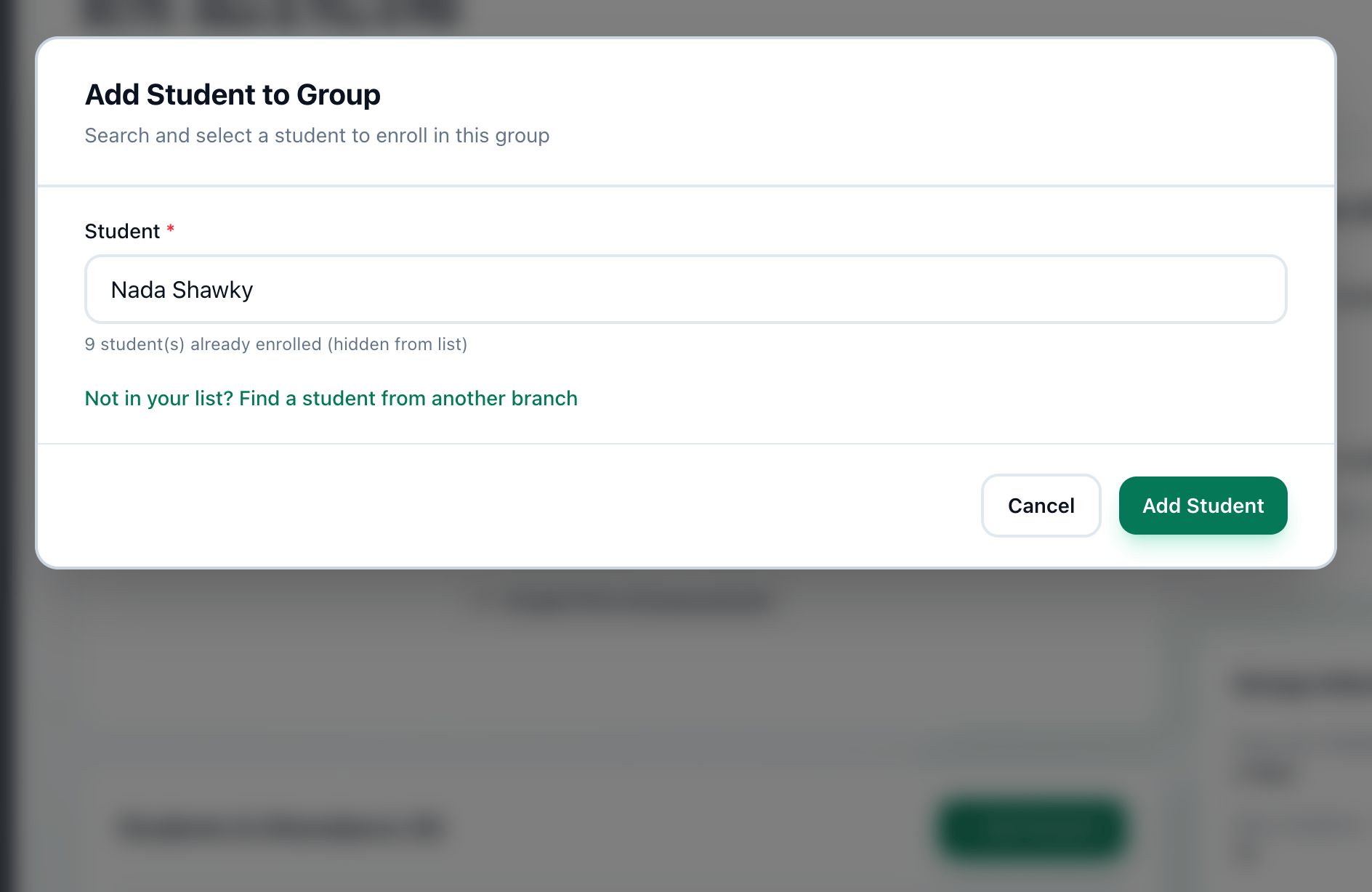
- + Add Student
- Student
- Add Student
-
On the group’s page, press + Add Student. Add Student to Group opens.
-
In Student, type part of the student’s name, phone number or email, and choose them from the list. Students already in the group are left out of it.
-
Press Add Student.
The student appears in Students & Attendance, with an active enrolment.
A student from another branch
Section titled “A student from another branch”A student registered at a branch you do not work in is not in the list. Find them by the exact phone number or email they gave.
-
In Add Student to Group, press Not in your list? Find a student from another branch.
-
Enter their phone number or email under Their exact phone number or email, and press Find.
-
Press the student’s name, then press Add Student.
Only an exact match is found, and only the name is shown. Once they are in the group, the student is visible to you.
Remove a student
Section titled “Remove a student”-
In Students & Attendance, point at the student’s row. A menu button appears beside their name.
-
Press it and choose Remove.
-
Confirm Are you sure you want to remove this student from the group?. The question is asked twice; confirm it both times.
Edit Status, in the same menu, changes the status of the student’s enrolment: see Students.
If something goes wrong
Section titled “If something goes wrong”-
Please select a student
You typed in Student without choosing a name from the list. Choose one. -
group is full (12 of 12 seats taken)
The group has as many students as its Max Students. Every active student counts, whichever branch enrolled them. -
All students are already enrolled in this group
Everybody in your list is in this group already. -
Enter the full phone number or an email address.
The lookup needs a whole phone number, or an email address. -
No student has that phone number or email.
Check the number or the address. If the student is new, add them in Students first.
What happens next
Section titled “What happens next”- The student is on the group’s register: see Taking attendance.
- What they pay is agreed in Fees.