
A group's page
Everything about one group is on its page. Open it by pressing the group’s name in Groups List, or in a session’s details on Schedule.
Anyone who can open Groups can open the page of a group they can see. Posting announcements and adding or removing students are for owners and anyone whose role can manage Groups.
What the page shows
Section titled “What the page shows”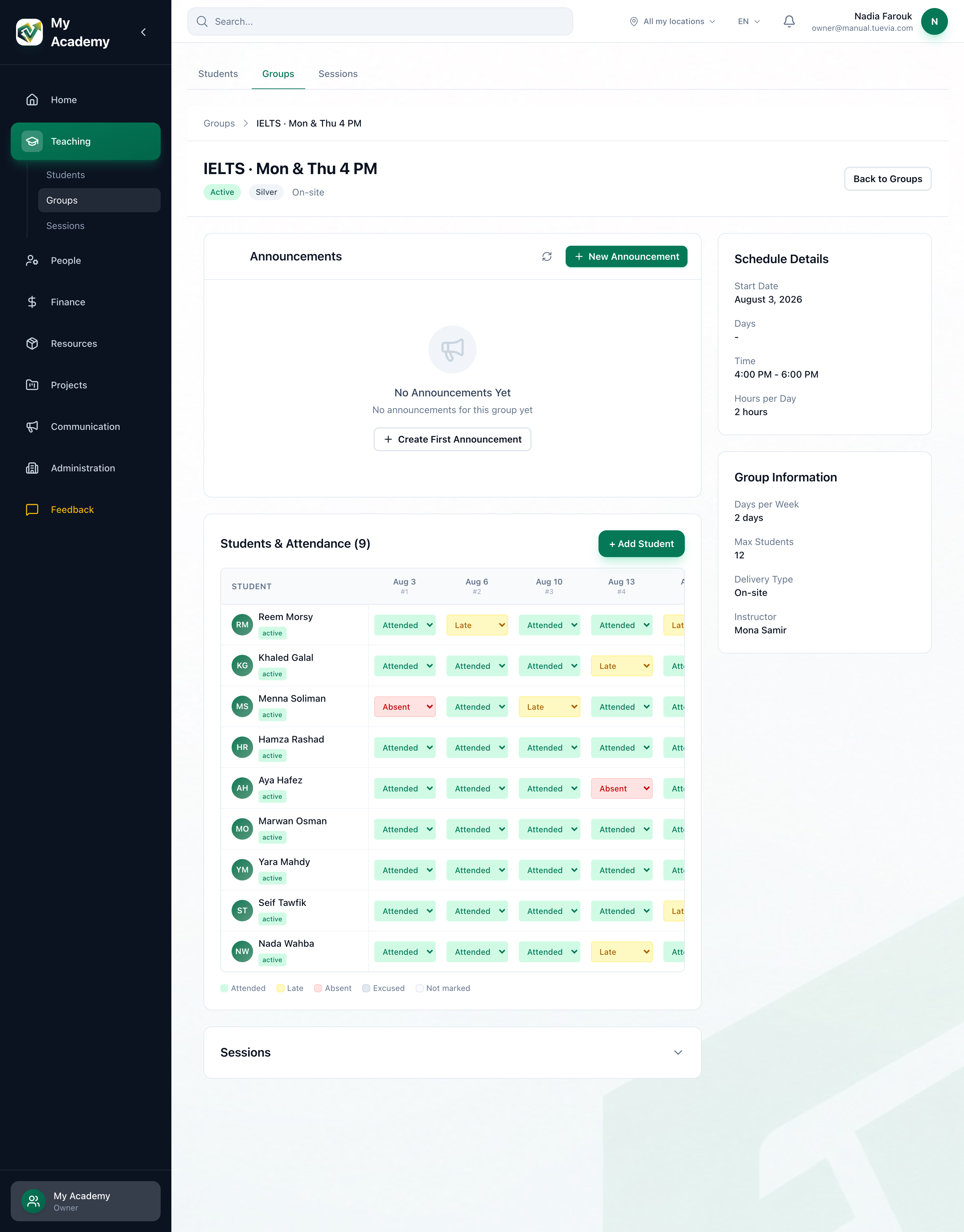
- Status and delivery
- Announcements
- Students & Attendance
- Schedule Details
- Group Information
-
Under the group’s name: its status (Active, Suspended or Ended) and On-site or Online. Back to Groups returns to the list.
-
Announcements for this group. Owners and anyone who can manage Groups post them here; see Announcements.
-
Students & Attendance, with the number of students. Each student has a row, and each session a column, with today’s column highlighted. A student’s name opens their profile, and their enrolment’s status is under the name. See Adding students to a group and Taking attendance.
-
Schedule Details: Start Date, Days, Time and Hours per Day.
-
Group Information: Days per Week, Max Students (Unlimited when the group has no limit), Delivery Type and Instructor. An assistant is marked (Assistant), and Not assigned means the group has no instructor.
Under the students, Marking lists the group’s assignments to mark, and the people who teach the group see Open in Classroom beside it - see A group’s coursework.
See the group’s sessions
Section titled “See the group’s sessions”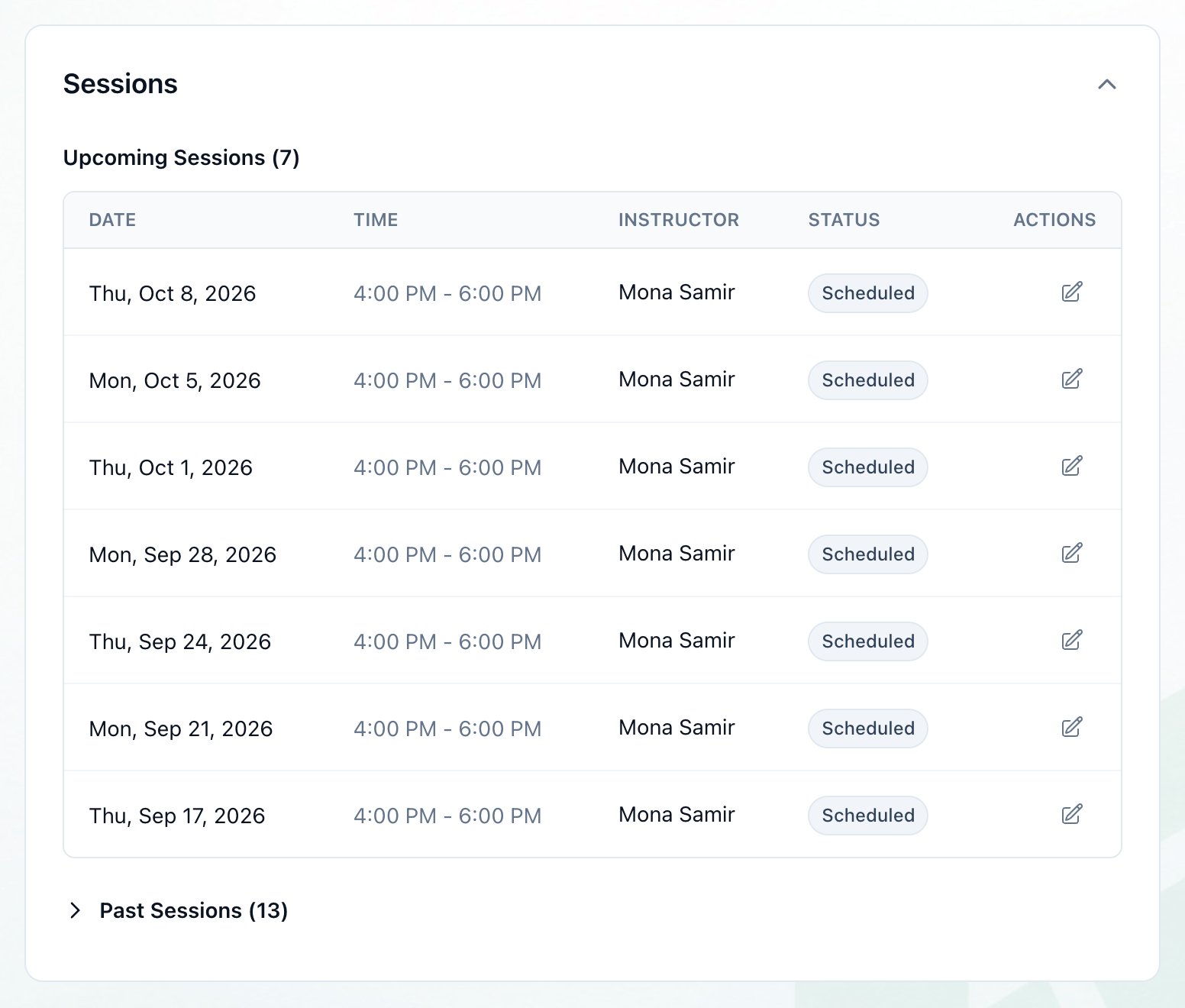
- Sessions
- Press Sessions, under Students & Attendance. The card opens.
Upcoming Sessions lists the sessions still to come, with their date, time, instructor and status. A substitute instructor shows under the instructor, after Sub:. Past Sessions is folded; press it to open it.
For owners and anyone who can manage Groups, the pencil at the end of an upcoming session’s row opens Edit Session. See Rescheduling and cancelling a session.
What happens next
Section titled “What happens next”- To add students, see Adding students to a group.
- To mark attendance, see Taking attendance.
- To change, suspend or end the group, see Changing, suspending and ending a group.