
An academy's page
Every academy in the directory has a page of its own at explore.tuevia.com, which it can share as its link.
An academy with a catalogue
Section titled “An academy with a catalogue”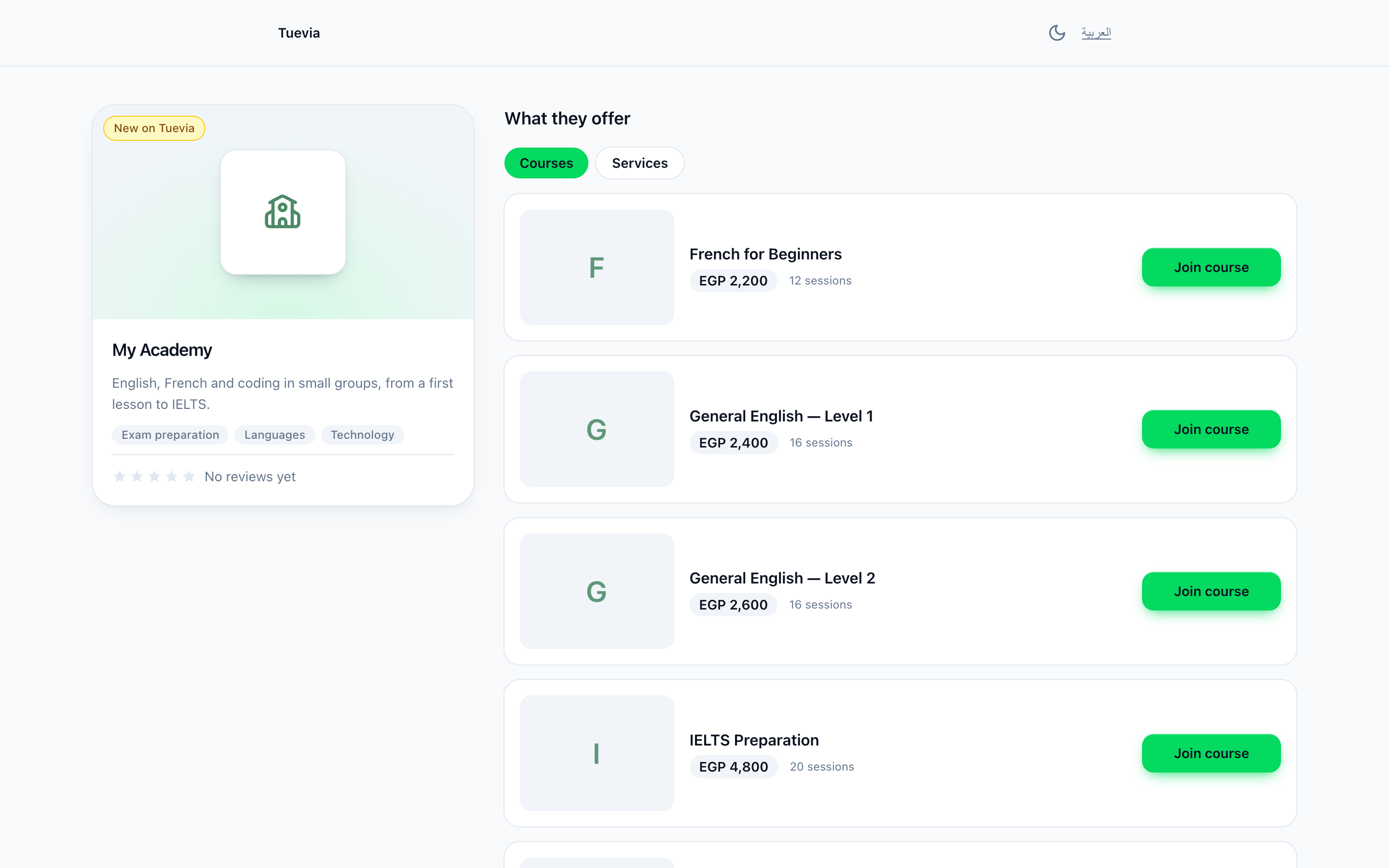
- The academy
- Courses or services
- Join course
-
The academy’s card.
-
What they offer - Courses, and Services when it has any.
-
Join course, or Ask about it under Services, opens the learners app to ask for a place in that course: sign in, or create an account, and send it. See Finding an academy.
Asking without an account
Section titled “Asking without an account”An academy that shows no courses has a page that asks for a place itself.
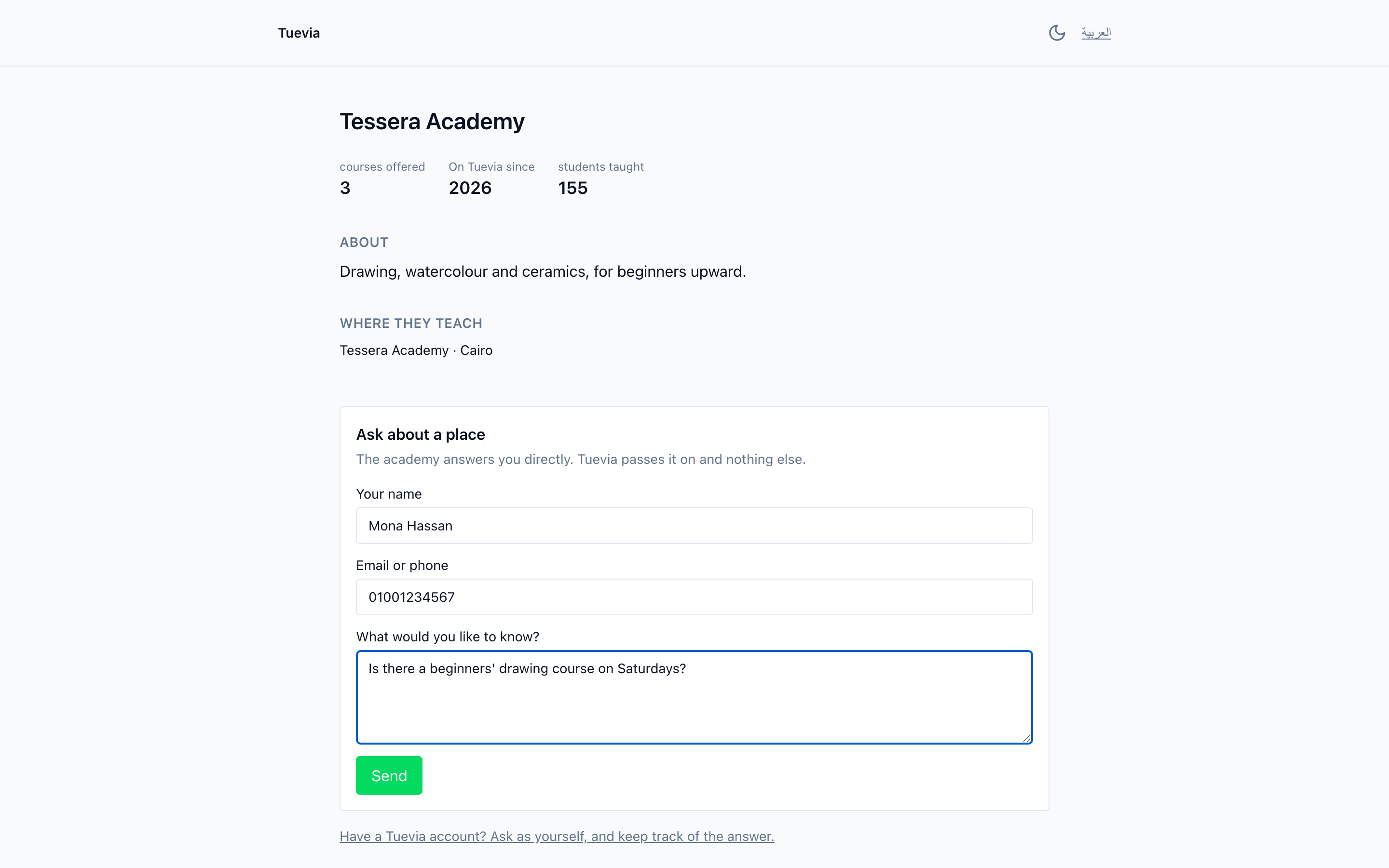
- Ask about a place
- Ask with your account
It shows what the academy has done on Tuevia - courses offered, On Tuevia since, sessions held, students taught, how many enquiries it answers within a day - with About, Where they teach and Get in touch.
-
Ask about a place - fill in Your name, an Email or phone to be answered on, and What would you like to know?, and press Send. The academy answers you directly; Tuevia passes it on and nothing else.
-
Have a Tuevia account? Ask as yourself, and keep track of the answer. - asks from your account instead, so the answer arrives in your Requests.
The academy finds what you sent in its Requests.
A campaign’s page
Section titled “A campaign’s page”When an academy runs a campaign with Tuevia, its ads open the campaign’s own page: the course, the offer, Offer ends and the date, Classes start, and how many seats are left. Under Reserve your seat, leave your name and Phone number, and the academy calls you. If the academy takes a deposit, the page then shows where to pay it - InstaPay, Wallet or Pay online - and the money goes straight to the academy. After the offer ends, the page says This offer has ended and points to the academy’s page.