
Students
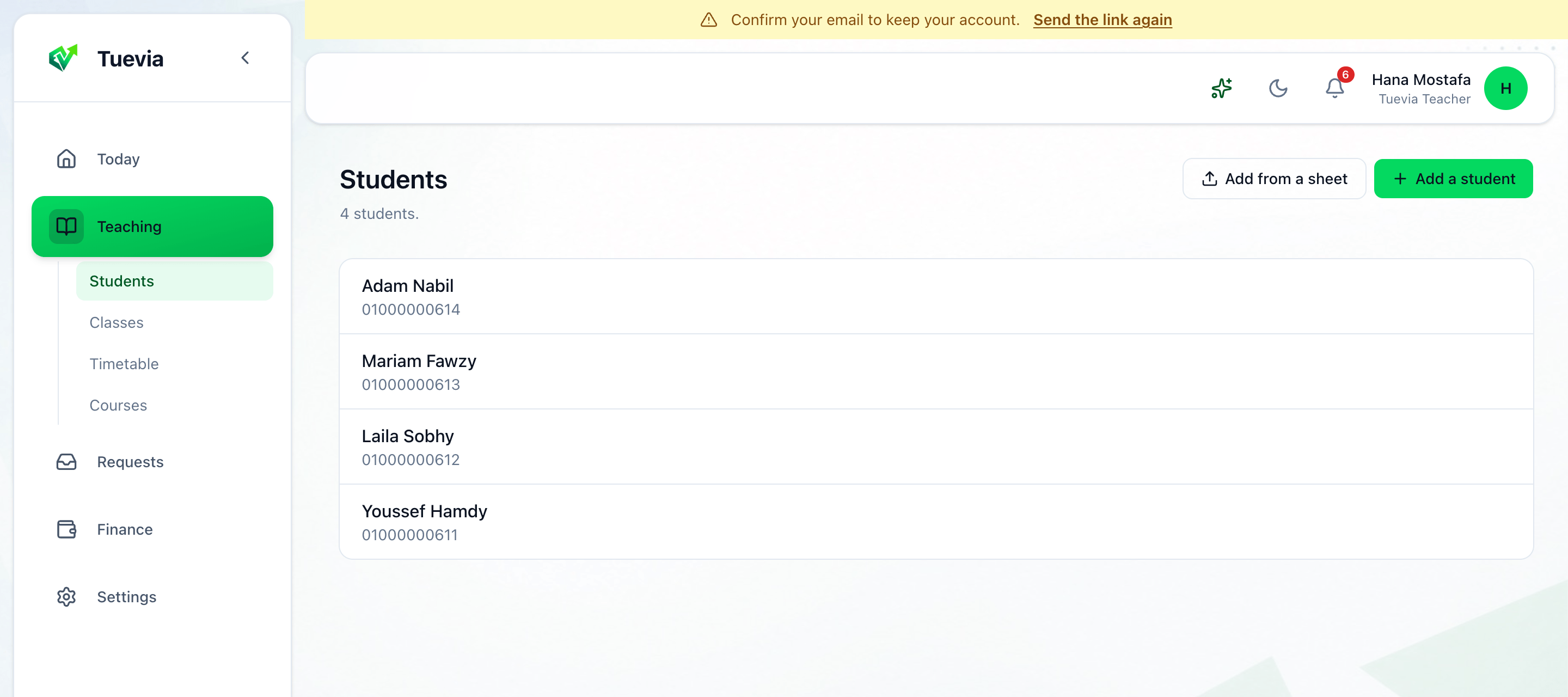
Teaching → Students lists everybody you teach, with their phone.
Add a student
Section titled “Add a student”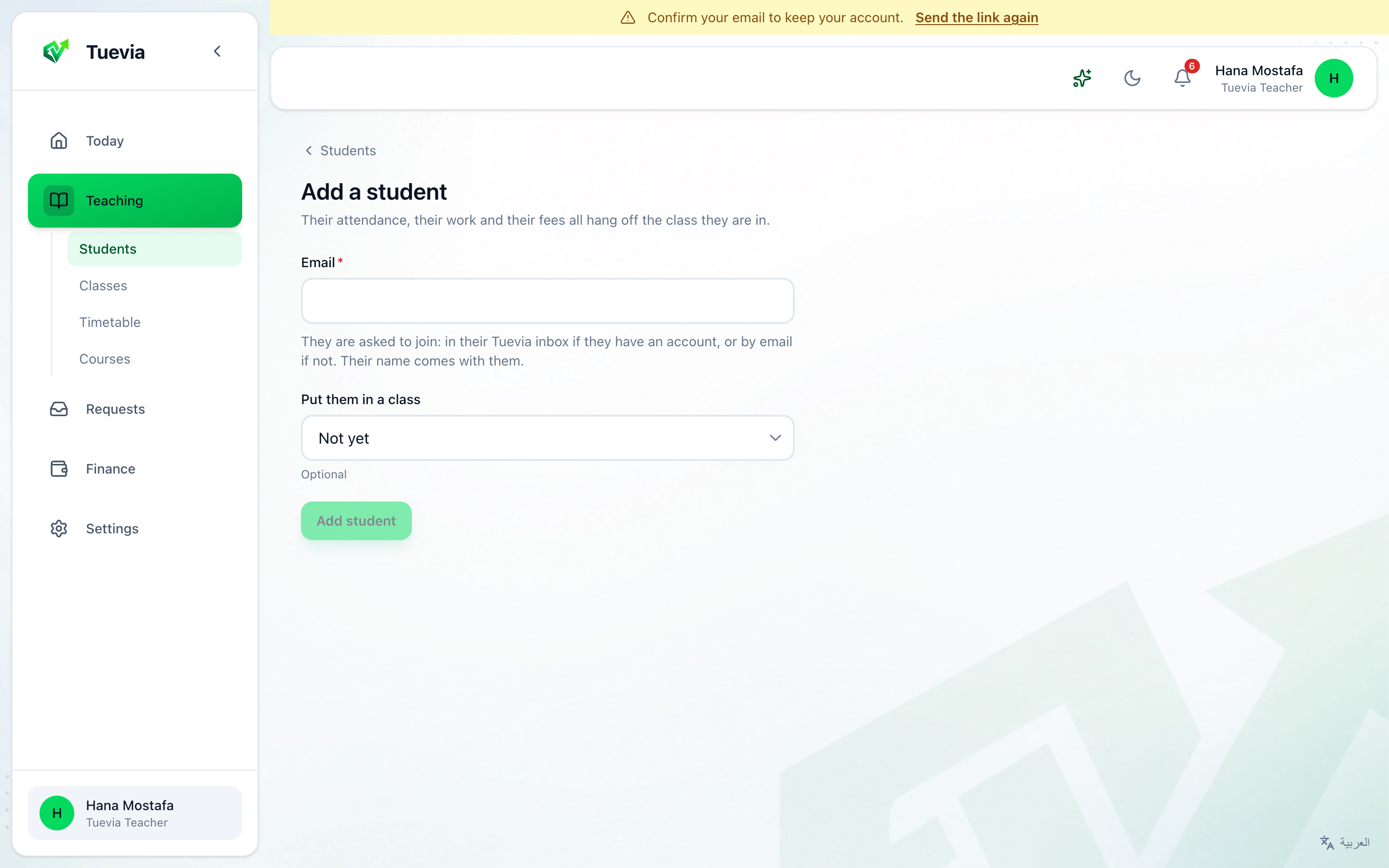
-
Press Add a student.
-
Type their Email. They are asked to join: in their Tuevia inbox if they have an account, or by email if not. Their name comes with them.
-
Choose a class under Put them in a class, or leave it at Not yet.
-
Press Add student.
Until they say yes, the student shows Asked to join - not here yet, and the invitation waits in Requests. Send the invitation again on their page sends it once more.
Add from a sheet invites several at once from a spreadsheet: choose Which class are these students for?, then the sheet. A new class is started first, from Start a class.
A student’s page
Section titled “A student’s page”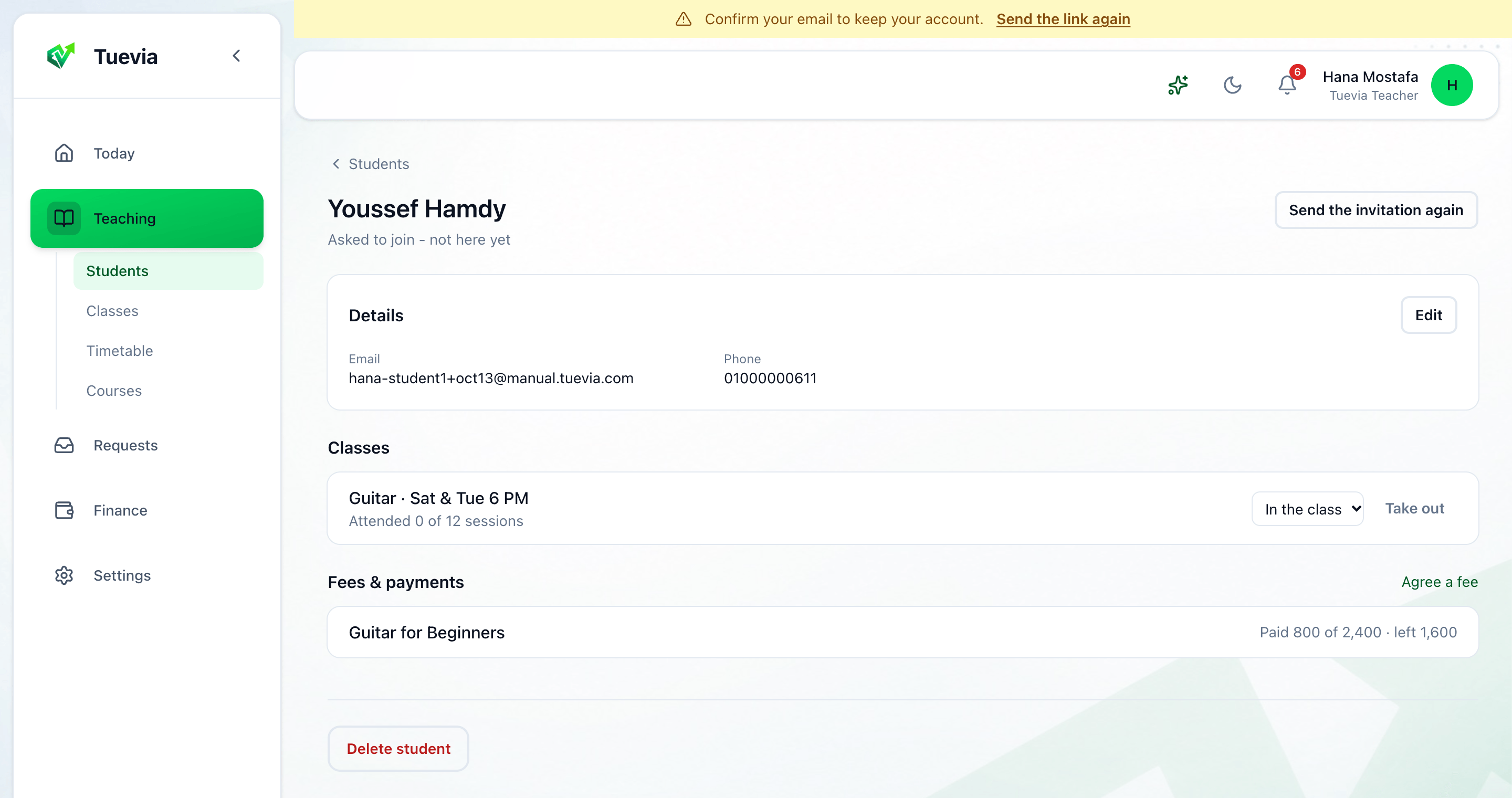
- Details - their email and phone. Edit changes them.
- Classes - each class they are in, with how many sessions they attended. Where they stand in this class: In the class, Paused or Finished. Take out removes them; their attendance and payments are kept.
- Fees & payments - each fee and what is left. Agree a fee adds one.
- Delete student deletes them for good. A student with payments cannot be deleted.