
Taking the first register
On the group’s first day, take the register: each student attended, was late, was absent or was excused. It is taken on the group’s page, by its instructor, the owner or anyone whose role can manage Groups.
Take the register
Section titled “Take the register”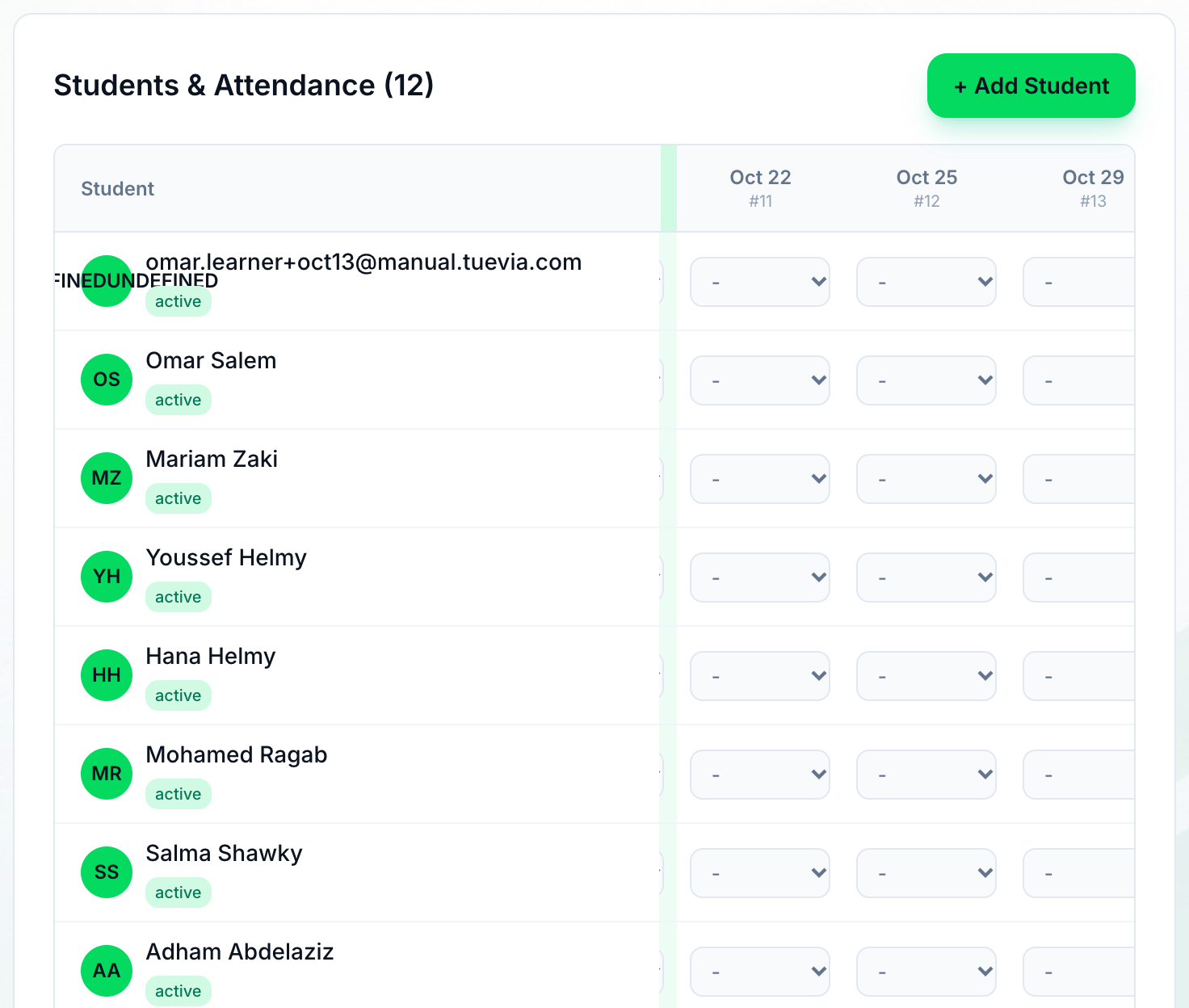
- Today's column
-
On Teaching → Groups, open the group. In Students & Attendance, today’s column is highlighted. For each student, choose Attended, Late, Absent or Excused. Attended and Absent are saved as soon as you choose them.
-
For Late or Excused, a box asks how many minutes late the student was, or the reason. Enter it and press Save, or press Skip to record the status without it.
A student you leave unmarked stays unmarked, not absent.
What happens next
Section titled “What happens next”- Correcting an older register, and the messages you may see: Taking attendance.
- Next in Getting started: recording the first payment.