
Commission
Commission is a share of what a group collects, paid with a person’s pay on Pay salaries — on top of a salary, or on its own for somebody paid by Share only. Owners, admins, and anyone allowed to manage Salaries can set rates. Anyone else who can open the Salaries page sees them without changing them.
The Share on Setting up pay sets the default rate: a percentage of every group. This page is for everything else — a different rate for one group, or an amount per session.
Set a rate
Section titled “Set a rate”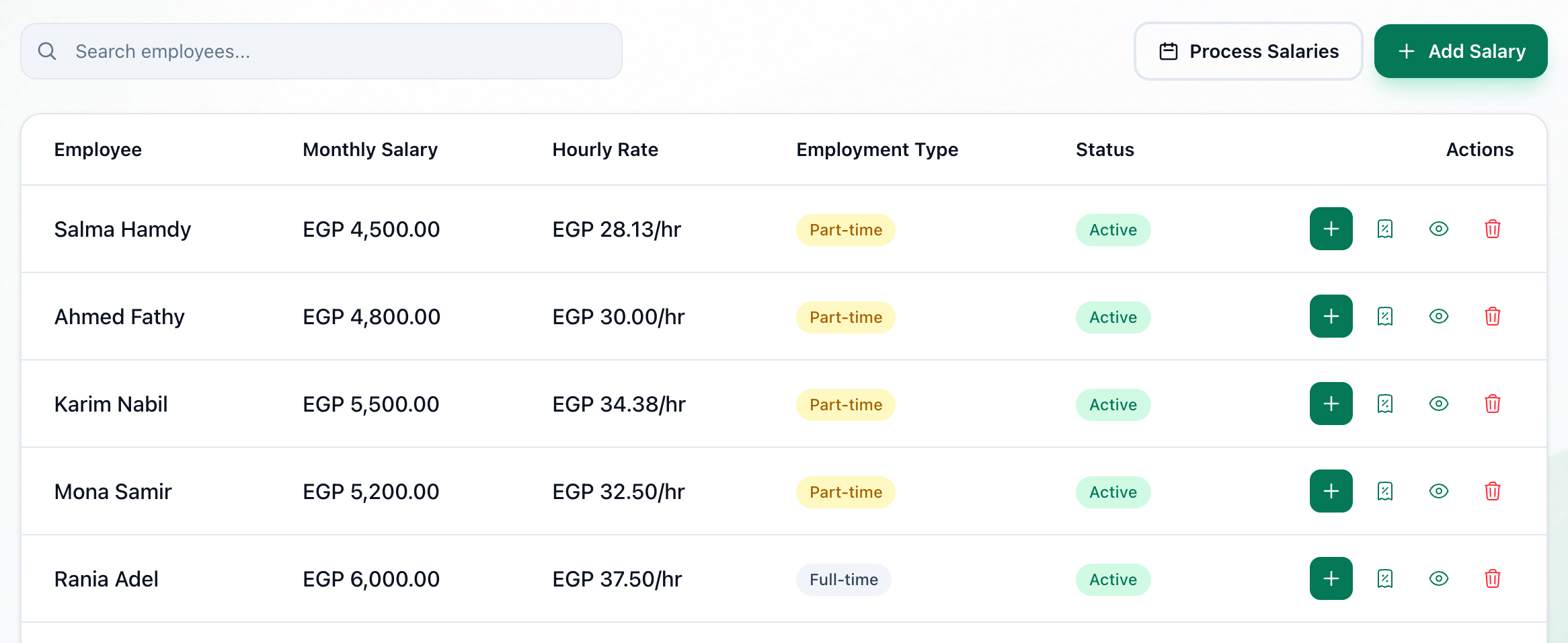
- Commission
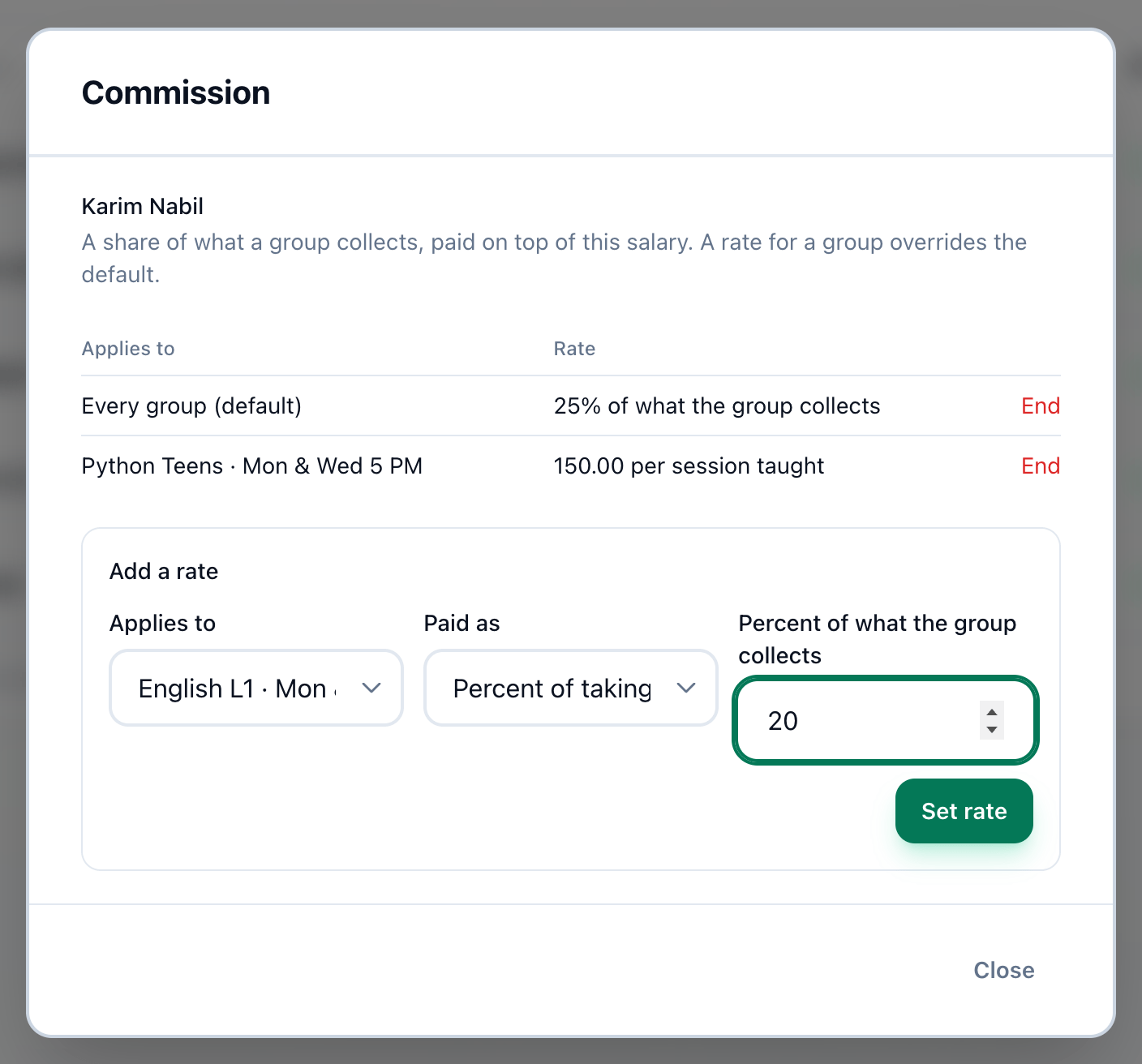
- Rates in force
- Applies to
- Paid as
- The rate
- Set rate
-
On the Salaries page, press the Commission button on the employee’s row.
-
Check the rates already in force: what each Applies to, and the Rate — for example 30% of what the group collects. An employee with none shows No commission set. This employee is paid their salary and nothing else.
-
Under Add a rate, choose what the rate Applies to: Every group (default), or one group. A group that already has a rate is not offered, and Every group (default) is offered only while there is no default rate.
-
Choose how it is Paid as: Percent of takings or Amount per session.
-
Enter the rate. A percentage is typed as it is said — 30 for 30% — and cannot be more than 100. An amount per session is in pounds.
-
Press Set rate. The rate joins the table.
To stop a rate, press End beside it. It no longer applies from then on; commission already paid with it stays paid.
How commission is worked out
Section titled “How commission is worked out”A session counts as held, and as taught by whoever taught it, once its end time has passed — unless it was cancelled. When you pay a month’s salaries, Tuevia works out each employee’s commission group by group:
-
Which groups
A default rate counts only the groups the employee taught in that month. A rate for a group counts that group, whether or not they taught it — a group rate on a group they did not teach is how somebody who filled the group earns from it. A group rate replaces the default for that group. -
Percent of takings
The rate times what the group collected in the month, shared by the sessions taught: times the sessions the employee taught, divided by the sessions the group held. 30% of EGP 12,000.00, with 6 of the group’s 8 sessions taught, is EGP 2,700.00. -
Not taught
On a group they taught none of, the employee earns the whole percentage. The working shows not taught. -
Amount per session
The amount times the sessions taught. -
Money held back
Money a group collects in a month when it held no sessions is carried to the next month that has some. Reports shows it as Held back — see Money in and out. -
over what it collected
Marks a group whose rates, between everybody, add up to more than it collected. Check the rates before paying.
If something goes wrong
Section titled “If something goes wrong”-
Enter a number that is zero or more.
The rate is empty or below zero. -
A percentage cannot be more than 100.
Enter the percentage as a number from 0 to 100.
What happens next
Section titled “What happens next”The commission is paid with the salaries — see Paying the month’s salaries.