
Notifications and privacy
Three sections of Settings hold switches for your notifications and your privacy. Everybody in the academy has them.
Set your choices
Section titled “Set your choices”Open Settings from your account menu, as in Your profile, and scroll down past Profile.
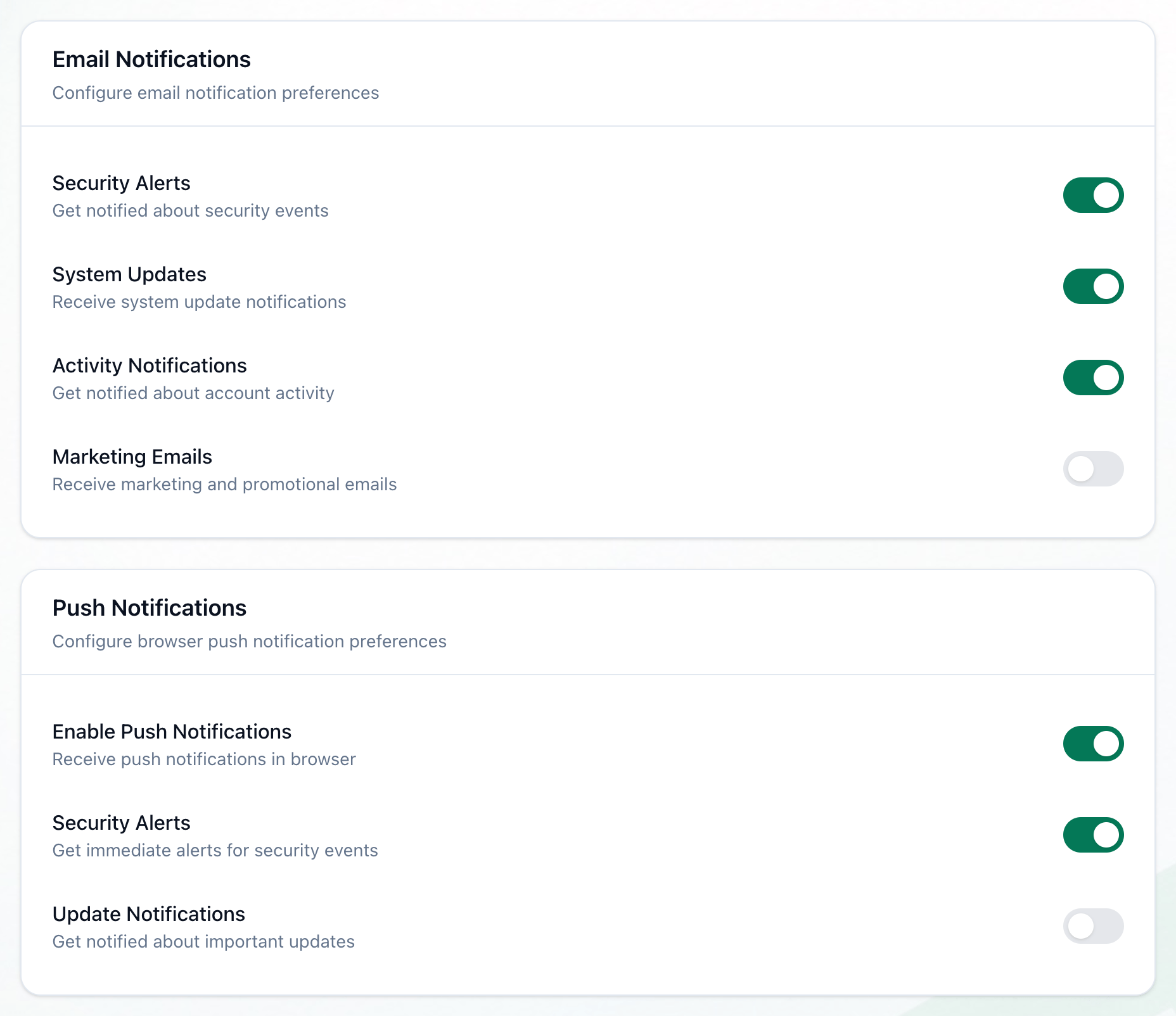
- Email Notifications
- Push Notifications
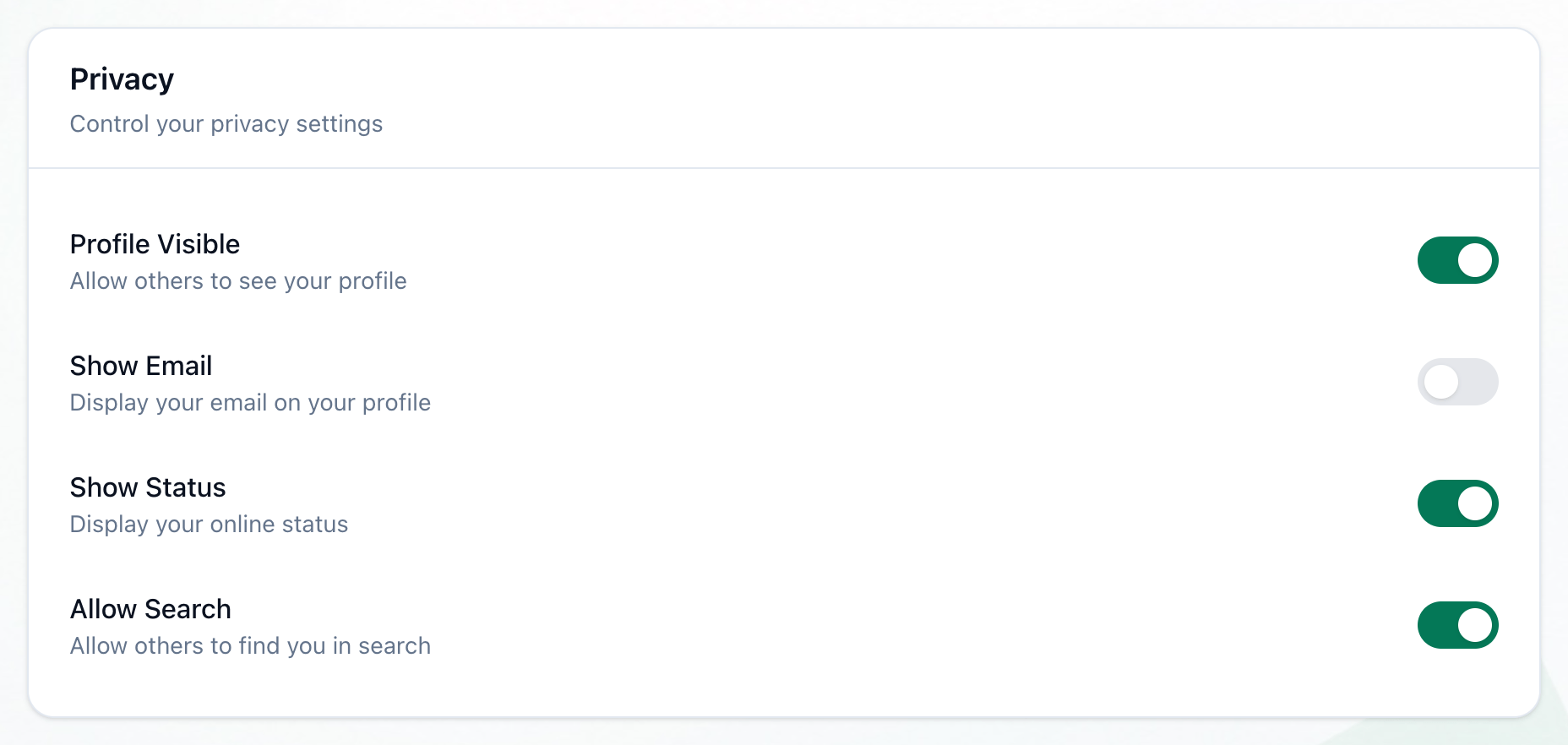
- Privacy
-
In Email Notifications: Security Alerts, System Updates, Activity Notifications and Marketing Emails.
-
In Push Notifications: Enable Push Notifications, Security Alerts and Update Notifications.
-
In Privacy: Profile Visible, Show Email, Show Status and Allow Search.
Press a switch to turn it on, green, or off, grey. Each one is saved the moment you press it: there is no Save button. While a switch is being saved, all of them pause for a moment.
What happens next
Section titled “What happens next”Your choices stay as you left them the next time you open Settings.