
The sessions list
Sessions lists every session: the ones made for groups, and one-off sessions. You see the sessions at the locations you work in, and the sessions you teach.
Find a session
Section titled “Find a session”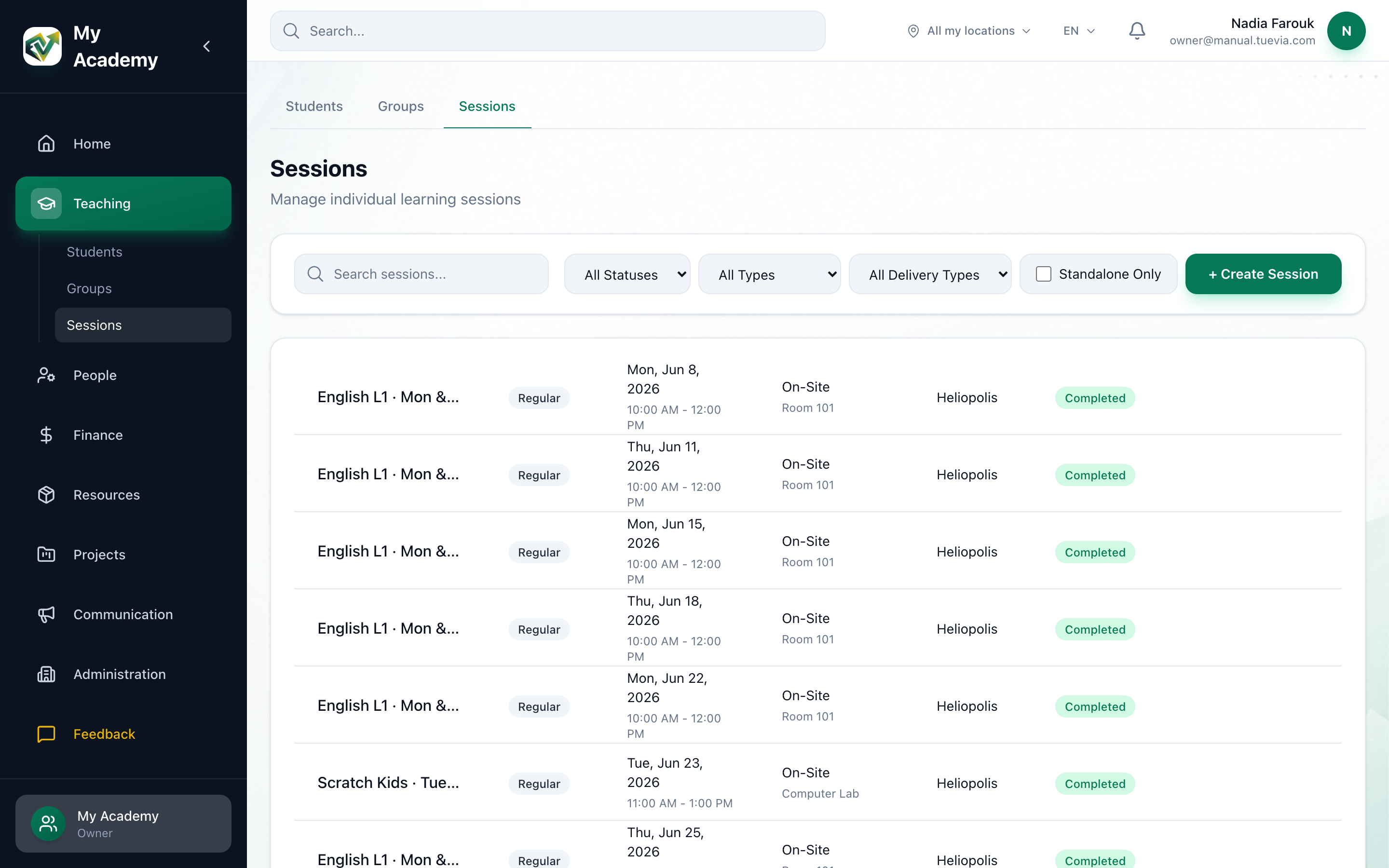
- Search
- Status
- Type
- On-site or online
- Standalone Only
-
To find a session by its title, type in Search sessions…. Sessions made for a group have no title of their own, so find those with the filters.
-
To narrow by status, choose one in All Statuses: Scheduled, In Progress, Completed or Cancelled.
-
To narrow by type, choose one in All Types: Regular, Test, Compensation, Workshop or Extra.
-
To see only sessions in a room, or only online ones, choose On-site or Online in All Delivery Types.
-
To see only one-off sessions, tick Standalone Only.
Each row shows the session’s name (its title, or its group’s name), its type, its date and times, where it takes place, and its status. A rescheduled session has the status Rescheduled, and is listed only while All Statuses is chosen.
The buttons on a session’s row
Section titled “The buttons on a session’s row”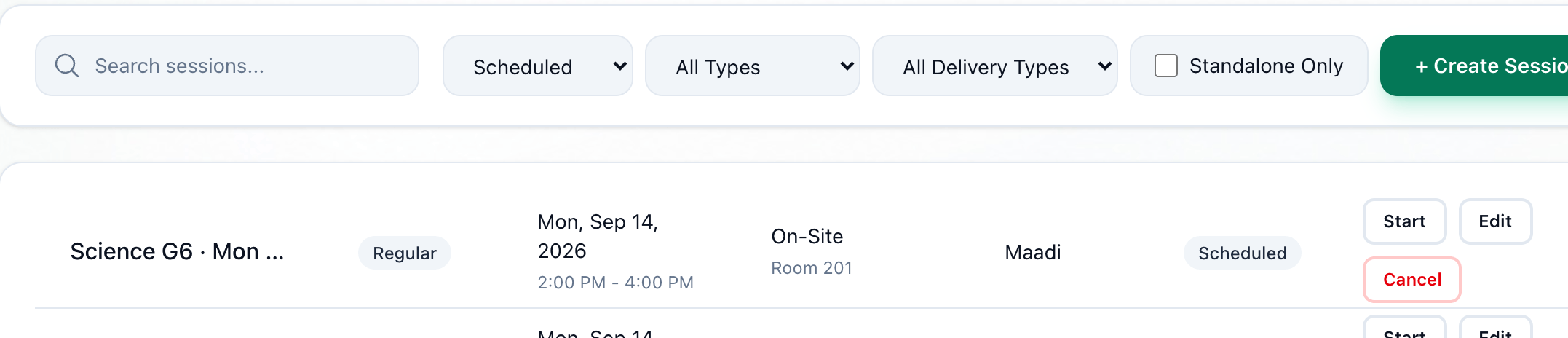
- Start
- Edit
- Cancel
- Start, on a scheduled session, marks it In progress. It happens straight away.
- Edit, on a session that is not completed or cancelled, changes its date, times or room: see Rescheduling and cancelling a session.
- Cancel, on a scheduled session or one in progress, cancels it after asking.
Two more buttons appear when they apply:
-
Complete
On a session in progress. It marks the session Completed, straight away. -
Delete
On a one-off session. It can be pressed once the session is cancelled, and removes the session for good after asking.
The buttons are on every row, but only owners and anyone whose role can manage Groups can use them. For anyone else, pressing one leaves the session as it was.
What happens next
Section titled “What happens next”- To take a session’s register, see Taking attendance.
- To add a session that belongs to no group, see Adding a one-off session.