
Sending an invitation
People → Invitations is where invitations are sent and followed up. Owners, admins, and anyone whose role gives access to Invitations can open it. Sending one needs a role that can manage Invitations: otherwise Send Invitation is greyed out.
Send an invitation
Section titled “Send an invitation”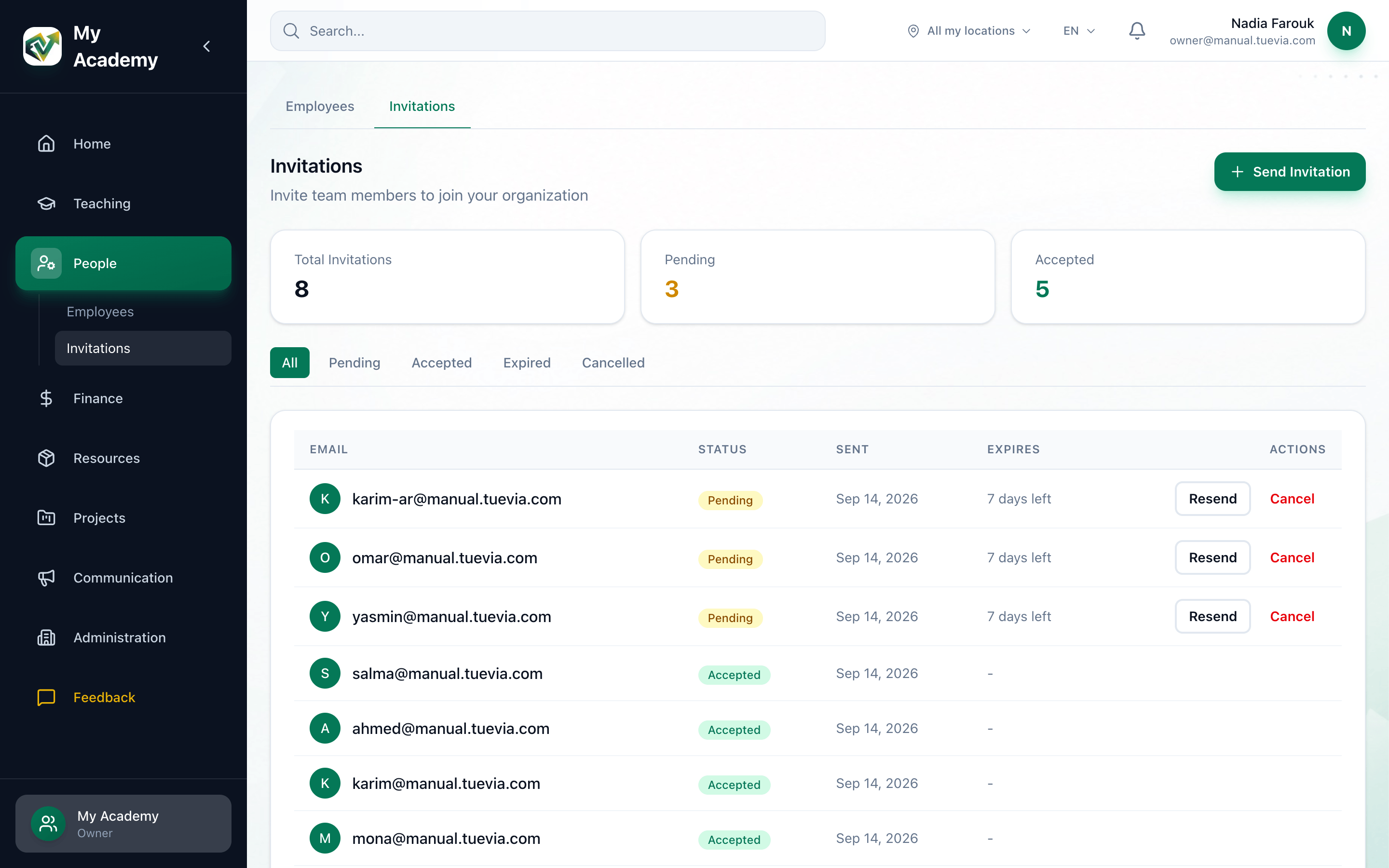
- Send Invitation
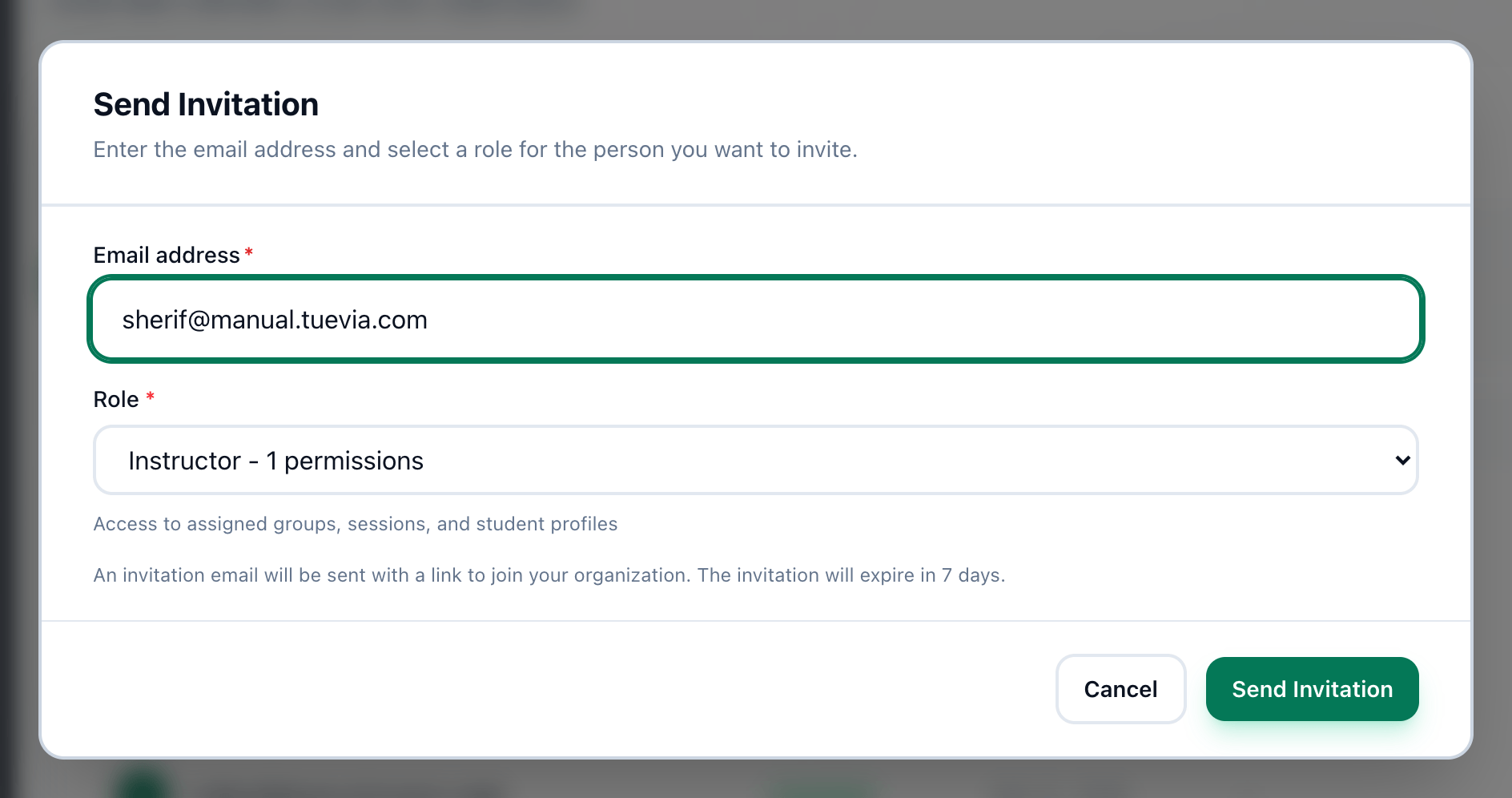
- Email address
- Role
- Send Invitation
-
Press Send Invitation.
-
Enter their address in Email address.
-
Choose their Role. Owner is not offered.
-
Press Send Invitation. The invitation appears at the top of the list as Pending.
Tuevia emails them a link to join. The invitation lasts 7 days.
If something goes wrong
Section titled “If something goes wrong”-
an active invitation already exists for this email
That address already has an invitation waiting. Use Resend on it instead. -
invalid email format
The address is not a complete email address. Check it for a missing@or a space. -
You can manage only colleagues whose branches are all yours, and give only branches you have.
You work in only some branches, and this page invites for all of them. Invite from Employees and tick your branches.
What happens next
Section titled “What happens next”- Follow it up: resend it if the email went astray, or cancel it.
- What the invited person sees when they open the link.