
Roles
A role is a name for a set of permissions, such as Admin or Instructor. Every employee has one. The Roles tab of People → Employees lists your academy’s roles.
Anyone whose role can view Roles can open the tab. Creating, changing and deleting roles needs a role that can manage Roles, and working in all branches.
The roles your academy starts with
Section titled “The roles your academy starts with”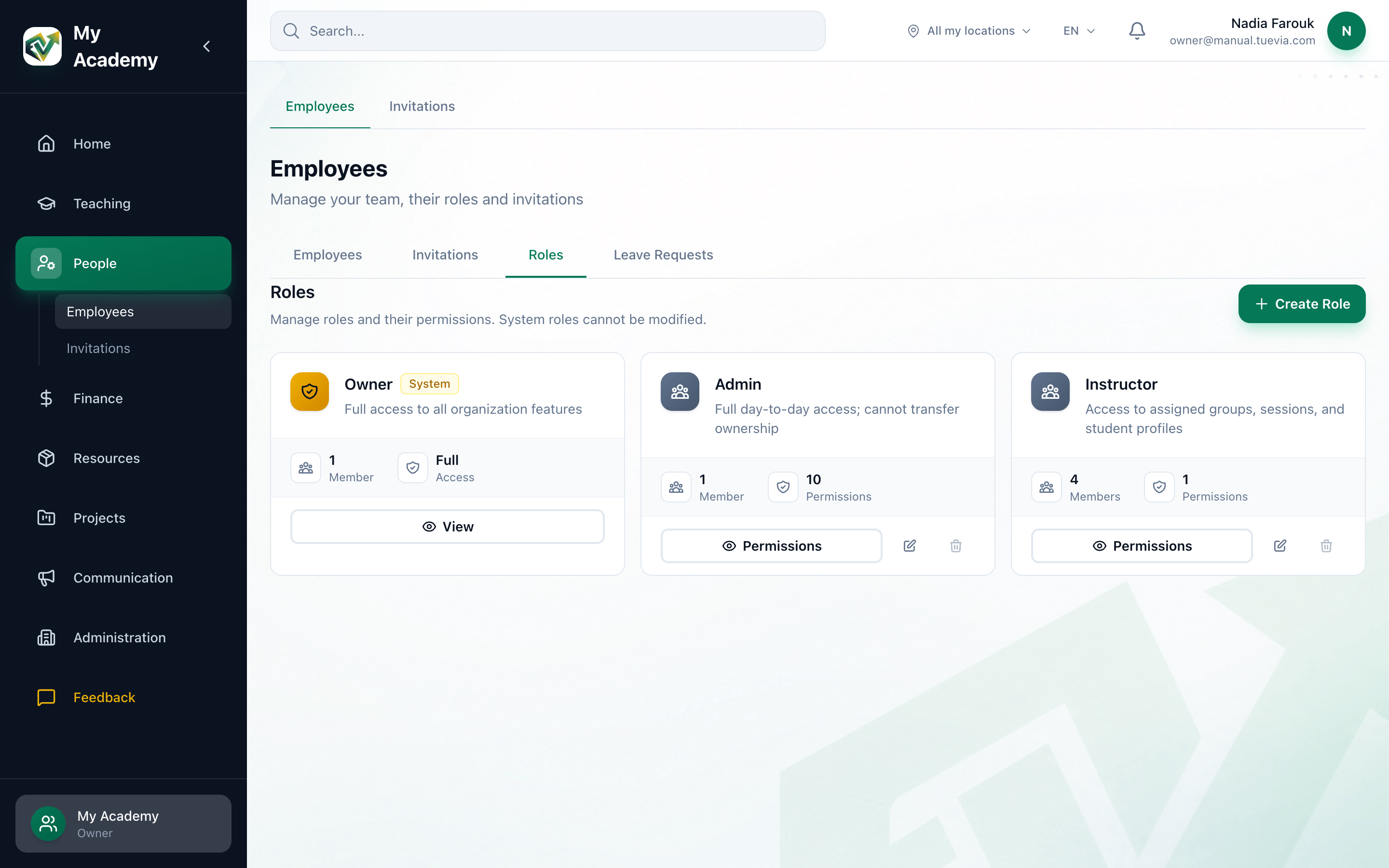
- Owner
- A role you can change
- Create Role
-
Owner
Marked System. Full access to everything, and the only role that can hand the academy on. It cannot be changed or deleted: its button reads View. -
Admin
Full day-to-day access, without ownership. -
Instructor
Access to the groups, sessions and students they are assigned to.
Each card shows how many Members have the role and how many Permissions it has. Admin and Instructor can be changed like any role you create.
Create a role
Section titled “Create a role”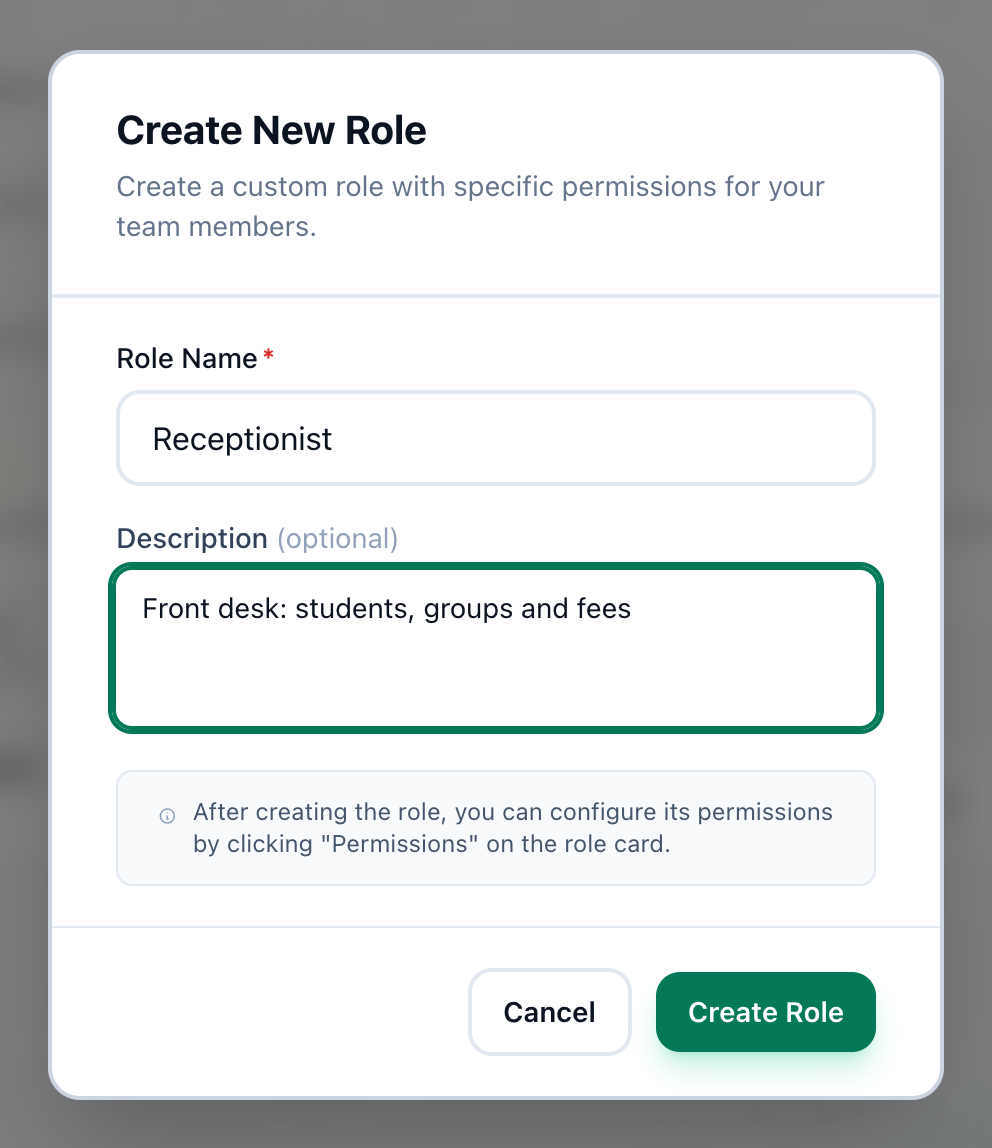
- Role Name
- Description
- Create Role
-
On the Roles tab, press Create Role.
-
Enter a Role Name of 2 to 50 characters.
-
Describe what the role is for in Description, if you like. It is shown on the role’s card and when somebody chooses a role.
-
Press Create Role.
A new role has no permissions. Press Permissions on its card to choose them: see What a role may do.
Rename or delete a role
Section titled “Rename or delete a role”- The pencil on a role’s card opens Edit Role, where you change its name and description. Press Save Changes.
- The bin deletes the role. It can be pressed only when nobody has the role: move its members to another role first. Tuevia asks Are you sure you want to delete “…”? This action cannot be undone. Press Delete.
If something goes wrong
Section titled “If something goes wrong”-
Role name must be at least 2 characters
Make the name longer. -
Role name must be less than 50 characters
Make the name shorter. -
Failed to create role
The role was not created. Check the name and press Create Role again.
What happens next
Section titled “What happens next”- Choose what the role may do.
- Give the role to an employee, or choose it when you invite somebody.