
Editing, closing and deleting
Tracks and courses can be changed at any time. One you no longer offer can be suspended or closed, which keeps it; deleting removes it.
Owners and admins can do all of this. So can anyone whose role, under My Academy, has Tracks & Courses set to Manage, and who works in all of the academy’s locations.
Edit a track
Section titled “Edit a track”
- Edit
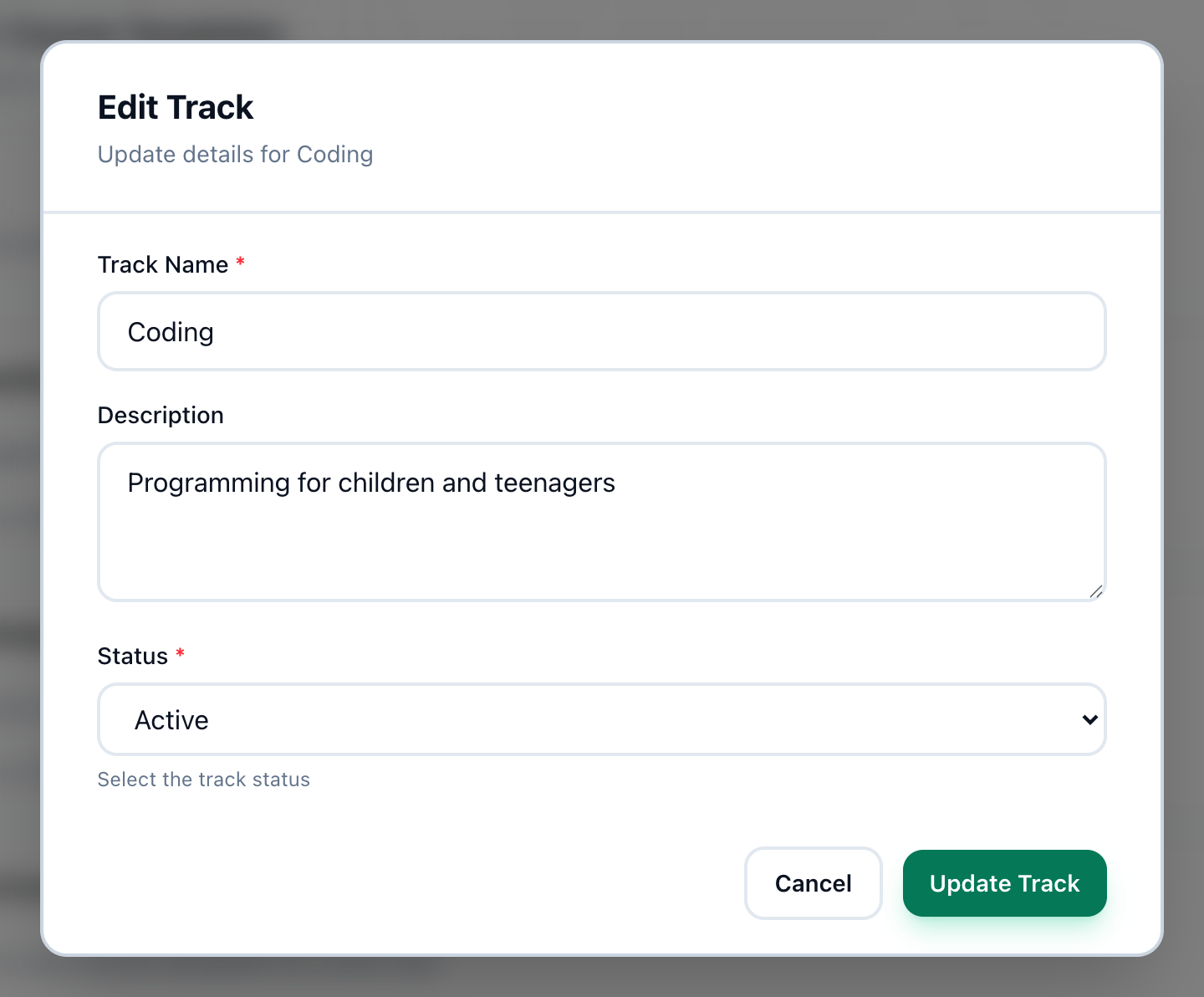
- Status
- Update Track
-
On the Tracks page, press Edit on the track.
-
Change Track Name or Description, or choose a Status: Active, Suspended or Closed.
-
Press Update Track.
Edit a course
Section titled “Edit a course”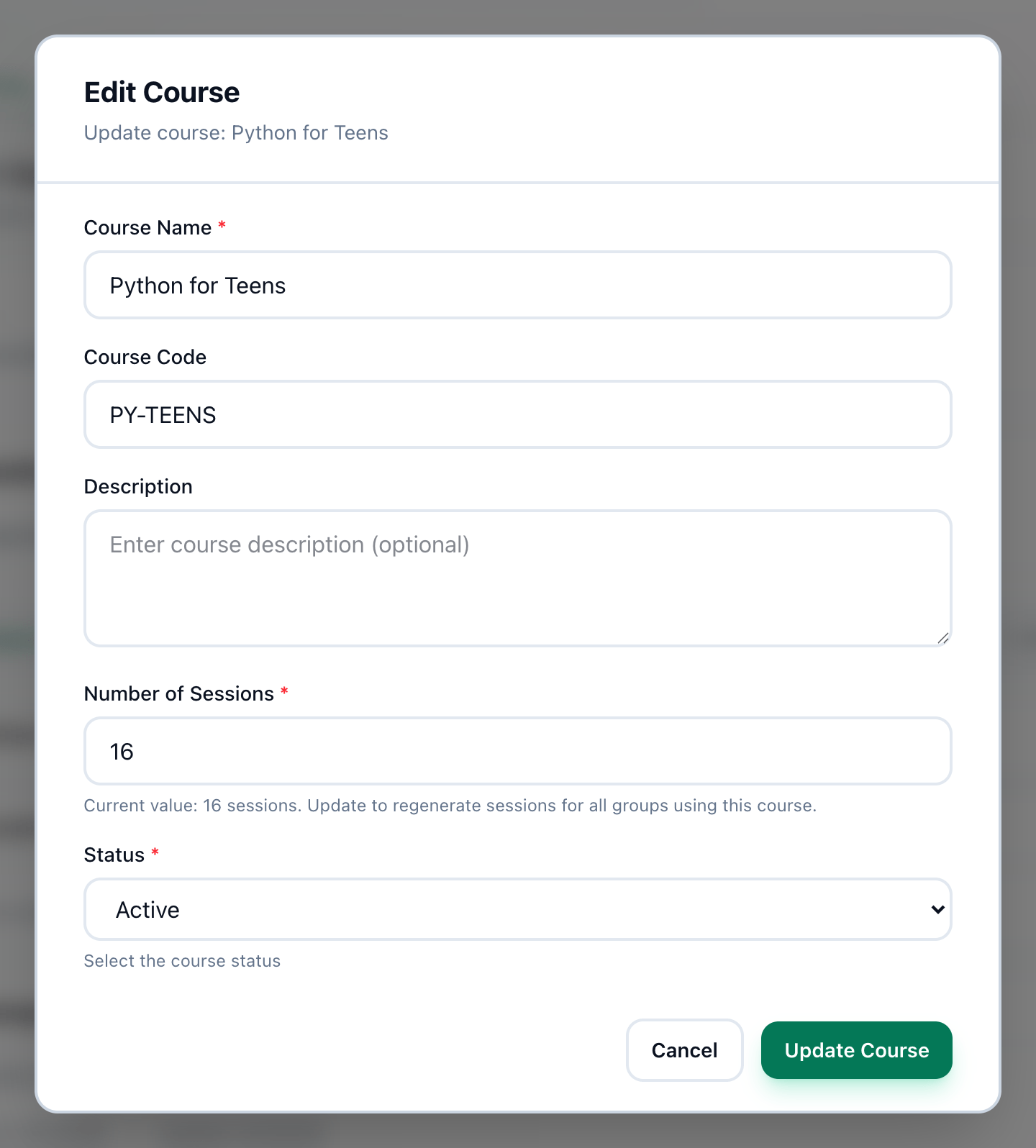
- Number of Sessions
- Status
- Update Course
-
On the Tracks page, open the track: press the arrow beside its name.
-
On the course, press the pencil, Edit course.
-
Change Course Name, Course Code, Description or Number of Sessions.
-
If you like, choose a Status: Active, Suspended or Closed.
-
Press Update Course.
What suspending and closing do
Section titled “What suspending and closing do”- A suspended or closed track takes no new courses.
- When a group is opened, only active tracks and their active courses are offered.
- A track’s status shows as the dot beside its name: green for active, yellow for suspended, grey for closed. A course’s status shows as a label beside its name.
To see tracks of one status only, use Filter by status: All beside Tracks.
Delete a track or a course
Section titled “Delete a track or a course”
- Delete
-
To delete a track, press Delete on it.
-
Tuevia asks Are you sure you want to delete this track? All courses in this track will also be deleted. Press OK.
To delete one course, open its track and press the bin on the course, Delete course. Tuevia asks, for example, Are you sure you want to delete “Web Design for Teens”? Press OK.
If something goes wrong
Section titled “If something goes wrong”-
Track name is required, Course name is required, Number of sessions is required
Shown inside the dialog: fill in the field. -
course code can only contain letters, numbers, hyphens, and underscores
Shown inside the dialog: take out spaces and other signs. -
Failed to delete track or Failed to delete course
Shown in a message box. Nothing was deleted. Try again.
What happens next
Section titled “What happens next”Groups are opened from active courses: see Teaching.