
Rooms
Rooms are where a branch’s groups are taught. Every room belongs to one branch.
Owners and admins can add, change and delete rooms. So can anyone whose role, under My Academy, has Branches set to Manage, and who works in all of the academy’s locations.
Before you start
Section titled “Before you start”The branch must be active. A suspended branch offers no Add Room button. See Editing, suspending and deleting.
Add a room
Section titled “Add a room”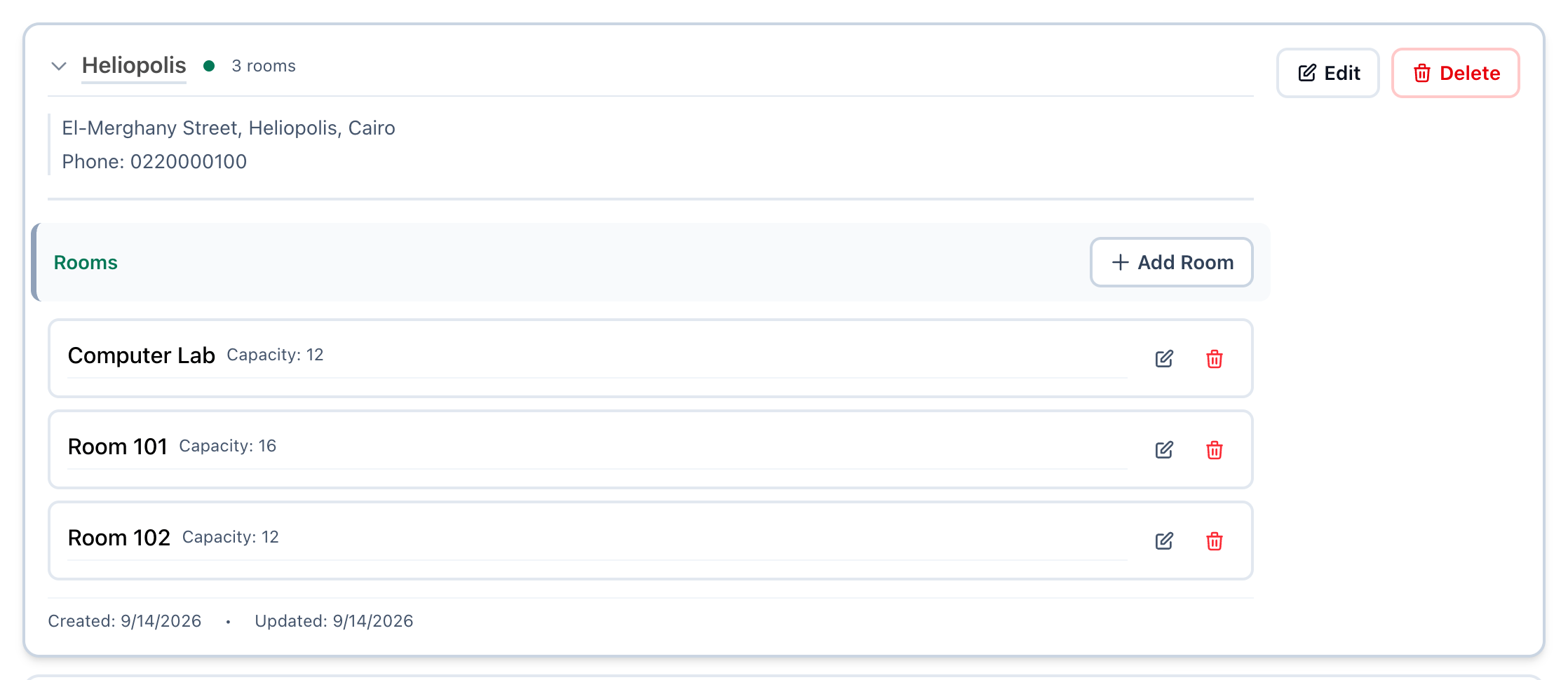
- Open the branch
- Add Room
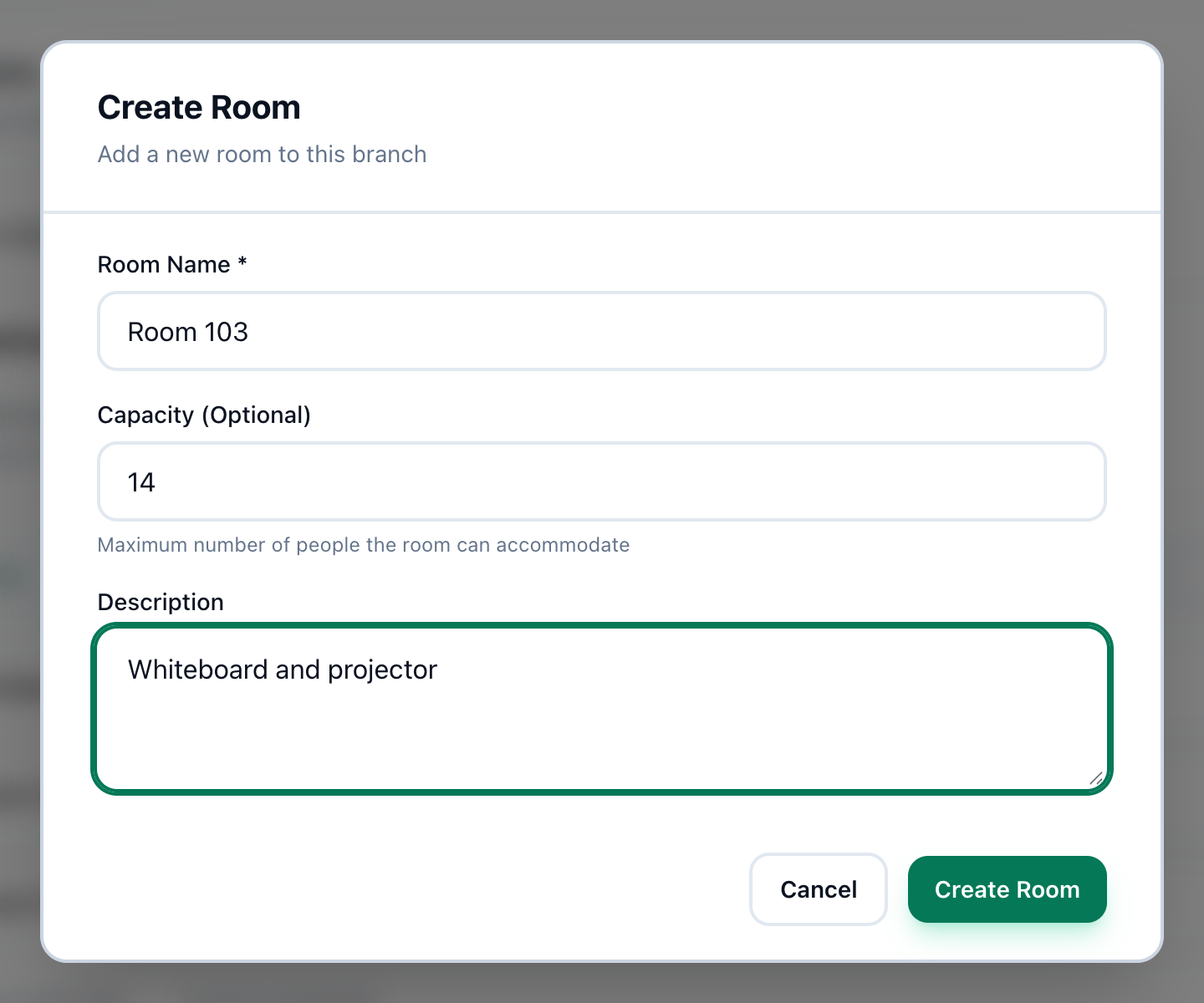
- Room Name
- Capacity
- Description
- Create Room
-
On the Branches page, press the arrow beside the branch’s name, or the name itself. The branch opens to show its Rooms.
-
Press Add Room. In a branch with no rooms yet, press Create First Room instead.
-
Enter the room’s name in Room Name.
-
If you like, enter in Capacity (Optional) the most people the room can hold.
-
If you like, describe the room in Description: its equipment, or where it is.
-
Press Create Room. The room appears in the branch’s list.
The number of rooms shows beside the branch’s name, for example 3 rooms, and each room shows its capacity.
Change or delete a room
Section titled “Change or delete a room”Open the branch to see its rooms. Each room has two buttons at its end:
- The pencil opens Edit Room, with the same fields. Change them and press Update Room.
- The bin deletes the room. Tuevia asks Are you sure you want to delete the room “Room 103”? This action cannot be undone. Press OK to delete it.
If something goes wrong
Section titled “If something goes wrong”-
Room name is required
Room Name is empty, or holds only spaces. -
Capacity must be a positive number
Enter a whole number of 1 or more in Capacity (Optional), or leave it empty.
If Tuevia’s server refuses the room, the dialog closes and the reason appears in red above the list of branches.
What happens next
Section titled “What happens next”A room is offered when a group is opened in that branch: groups are taught in rooms. See Teaching.