
Courses
A course is what a group is opened from: General English Level 1, Scratch Coding for Kids. Every course belongs to one track, and its number of sessions is how long each group of it runs.
Owners and admins can add courses. So can anyone whose role, under My Academy, has Tracks & Courses set to Manage, and who works in all of the academy’s locations.
Before you start
Section titled “Before you start”The track must be active. Tuevia adds no course to a suspended or closed track.
Add a course
Section titled “Add a course”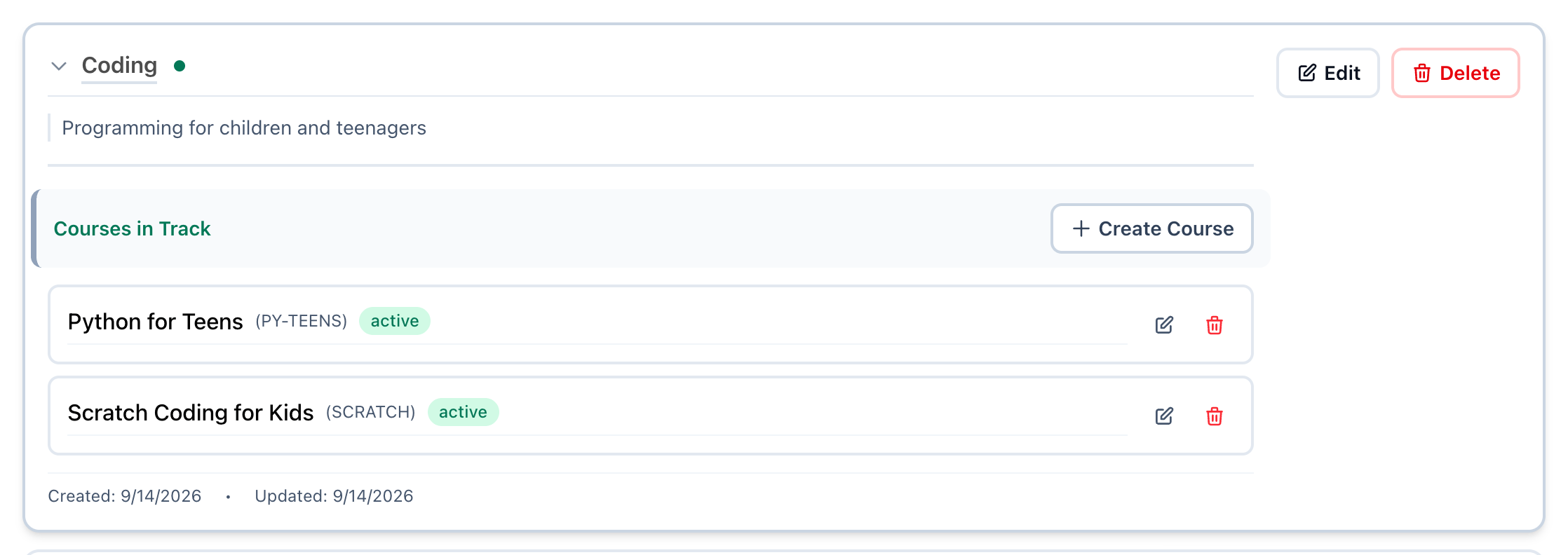
- Open the track
- Create Course
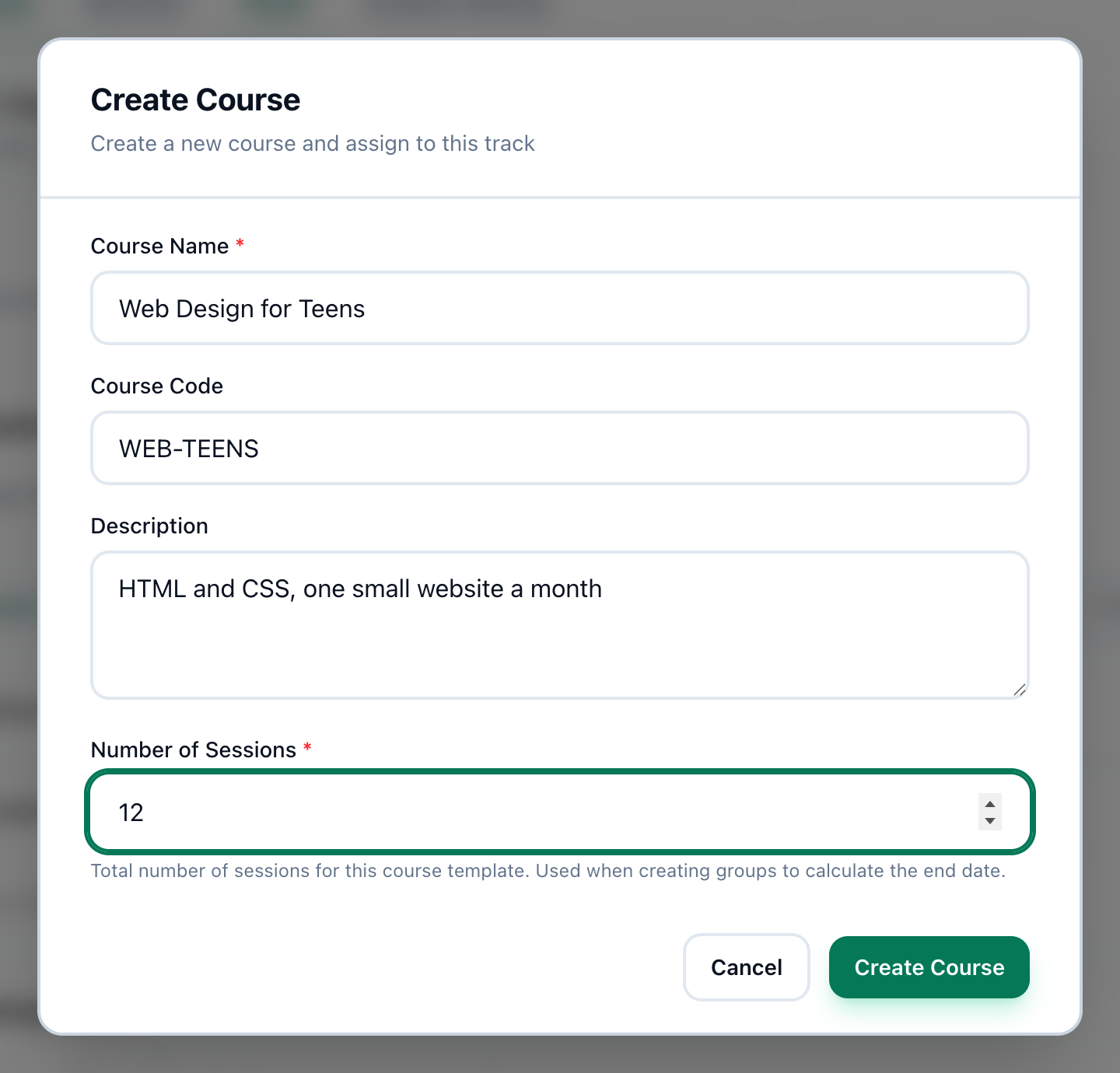
- Course Name
- Course Code
- Description
- Number of Sessions
- Create Course
-
On the Tracks page, press the arrow beside the track’s name, or the name itself. The track opens to show its Courses in Track.
-
Press Create Course.
-
Enter the course’s name in Course Name.
-
If you like, enter a short code in Course Code, such as ENG1. It shows beside the course’s name.
-
If you like, describe the course in Description.
-
Enter how many sessions a group of this course has in Number of Sessions. When a group is opened, this is what its end date is worked out from.
-
Press Create Course. The course appears in the track, marked active.
If something goes wrong
Section titled “If something goes wrong”These messages appear inside the dialog.
-
Course name is required
Course Name is empty, or holds only spaces. -
Number of sessions is required
Enter a whole number of 1 or more in Number of Sessions. -
course code can only contain letters, numbers, hyphens, and underscores
Take out spaces and other signs, for example WEB-TEENS rather than WEB TEENS. -
Course already exists
The track already has a course with this name, or with this code. -
cannot create course for suspended or closed track
Make the track active first: see Editing, closing and deleting.
What happens next
Section titled “What happens next”When a group is opened, its course is chosen from the active courses of active tracks. See Teaching.