
Transferring ownership
An academy has one owner. The owner can hand ownership to another employee, and becomes an Admin. Only the owner can do this, and it cannot be undone: only the new owner could hand it back.
Before you start
Section titled “Before you start”The new owner must have accepted their invitation. Somebody whose invitation is still waiting is not offered.
Transfer ownership
Section titled “Transfer ownership”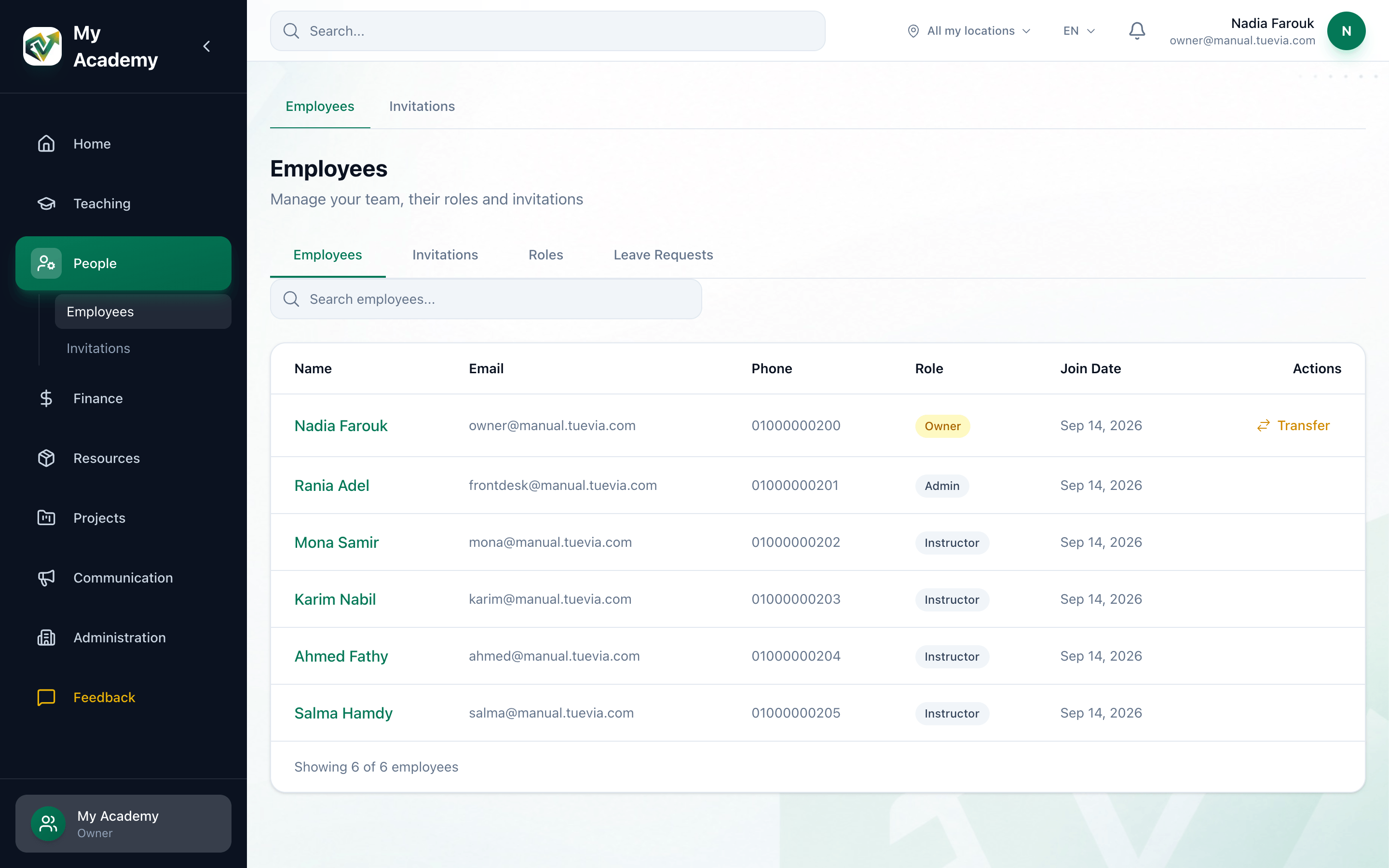
- Transfer
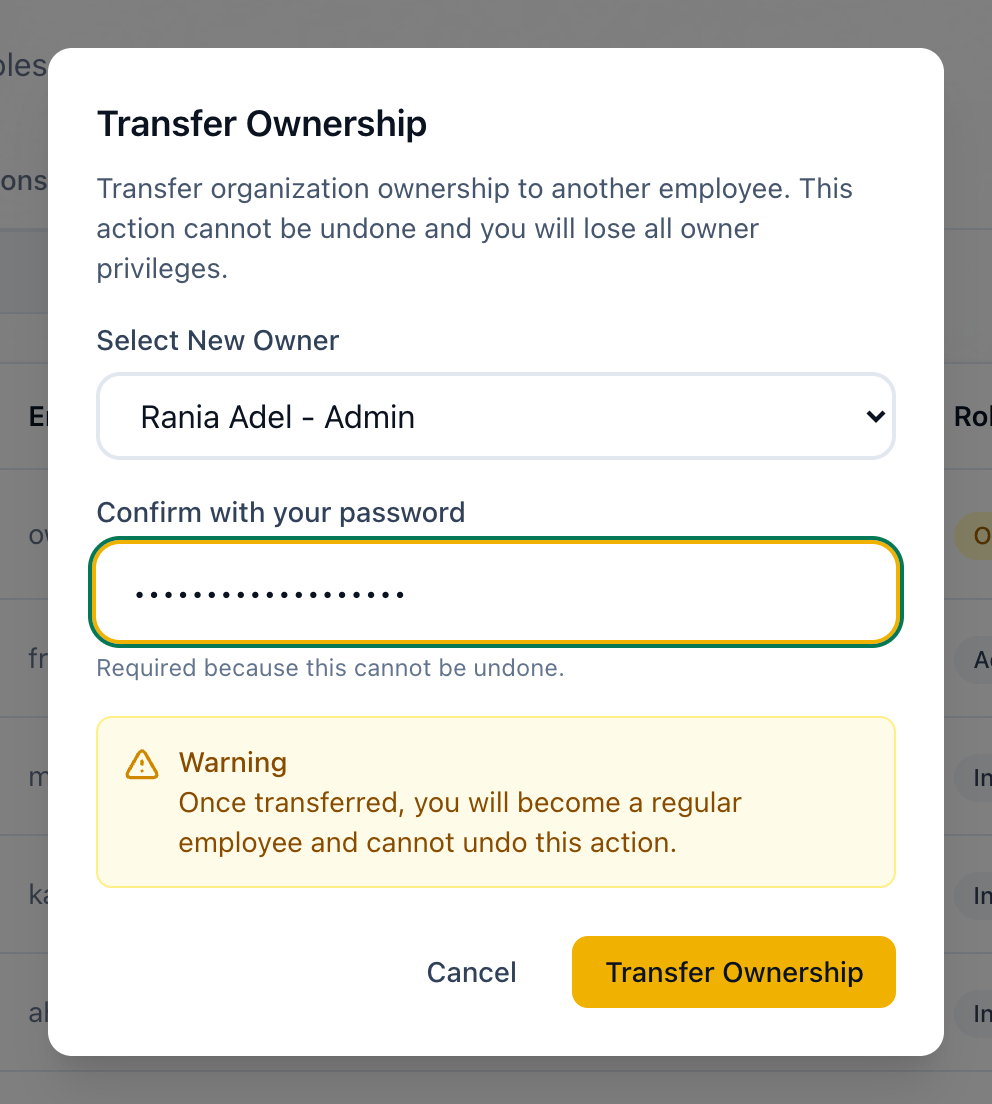
- Select New Owner
- Confirm with your password
- Transfer Ownership
-
In People → Employees, press Transfer on your own row.
-
Choose the new owner in Select New Owner.
-
Enter your own password in Confirm with your password. It is asked for because the transfer cannot be undone.
-
Read the Warning, then press Transfer Ownership.
Ownership transferred confirms it: You are now an Admin. Only the new owner can transfer ownership from here. Press Cancel to close it.
If something goes wrong
Section titled “If something goes wrong”-
incorrect password
The password is not the one you sign in with. Nothing has changed. Enter it again. -
could not verify your password, please try again
Tuevia could not check the password just then. Nothing has changed. Try again. -
ownership can only be transferred to an active member
The person has not accepted their invitation yet. -
The transfer did not complete. Nothing has changed.
Something else went wrong. Try again.
What happens next
Section titled “What happens next”- You keep an Admin’s access to everything day to day.
- The new owner has the Transfer button on their row from now on.